Lights should provide steady, reliable illumination. But when a bulb suddenly flashes, dims, pulses, or flickers repeatedly, it can become more than an annoyance. Sometimes the cause is as simple as a loose bulb or an incompatible LED dimmer. In other situations, flickering can point to a failing light fitting, unstable voltage, or an electrical connection that needs professional attention.
The important thing is knowing the difference.
A single LED bulb flickering occasionally does not automatically mean your home has a dangerous electrical fault. However, repeated flickering across several rooms, lights that dim when major appliances start, buzzing switches, burning smells, or warm electrical fittings should never be ignored.
This guide explains nine common reasons why lights flicker, how to recognise the likely cause, which basic checks are safe for homeowners, and when to contact a qualified electrician.
Whether you live in the United States, Canada, the United Kingdom, Australia, or Europe, the troubleshooting principles are similar. However, electrical standards, supply voltages, wiring systems, and local regulations vary, so always follow the requirements in your country.
Affiliate Disclosure
Some links in this article are affiliate links. If you purchase through them, SmartAirHQ may earn a commission at no additional cost to you. As an Amazon Associate, SmartAirHQ earns from qualifying purchases.
Quick Answer: Why Are My Lights Flickering?
Lights commonly flicker because of loose or poorly seated bulbs, incompatible LED dimmers, failing LED drivers, voltage fluctuations, overloaded circuits, faulty switches, deteriorating wiring connections, utility supply disturbances, or problems inside a light fitting.
The pattern provides an important clue. If only one bulb flickers, the issue may be local to that bulb or fitting. If several lights flicker together, especially when an appliance starts, the cause may involve the electrical circuit or incoming power supply.
Safety first: Do not remove switch plates, open electrical panels, touch exposed wiring, or attempt live electrical testing. If you notice heat, smoke, burning smells, crackling, sparks, or repeated whole-house flickering, stop using the affected circuit if you can do so safely and contact a qualified electrician or your electricity provider.
A Loose or Poorly Seated Light Bulb
One of the simplest explanations for a flickering light is a bulb that is not seated correctly in its socket. A poor contact can interrupt the electrical connection, causing the light to flash, cut out, or behave inconsistently.
This can happen after a bulb has been replaced, after vibration from a ceiling fan or nearby equipment, or when a bulb has gradually worked loose.
What you may notice
- One bulb flickers while nearby lights remain steady.
- The light switches between normal brightness and darkness.
- The problem started after a bulb replacement.
- The bulb occasionally works normally before flickering again.
Safe check
Turn the light off and allow the bulb to cool completely. If the bulb is accessible without using an unstable ladder or reaching near exposed electrical parts, check whether it appears properly seated. Do not force it.
If the bulb is damaged, unusually hot, or the socket appears discoloured, stop using the fitting and arrange a professional inspection.
A useful starting point is to compare the bulb’s specifications with the fitting and understand the difference between brightness ratings and actual light output. Our guide to what lumens mean and how light output works explains how to choose suitable lighting without confusing brightness with electrical compatibility.
Signs of a Loose Bulb or Poor Contact
| What you notice | Possible explanation | Safe next step |
|---|---|---|
| One bulb flickers | Poor bulb-to-socket contact | Switch off and check the cooled bulb |
| Flickering began after replacement | Bulb may not be seated correctly | Check the manufacturer’s fitting instructions |
| Bulb cuts out occasionally | Socket or bulb fault | Stop using it if the problem continues |
| Socket looks dark or damaged | Possible overheating or contact damage | Do not use; contact an electrician |
| Several lights flicker together | Unlikely to be one loose bulb | Investigate the wider electrical supply professionally |
Incompatible LED Bulbs and Dimmer Switches
LED technology has made home lighting more efficient, but not every LED bulb works correctly with every dimmer switch.
Some older dimmers were designed for incandescent or halogen bulbs. When paired with an LED that is not compatible, the result can be flashing, uneven brightness, buzzing, or sudden dropouts.
Even when a bulb is labelled dimmable, the dimmer and bulb still need to be compatible with each other.
The US Department of Energy explains that LED dimming performance depends on the interaction between the lamp’s driver and the control device. Incompatible combinations can produce flickering and other unwanted behaviour.
Common signs of a dimmer compatibility problem
- Flickering occurs mainly at low brightness settings.
- The light becomes stable when set to full brightness.
- Several bulbs connected to the same dimmer behave similarly.
- The flickering started after changing from halogen to LED bulbs.
- The dimmer or bulbs produce an unusual buzzing sound.
Before buying replacements, check the bulb manufacturer’s compatibility information and the dimmer manufacturer’s approved list. Our smart light switches buying guide provides additional context about lighting controls and smart-switch features.
LED and Dimmer Compatibility Problems
| Symptom | Possible reason | What to check |
|---|---|---|
| Flickers at low brightness | Dimmer and LED driver incompatibility | Manufacturer compatibility list |
| Flickers at every setting | Faulty bulb, driver, or electrical issue | Test whether other lights are affected |
| Buzzing during dimming | Incompatible control or component | Stop using it if buzzing is severe or accompanied by heat |
| New LED bulbs flicker on an old dimmer | Older dimmer may not support the LED load | Confirm the correct dimmer specification |
| Smart bulb flickers on a wall dimmer | Smart bulb may not be designed for external dimming | Follow the bulb manufacturer’s instructions |
Recommended LED Bulbs for Compatible Lighting
Dimmable LED Bulbs
Choose bulbs clearly labelled as dimmable and check that their model is compatible with your existing dimmer. A suitable bulb can help avoid unnecessary flickering caused by mismatched equipment.
🛍️ Explore Dimmable LED Bulbs on Amazon
Important: Buying a dimmable bulb alone does not guarantee compatibility. Check the dimmer manufacturer’s list before purchasing.
A Failing LED Driver or Light Fitting
LED bulbs and integrated LED fixtures use electronic driver components to regulate the electrical current supplied to the LEDs. If the driver begins to fail, the light may flicker, pulse, dim unexpectedly, or stop working.
This issue can occur in ceiling lights, recessed lighting, LED panels, under-cabinet lights, and other integrated LED fixtures.
Unlike a simple replaceable bulb, some integrated LED fittings contain components that are not designed for homeowner servicing.
Possible warning signs
- Flickering continues after a suitable replacement bulb is installed.
- An integrated LED ceiling light pulses or dims randomly.
- The fitting takes time to reach normal brightness.
- Flickering becomes more frequent as the light warms up.
- The fixture produces unusual noise or visible damage.
A faulty driver is not always the only explanation. A loose connection, incompatible control, or supply disturbance can produce similar symptoms. A qualified electrician should inspect the fitting rather than assuming the driver needs replacement.
LED Driver and Fixture Faults
| Light type | Possible problem | Recommended action |
|---|---|---|
| Integrated LED ceiling light | Failing internal driver | Professional inspection |
| LED panel light | Driver or internal connection fault | Check warranty and arrange qualified servicing |
| Recessed LED fixture | Driver overheating or failing | Stop using if it becomes unusually hot |
| Under-cabinet LED lighting | Faulty driver or power supply | Inspect externally for visible damage |
| Replacement LED fixture still flickers | Fault may be elsewhere in the circuit | Electrician should investigate |
Compatible LED Replacement Drivers
Some LED fixtures use replaceable drivers, but the replacement must match the fixture’s electrical requirements. Incorrect voltage, current, or power ratings can damage equipment and create hazards.
🔎 Find LED Replacement Drivers on Amazon
Safety note: This is a product category for identifying compatible components, not an instruction to open or repair a mains-powered fixture. Have a qualified professional confirm and install any replacement driver.
Voltage Fluctuations When Appliances Start
Have you noticed your kitchen lights briefly dim when the refrigerator starts, or your ceiling lights flicker when an air conditioner switches on?
This can happen because motors and other high-demand electrical equipment draw additional current during startup. The resulting voltage change may affect lighting connected to the same supply.
A brief, minor change is not necessarily evidence of a dangerous fault. However, frequent, pronounced, or worsening flickering deserves investigation.
Appliances that may coincide with flickering
- Air conditioners and heat pumps
- Refrigerators and freezers
- Washing machines
- Microwaves
- Water pumps
- Other equipment with motors or high startup demand
If lights across multiple rooms flicker when one appliance starts, do not automatically assume the appliance is responsible. The electrical circuit, supply connection, or wider power system may also be involved.
The Canadian Centre for Occupational Health and Safety explains that changes in supply voltage and equipment loads can cause noticeable lighting fluctuations.
Appliance-Related Flickering Patterns
| When flickering occurs | Possible explanation | What to do |
|---|---|---|
| When the refrigerator starts | Startup load or supply voltage change | Observe whether the effect is brief or severe |
| When the air conditioner runs | Motor startup or circuit-related issue | Arrange inspection if repeated or pronounced |
| When the microwave starts | Appliance load or supply disturbance | Note whether other rooms are affected |
| When several appliances operate | Possible circuit capacity or supply problem | Ask an electrician to assess the system |
| At random times without appliance use | Another electrical or supply issue | Record the pattern and seek professional advice |
An Overloaded Circuit or Electrical Capacity Problem
A circuit can experience problems when the electrical demand placed on it is greater than it is designed to handle. This may happen when several high-power appliances operate together or when a home has electrical equipment added without an appropriate assessment of the existing installation.
Overloading is not the only cause of flickering, and a flickering light alone cannot confirm that a circuit is overloaded. Other signs, such as repeated breaker trips, should be taken seriously.
Possible clues
- Lights dim when several appliances run at the same time.
- A circuit breaker trips repeatedly.
- Flickering affects multiple lights on one circuit.
- The problem began after new electrical equipment was installed.
- Some outlets or lights stop working when demand increases.
If your breaker repeatedly trips, do not keep resetting it or replace it with a higher-rated breaker. That can create a serious fire risk. Read our related guide, why a circuit breaker keeps tripping, to understand common warning signs and when professional help is needed.
Circuit and Electrical Demand Warning Signs
| Observation | What it may indicate | Recommended response |
|---|---|---|
| Flickering during heavy appliance use | Voltage drop or circuit issue | Have the circuit assessed |
| Repeated breaker trips | Fault, overload, or other protection issue | Contact an electrician |
| Flickering after new equipment installation | Electrical capacity or installation issue | Request a professional inspection |
| Breaker or panel feels unusually hot | Potential electrical hazard | Keep away and seek urgent professional help |
| Lights and outlets fail together | Circuit or supply problem | Do not attempt internal repairs |
A Faulty Wall Switch, Dimmer, or Electrical Connection
A worn switch, damaged dimmer, or deteriorating electrical connection can interrupt the supply to a light. This may cause intermittent flickering, crackling sounds, or lights that respond unpredictably.
The important distinction is that a switch problem is not always visible from the outside. A switch that looks normal can still have an internal fault.
Warning signs to take seriously
- Flickering changes when the switch is operated.
- The switch makes crackling or buzzing sounds.
- The switch plate feels unusually warm.
- There is a burning smell near the switch.
- The light repeatedly cuts out.
Do not remove the switch plate or attempt to tighten internal terminals. Electrical work should be performed by a qualified electrician under the rules applicable in your location.
Recommended LED-Compatible Dimmer Switch
LED-Compatible Dimmer Switch
If your current dimmer is confirmed to be incompatible with your LED bulbs, an appropriately rated LED-compatible dimmer may be a suitable replacement. Compatibility must be checked for the exact bulb and dimmer models.
⚡ Discover LED-Compatible Dimmer Switches on Amazon
Important: Replacing a wall dimmer involves mains wiring. Use a qualified electrician rather than attempting a DIY installation.
Loose Wiring, Damaged Connections, or a Neutral Fault
One of the most important causes to recognise is a poor electrical connection. Loose wiring, damaged conductors, or a faulty neutral connection can cause unstable lighting and may create overheating or arcing risks.
This is particularly concerning when flickering affects several rooms, changes in intensity, or occurs alongside unusual sounds or electrical behaviour.
Possible warning signs
- Several lights become brighter and dimmer unexpectedly.
- Flickering occurs across different rooms.
- Lights behave unusually when appliances operate.
- You hear crackling or buzzing from an electrical fitting.
- You notice a burning smell or discolouration.
A loose neutral or other supply connection can be serious. Do not try to locate or tighten the connection yourself. If the problem affects multiple circuits or the whole property, contact a qualified electrician promptly. If the electrician suspects a problem with the incoming supply, contact the electricity network operator or utility provider as appropriate.
When Flickering May Indicate a Serious Electrical Fault
| Warning sign | Why it matters | Action |
|---|---|---|
| Several rooms flicker together | Possible supply or shared connection issue | Seek prompt professional inspection |
| Lights become unusually bright and dim | Possible voltage or neutral fault | Contact an electrician urgently |
| Burning smell near a switch or fitting | Possible overheating | Stop using the affected equipment and seek urgent help |
| Crackling or arcing sounds | Possible electrical connection fault | Keep away and arrange urgent inspection |
| Smoke, visible sparks, or fire | Immediate danger | Move away and call emergency services |
Utility Supply Problems or External Voltage Disturbances
Sometimes the cause is outside your home. Problems with the electricity network, temporary supply disturbances, or work on nearby electrical infrastructure can affect the voltage reaching a property.
If your neighbours experience similar symptoms at the same time, the problem may be related to the local electricity supply rather than an individual light fitting.
However, do not assume a utility issue simply because several lights flicker. An internal wiring fault can produce similar symptoms.
What you can safely observe
- Do neighbouring properties experience similar flickering?
- Does the problem affect several rooms?
- Did the flickering begin during a local outage or power restoration?
- Does the issue occur at particular times of day?
- Have you noticed other electrical equipment behaving unusually?
Record when the problem happens and which rooms are affected. Report suspected supply disturbances to your electricity provider. If the flickering is severe, persistent, or accompanied by burning smells, unusual brightness changes, or electrical noises, arrange an electrician’s inspection as well.
Plug-In Voltage Monitor
A plug-in voltage monitor may help record or display supply voltage at a compatible outlet. It is not a substitute for a professional electrical inspection, and it must be rated for the voltage, plug type, and electrical standards used in your country.
📊 Check Plug-In Voltage Monitors on Amazon
Do not use an unsuitable North American device on a 230V supply, or use a monitor as a reason to delay professional help.
Outdoor Solar Lights, Moisture, or Environmental Damage
Outdoor lighting can flicker for reasons that are different from indoor mains-powered lights. Solar lights, for example, rely on a rechargeable battery, a solar panel, and an internal control circuit.
A weak battery, insufficient charging, dirty solar panel, damaged cable, moisture ingress, or failing electronic component can cause intermittent illumination.
This is especially common after long periods of cloudy weather, seasonal changes, or exposure to harsh outdoor conditions.
Safe checks for outdoor solar lights
- Check whether the solar panel is covered in dust or debris.
- Look for visible cracks or water damage.
- Check the manufacturer’s instructions for battery replacement.
- Observe whether the light flickers only after dark or throughout operation.
- Replace damaged equipment rather than attempting to repair exposed electrical parts.
For more detailed troubleshooting, see our guide to solar lights not working.
Rechargeable Inspection Flashlight
5. Rechargeable LED Inspection Flashlight
A reliable rechargeable flashlight is useful when checking the visible condition of outdoor fittings, looking for damaged covers, or inspecting dark areas without touching electrical components.
🔦 Browse Rechargeable Inspection Flashlights on Amazon
Safe Checks Homeowners Can Perform
Not every flickering light requires an emergency callout, but safe observation is different from electrical repair.
You can gather useful information without opening fittings, removing covers, or handling wiring. This can help an electrician identify the likely source more quickly.
Safe homeowner checks
- Identify the affected lights: Is it one bulb, one room, or the whole property?
- Record the pattern: Does flickering happen continuously, occasionally, or when an appliance starts?
- Check the bulb type: Look at the manufacturer’s label and confirm that the bulb is suitable for the fitting.
- Review dimmer compatibility: Check the exact bulb and dimmer models using manufacturer documentation.
- Look for visible damage: Without touching electrical components, observe whether a fitting or switch has discolouration, cracks, or signs of heat.
- Ask neighbours: If several nearby properties have the same problem, contact your electricity provider.
- Write down warning signs: Record buzzing, unusual brightness changes, breaker trips, burning smells, or other symptoms.
What homeowners should NOT do
- Do not open an electrical panel.
- Do not remove switch plates or socket covers.
- Do not touch exposed conductors.
- Do not attempt live voltage testing.
- Do not bypass a breaker or protective device.
- Do not repeatedly reset a breaker that keeps tripping.
- Do not replace a breaker with a higher-rated model.
- Do not continue using a fitting that smells burnt, sparks, or becomes unusually hot.
A ground-fault circuit interrupter (GFCI) is a protective device designed to reduce the risk of electric shock in certain locations. It is not a flicker-control device. If a GFCI outlet trips around the same time as a lighting problem, treat the trip as a separate safety warning rather than assuming it explains the flickering. Our GFCI outlet guide explains what this protection does and why it matters.
Flickering Light Troubleshooting Decision Guide
| What is happening? | Possible area of concern | Recommended next step |
|---|---|---|
| Only one bulb flickers | Bulb, socket, or local fitting | Switch off and check the cooled bulb if safely accessible |
| LED flickers only when dimmed | Bulb and dimmer compatibility | Check manufacturer compatibility information |
| Integrated LED fitting pulses | Driver or fixture fault | Arrange qualified inspection |
| Lights dim when an appliance starts | Voltage change or circuit issue | Record the pattern and seek assessment if repeated |
| Several rooms flicker together | Shared wiring or incoming supply | Contact an electrician promptly |
| Lights become unusually bright and dim | Possible serious voltage or neutral issue | Seek urgent professional inspection |
| Burning smell, smoke, sparks, or crackling | Potential electrical hazard | Keep away and seek emergency or urgent professional help |
When Should You Call an Electrician?
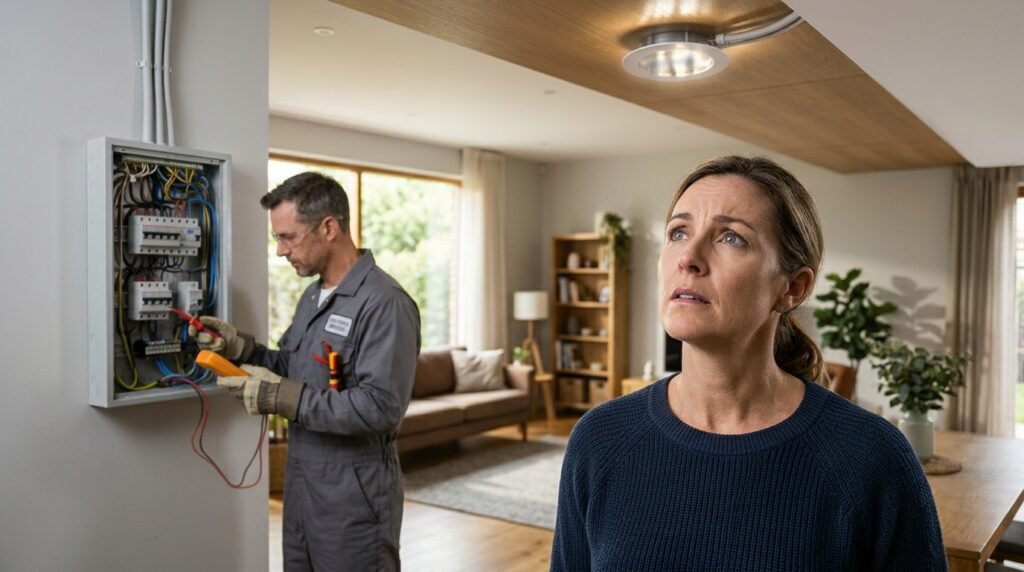
The safest approach is to treat recurring or unexplained flickering as a problem worth investigating. Some symptoms require more urgent action than others.
Contact a qualified electrician promptly if:
- Several lights flicker at the same time.
- Flickering becomes frequent or progressively worse.
- Lights dim significantly when appliances start.
- A switch, dimmer, socket, or fitting becomes unusually warm.
- You hear buzzing, crackling, or popping.
- A breaker repeatedly trips.
- The same problem continues after a suitable bulb replacement.
Treat these as urgent warning signs:
- Smoke or visible sparks.
- A burning or melting-plastic smell.
- A switch, socket, or fitting showing signs of scorching.
- Lights suddenly becoming much brighter or dimmer across the property.
- Evidence of arcing or electrical damage.
Keep away from the affected equipment. If there is smoke or fire, move to safety and call emergency services. Do not touch a damaged electrical fitting or attempt to investigate an electrical panel.
How to Reduce the Risk of Future Lighting Problems
Preventing flickering starts with choosing compatible lighting products and keeping the electrical installation in suitable condition.
- Choose quality LED bulbs from reputable manufacturers.
- Check that LED bulbs are labelled as dimmable before using them with a dimmer.
- Confirm compatibility between the exact bulb and dimmer models.
- Use the correct replacement components for integrated LED fixtures.
- Avoid using damaged or visibly deteriorating lighting equipment.
- Arrange electrical inspections when your home has recurring unexplained faults.
- Ask an electrician to assess electrical capacity before adding major new equipment.
- Follow the manufacturer’s maintenance instructions for outdoor and solar lighting.
Choosing a Replacement LED Fixture
Quality LED Ceiling Light Fixture
If an existing fixture is damaged or has a confirmed internal fault, a suitable replacement may be more practical than continued use. Compare the fixture’s dimensions, voltage rating, mounting requirements, light output, and dimming compatibility before purchasing.
✨ Explore LED Ceiling Light Fixtures on Amazon
Have mains-powered fixtures installed by a qualified professional where required.
Surge Protection for Suitable Equipment
Certified Surge Protector
A properly selected surge protector can help protect compatible electronic equipment from certain transient voltage surges. It does not repair loose wiring, correct an overloaded circuit, or guarantee that flickering will stop.
🛡️ Compare Certified Surge Protectors on Amazon
Choose a product certified for your country’s electrical standards and the equipment you intend to connect.
Frequently Asked Questions
1. Are flickering lights dangerous?
Not always. A loose bulb or incompatible LED dimmer may cause flickering without indicating a serious fault. However, repeated flickering, several affected rooms, unusual brightness changes, heat, buzzing, or burning smells can indicate an electrical problem. Have these symptoms professionally assessed.
2. Why do my LED lights flicker even with new bulbs?
New bulbs can still flicker if they are incompatible with the dimmer, connected to a faulty fitting, or affected by voltage fluctuations. If replacing the bulb does not resolve the issue, avoid repeatedly buying replacements and arrange an inspection.
3. Why do my lights flicker when the refrigerator or air conditioner starts?
Motors can draw additional current during startup, causing a temporary voltage change. A brief, minor dimming event may occur, but frequent or pronounced flickering should be investigated by a qualified electrician.
4. Can a bad light switch cause flickering?
Yes. A worn or damaged switch or a poor electrical connection can interrupt the supply to a light. If the switch buzzes, crackles, feels unusually warm, or smells burnt, stop using it and contact an electrician.
5. Why do multiple lights flicker at the same time?
When several lights flicker together, the cause may involve a shared circuit, electrical connection, neutral fault, or incoming power supply. This is more concerning than one isolated bulb flickering and should be assessed promptly.
6. Can LED dimmers cause flickering?
Yes. A dimmer that is not compatible with the LED bulb or its driver can cause flashing, uneven brightness, or buzzing. Check the exact models against the manufacturers’ compatibility information.
7. Should I replace a flickering bulb immediately?
If the bulb is visibly damaged, unusually hot, or its socket shows signs of scorching, stop using it. Otherwise, switch off the light, allow it to cool, and check the manufacturer’s fitting instructions. Persistent flickering needs further investigation.
8. Can power surges make lights flicker?
Electrical disturbances and voltage variations can affect LED drivers and other lighting components. If flickering occurs alongside other unusual electrical behaviour, contact an electrician or electricity provider as appropriate.
9. When should I call the electricity company?
Contact your electricity provider if you suspect a neighbourhood or incoming supply issue, especially when nearby properties experience the same disturbance. If the problem may be inside your home, arrange an electrician’s inspection too.
Final Thoughts
Flickering lights are easy to dismiss, especially when the problem appears and disappears. But the pattern matters.
One LED bulb flickering on an incompatible dimmer may need a compatible lighting setup. Several rooms flickering together, lights changing brightness dramatically, or electrical fittings producing heat, noise, or burning smells can indicate a much more serious problem.
Start with safe observations, check product compatibility, and avoid attempting electrical repairs yourself. When the cause is unclear or warning signs appear, a qualified electrician is the right person to investigate.
Steady lighting is not just about comfort. It is also about recognising when your home’s electrical system needs attention.
Sources and Further Reading
The following independent and manufacturer resources support the technical explanations in this guide:
- U.S. Department of Energy – Flicker Basics
- Canadian Centre for Occupational Health and Safety – Lighting Ergonomics: Light Flicker
- National Institutes of Health – Effect of Electrical Disturbances on LED Drivers
- Philips Hue – Why Is My LED Bulb Flickering?
- Philips Hue – Can LED Bulbs Be Dimmed?
- Signify – LED Lamp Compatibility and Dimming.
Electrical Safety Disclaimer
This article provides general educational information, not a diagnosis of your home’s electrical installation. Electrical systems and safety requirements vary by country and property. Do not open electrical panels, handle exposed wiring, or perform live electrical tests. For recurring flickering, suspected wiring faults, overheating, or other warning signs, contact a qualified electrician. In an emergency involving smoke or fire, move to safety and contact emergency services.