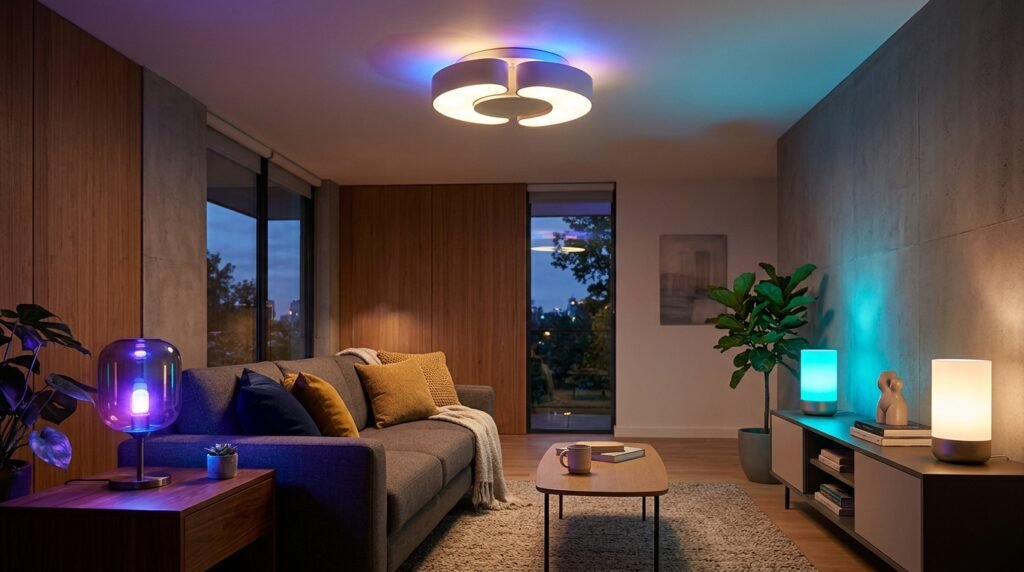
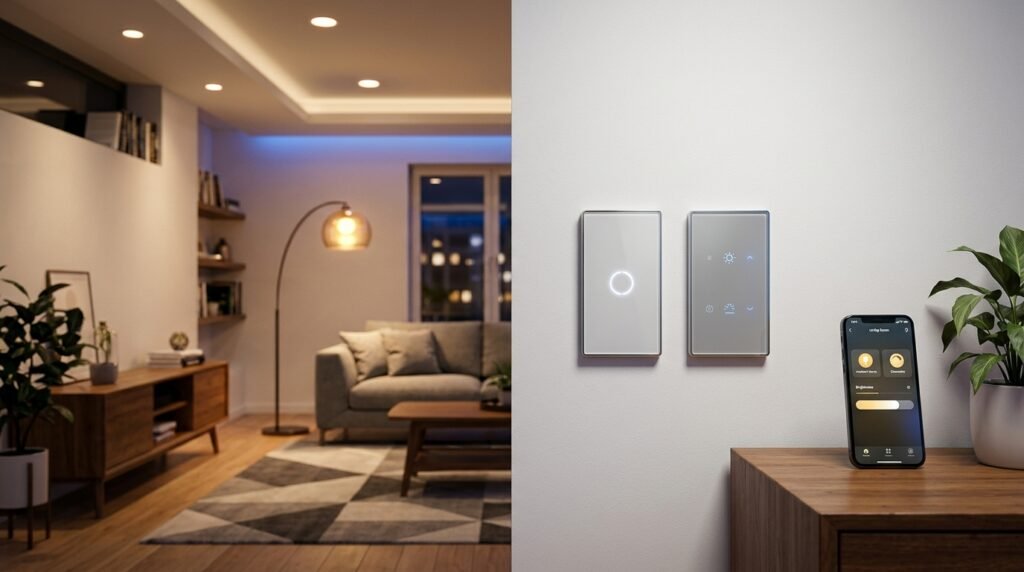
Smart light switches make it possible to control compatible lights using a wall switch, smartphone app, voice assistant, or automated schedule. Unlike smart bulbs, a smart switch can often control the existing bulbs connected to a lighting circuit, making it an appealing option for homeowners who want convenient lighting without replacing every bulb.
However, the best smart light switch for your home depends on more than its app or appearance. You need to check the wiring inside your wall box, the type of lighting circuit, dimmer compatibility, Wi-Fi or hub requirements, and support for your preferred smart-home platform.
This smart light switches buying guide compares popular options, explains the features worth paying for, and highlights the safety checks to make before buying. Whether you want simple app control for one room or a more advanced whole-home lighting system, these tips can help you choose a switch that fits your setup.
Affiliate disclosure: SmartAirHQ may earn a commission from qualifying purchases made through links in this article, at no additional cost to you. Product selection and recommendations should be based on suitability, features, and compatibility.
Best Smart Light Switches at a Glance
The right switch depends on your electrical wiring, lighting requirements, and smart-home ecosystem. The following table provides a starting point; always confirm the exact model and regional version before ordering.
Smart Light Switch Comparison
| Smart switch or control | Best for | Connectivity or control | Important check |
|---|---|---|---|
| Lutron Caséta Smart Dimmer Kit | Reliable dimming and a larger lighting setup | Lutron system and compatible hub | Confirm included hub, bulb compatibility, and wiring requirements |
| Leviton Decora Smart Wi-Fi Switch | App-based lighting control | Wi-Fi | Verify the exact generation and neutral-wire requirements |
| TP-Link Kasa HS200 | Basic smart on/off control | Wi-Fi | Check single-pole wiring and model requirements |
| TP-Link Tapo Smart Switch | Everyday app and voice control | Wi-Fi, model-dependent | Confirm regional model and supported platforms |
| Amazon Basics Smart Switch | Budget-focused smart control | Wi-Fi, Alexa-focused model | Check Alexa compatibility and electrical requirements |
| Meross Smart Wi-Fi Switch | Straightforward app control | Wi-Fi | Verify neutral-wire and circuit requirements |
| Cync by GE Smart Switch | Compatible Cync lighting setups | Model-dependent | Check whether a hub or particular wiring is required |
| ELEGRP Smart Switch | Selected multi-way or motion-control setups | Model-dependent | Verify circuit type, sensor features, and certification |
| GE Enbrighten Z-Wave Switch | Compatible Z-Wave smart homes | Z-Wave | A compatible Z-Wave hub may be needed |
| Brilliant Smart Home Control Panel | Centralized in-wall smart-home control | Panel and supported integrations | Confirm installation requirements and supported devices |
The products above are not identical categories: a dimmer, an on/off switch, a wireless remote, and a smart-home control panel serve different purposes. Compare the actual function you need rather than treating every product as a direct substitute.
15 Smart Light Switch Options to Consider
The following products and product families cover several common needs, from simple app-controlled switches to dimming and centralized control. Availability, product generations, regional versions, and compatibility can change. Check the manufacturer’s current documentation and the exact retailer listing before buying.
1. Lutron Caséta Smart Dimmer Kit
Best for: Homeowners who want a dedicated smart-lighting system
Lutron Caséta is worth considering if you want smart dimming and centralized control rather than only basic on/off switching. A compatible system can support schedules, app control, and integrations with supported smart-home platforms.
Before buying, check what the kit includes. Some configurations require a bridge or hub, and dimmer compatibility depends on the type of lighting and bulbs being controlled.
🛍️ Shop Lutron Caséta Smart Lighting Dimmer Kit on Amazon.
2. Leviton Decora Smart Wi-Fi Switch
Best for: App-controlled lighting in a compatible Wi-Fi home
Leviton’s Decora Smart range includes connected switches and dimmers designed for different lighting-control needs. Depending on the model, features may include scheduling, remote operation, voice-assistant support, and smart-home integration.
The exact model matters. Check whether it is an on/off switch or dimmer, whether a neutral wire is required, and which platforms are supported by that generation.
🔎 Find Leviton Decora Smart Wi-Fi Switch on Amazon.
3. TP-Link Kasa HS200 Smart Light Switch
Best for: Everyday smart on/off control
The Kasa HS200 is a smart-switch option to investigate if you want app-based control for a compatible lighting circuit. Smart scheduling and voice control may be available through supported services, depending on the model and software.
This is an on/off switch, not a substitute for a dimmer. Confirm that your existing circuit and wall-box wiring match the manufacturer’s requirements.
⭐ Explore TP-Link Kasa HS200 on Amazon.
4. TP-Link Tapo Smart Wi-Fi Light Switch
Best for: Basic connected lighting control
A compatible Tapo smart switch can be useful for controlling lights through an app and setting routines. It may suit a household that already uses compatible TP-Link smart-home products.
Tapo products vary by region and model number. Check the specific switch’s supported voltage, wiring, electrical rating, and smart-home integrations before purchasing.
🏠 Find TP-Link Tapo Smart Wi-Fi Light Switch on Amazon
5. Amazon Basics Smart Light Switch
Best for: Alexa-centered smart homes
The listed Amazon Basics single-pole smart switch is intended for compatible lighting circuits and Alexa-based control. Depending on the model, features may include schedules, voice commands, and app operation without a separate hub.
Do not assume that every Amazon Basics switch works with every voice assistant. Verify the listing’s supported ecosystem, neutral-wire requirements, and circuit type.
🛒 Check Basics Smart Light Switch on Amazon
6. Meross Smart Wi-Fi Light Switch
Best for: Straightforward app-based switching
Meross offers connected home products designed for app control and selected smart-home integrations. A compatible smart switch may be useful for schedules, remote control, and everyday lighting routines.
The supplied listing indicates a neutral-wire requirement. Confirm that requirement against the exact model and your wall-box wiring before buying.
✨ Explore Meross Smart Wi-Fi Light Switch on Amazon.
7. Cync by GE Smart Switch
Best for: Homes using compatible Cync products
Cync smart switches can be worth comparing if you want to coordinate compatible lighting and controls within one product ecosystem. Features and installation requirements vary across the range.
Check the exact model to confirm whether it is an on/off switch, dimmer, or sensor-enabled version. Do not assume a motion-sensor feature is included unless the listing explicitly confirms it.
🔗 See Cync by GE Smart Switch on Amazon.
8. ELEGRP Smart Motion Sensor Switch
Best for: Selected corridors and other suitable lighting areas
A motion-sensing switch can be useful in areas where automatic lighting is practical, such as some hallways, utility rooms, and stairwell approaches. The supplied ELEGRP listing describes a Wi-Fi model with motion-sensor functionality.
Before choosing one, verify the sensor’s coverage, adjustment options, supported circuit configuration, and whether it is appropriate for the intended location. Motion sensing does not replace the need for safe lighting design.
🛍️ Shop ELEGRP Smart Motion Sensor Switch on Amazon.
9. GE Enbrighten Z-Wave Smart Switch
Best for: Compatible Z-Wave smart-home systems
Z-Wave switches are designed for smart homes that use a compatible Z-Wave controller or hub. They can be useful when you want to coordinate lighting with other supported devices and automations.
This is not necessarily a direct Wi-Fi replacement. Check hub requirements, supported Z-Wave features, wiring specifications, and regional compatibility before ordering.
🔎 Find GE Enbrighten Z-Wave Smart Switch on Amazon.
10. Brilliant Smart Home Control Panel
Best for: Centralized in-wall control
Brilliant’s control panels are designed to bring compatible smart-home functions into a wall-mounted interface. They may appeal to users who want more centralized control than a conventional smart switch provides.
A control panel is not the same as a simple single-pole switch. Review the current product documentation carefully, including installation requirements, supported integrations, and the devices it can actually control.
⭐ Explore Brilliant Smart Home Control Panel on Amazon.
11. Philips Hue Smart Dimmer Switch
Best for: Compatible Philips Hue lighting
A Hue dimmer is a control accessory for compatible Hue lighting, rather than a conventional wired replacement switch. It can provide convenient control of supported Hue bulbs without requiring users to open a wall box to replace a mains switch.
Check the exact bundle and whether a Hue Bridge or another compatible component is needed for the features you want. A wireless dimmer should not be assumed to control every hardwired light circuit.
🏠 Find Philips Hue Smart Dimmer Switch on Amazon.
12. Sonoff Basic R4 Smart Wi-Fi Module
Best for: Specific compatible projects using a relay module
A relay module can add remote switching to certain compatible electrical projects, but it is not a direct substitute for every wall switch. The enclosure, load rating, wiring arrangement, installation location, and applicable electrical rules all matter.
Use only a module that is explicitly rated for the intended application. For fixed mains wiring, consult a qualified electrician if you are not trained to complete the work safely.
🛒 Check Sonoff Basic R4 on Amazon.
13. Lutron Caséta Smart Switch or Dimmer Family
Best for: Expanding a compatible Lutron setup
If you already use a compatible Caséta system, another supported switch or dimmer may help extend control to additional rooms. Keeping compatible devices within one system can simplify routines and reduce the need to manage separate applications.
Check the precise switch or dimmer model, load type, required accessories, and whether the product is compatible with the existing hub or bridge.
✨ Explore Lutron Caséta options on Amazon.
14. Leviton Decora Smart Switch Family
Best for: Comparing different wired control options
Leviton’s smart-switch family includes different configurations, so the right choice depends on whether you need on/off control, dimming, multi-location switching, or another supported feature.
Compare the exact generation rather than relying on a broad family name. Product features, app support, neutral-wire requirements, and compatible loads can differ between models.
🔗 See Leviton Decora Smart options on Amazon.
15. TP-Link Kasa Smart Switch Family
Best for: Building a consistent setup across several rooms
A compatible Kasa switch family can be worth considering if you want similar controls and routines in multiple rooms. Before purchasing several units, confirm that each model matches the circuit and the lighting load where it will be installed.
For dimmable lighting, select a model explicitly designed for dimming and verify compatibility with the bulbs. An ordinary on/off smart switch should not be used to dim a light unless the manufacturer specifically supports that function.
🛍️ Shop TP-Link Kasa Smart Switches on Amazon.
Product note: Some options above are product families or accessories, and a few links repeat a product family to help readers compare related configurations. This is not a claim that there are 15 distinct, independently tested models. Verify current model details, availability, and seller information before purchase.
How to Choose the Right Smart Light Switch
The best smart switch is one that fits your wiring, works with your lighting, and supports the controls you will actually use. Consider the following factors before ordering.
Smart Switch Features to Compare
| Feature | What to check | Why it matters |
|---|---|---|
| Switch type | On/off, dimmer, sensor, or accessory | Prevents buying a product that cannot perform the intended job |
| Neutral wire | Required or supported without neutral | Determines wiring compatibility |
| Circuit type | Single-pole or multi-location/three-way | Must match the existing circuit |
| Load compatibility | LED, incandescent, or specified load types | Helps avoid flicker, unreliable operation, or overload |
| Connectivity | Wi-Fi, Bluetooth, Z-Wave, Thread, or hub-based | Determines how the switch connects and is controlled |
| Smart-home support | Alexa, Google Home, Apple Home, Matter, or other listed platforms | Helps ensure it works with your existing devices |
| Electrical rating | Rated voltage, current, and load | Essential for safe, suitable operation |
| Installation | Wall-box space, dimensions, and instructions | Helps identify installation constraints |
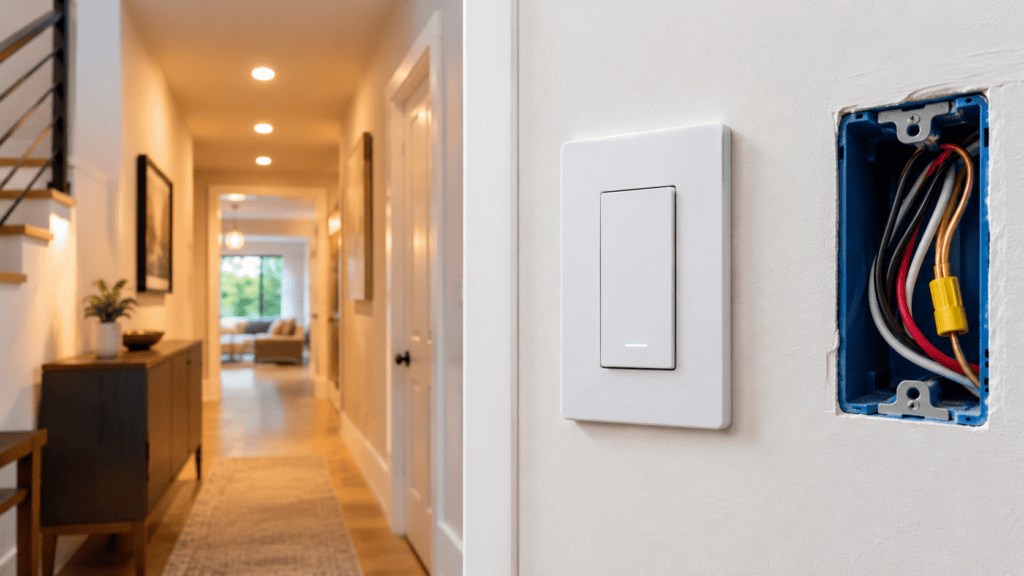
1. Check Whether Your Wall Box Has a Neutral Wire
Some smart switches need a neutral wire to remain powered while the light is off. Other models are designed to work without one, but they may have different load requirements or limitations.
Do not identify wires by color alone. Wiring conventions can differ by country, installation age, and previous work. If you cannot confidently identify the conductors, stop and contact a qualified electrician.
2. Know the Difference Between Single-Pole and Three-Way Switching
A single-pole switch typically controls a light from one location. A three-way or multi-location arrangement allows the same light to be controlled from more than one location, such as both ends of a hallway or staircase.
A smart switch must support the circuit arrangement you have. Some systems require a compatible companion switch, remote, or specific wiring configuration. Read the exact manufacturer’s instructions before buying.
Match the Switch to Your Existing Setup
| Existing setup | What to look for | Common mistake to avoid |
|---|---|---|
| One switch controls one light | Compatible single-pole switch | Buying a dimmer that is not suitable for the bulb |
| Two locations control one light | Explicit multi-location or three-way support | Assuming every smart switch supports both locations |
| Dimmable LED bulbs | Dimmer rated for the specific LED load | Assuming all LED bulbs dim smoothly |
| No neutral wire in the box | A model explicitly designed for no-neutral installations | Buying a neutral-required switch |
| Motion-controlled lighting | Compatible sensor switch and suitable location | Ignoring sensor coverage or load limitations |
| Smart bulbs already installed | A compatible control strategy | Cutting power to bulbs that need continuous power |
3. Choose Wi-Fi, Hub-Based, or Other Supported Connectivity
Wi-Fi switches may connect directly to a compatible home network. Hub-based options, such as certain Z-Wave systems, require a compatible controller but can offer a useful approach for a larger smart-home setup. Other products may use Bluetooth, Thread, or a supported bridge.
Matter is a smart-home interoperability standard, not a wireless connection by itself. Matter devices use supported networking technologies, and compatibility still depends on the product, controller, and features involved.
For official information, read the Connectivity Standards Alliance’s Matter overview.
4. Confirm Voice Assistant and App Compatibility
Before buying, confirm that the exact model works with your chosen smart-home platform. A product that supports Alexa may not support every feature through Apple Home or Google Home. Some advanced settings may remain available only in the manufacturer’s own app.
If you already own smart bulbs, sensors, or a hub, check how the new switch will work with those devices before purchasing multiple units.
5. Understand the Difference Between a Smart Switch and a Smart Bulb
A wired smart switch controls the power or supported dimming function of a connected lighting circuit. A smart bulb has its own electronics and may offer color changing, tunable white light, or individual app control.
A traditional wall switch that cuts power to a smart bulb can make that bulb unavailable for app or voice control until power returns. Choose a control strategy that fits your setup rather than assuming switches and smart bulbs are always interchangeable.
For bulb-based lighting options, see our Smart LED Bulbs Buying Guide.
Smart Switches, Dimmers, and Smart Bulbs: Which Is Best?
Each option solves a slightly different problem. A switch is often practical for controlling an existing circuit, a dimmer offers supported brightness control, and smart bulbs can provide per-bulb colors and lighting effects.
Compare Smart Lighting Options
| Option | Main benefit | Best suited to | Main limitation |
|---|---|---|---|
| Smart on/off switch | App and voice control of a compatible circuit | Everyday room lighting | Usually does not dim |
| Smart dimmer | Supported brightness adjustment and routines | Compatible dimmable lighting | Requires compatible bulbs and loads |
| Smart bulb | Color effects and individual bulb control | Accent lighting, bedrooms, and entertainment | Usually needs continuous power for smart control |
| Wireless smart remote | Convenient control without replacing a wired switch | Compatible smart-bulb systems | May not directly switch mains lighting |
| Smart-home control panel | Centralized control of supported devices | More integrated smart homes | Higher complexity and installation requirements |
Best Smart Light Switch Features for Different Rooms
Your room and lighting habits should influence which features you prioritize. You may not need a premium dimmer for a utility room, while a living room or bedroom may benefit from more flexible lighting control.
Which Smart Switch Should You Choose for Each Room?
| Room or use | Features to prioritize | Suitable option type |
|---|---|---|
| Living room | Dimming, schedules, voice control | Compatible smart dimmer or switch |
| Bedroom | Reliable dimming and bedtime routines | Compatible dimmer |
| Hallway | Reliable switching or suitable motion sensing | Smart switch or sensor switch |
| Stairwell | Correct multi-location support and dependable lighting | Compatible multi-location setup |
| Kitchen | Correct load rating and easy manual control | Suitable wired smart switch |
| Home office | Scheduling and compatible dimming | Smart switch or dimmer |
| Rental property | Reversible controls where permitted | Wireless control or landlord-approved solution |
| Whole-home setup | Consistent platform and reliable control | Compatible ecosystem with appropriate hub if required |
Important Electrical Safety Checks Before Buying
Smart light switches are electrical devices connected to a building’s wiring. Compatibility is not just a convenience issue: the wrong product or installation can create an electrical hazard.
Before buying, confirm the switch’s rated voltage, current and load limits, wiring requirements, intended installation location, and applicable local electrical rules. The product must be suitable for the specific circuit and connected lighting load.
Do not work on energized wiring. Switching a wall light off does not prove that the conductors are safe to touch. Fixed mains wiring should be handled by a qualified electrician if you are not trained and authorized to do the work.
Electrical Checks Before Purchase or Installation
| Safety check | What to verify | When to seek professional help |
|---|---|---|
| Supply voltage | Matches the product’s rated voltage | If the supply or product rating is unclear |
| Current and load | Within the manufacturer’s limits | If the lighting load is unknown or exceeds the rating |
| Neutral and ground | Correct conductors are present and identified | If wiring is unclear, damaged, or inconsistent |
| Circuit arrangement | Single-pole or multi-location support | If the circuit does not match the instructions |
| Dimming | Bulbs and switch are explicitly compatible | If bulbs flicker, buzz, or behave unpredictably |
| Installation location | Product is rated for the intended environment | If moisture, heat, or enclosure requirements are uncertain |
| Certification and local rules | Appropriate approvals for your region | If compliance requirements are unclear |
For additional home electrical safety information, read our guide to GFCI outlets, how they work, and where they are used. A GFCI outlet is a different device from a smart light switch, but understanding the purpose of electrical protection is part of making safer home-upgrade decisions.
Common Smart Light Switch Buying Mistakes to Avoid
Buying a Switch Without Checking the Wiring
A switch can look right and still be incompatible with your wall-box wiring. Check neutral-wire requirements, the circuit type, voltage, load, and any companion-device requirements before placing an order.
Choosing a Dimmer Without Checking Bulb Compatibility
Not all LED bulbs work well with all dimmers. Check the dimmer’s compatibility documentation and the bulb manufacturer’s recommendations. Flickering, buzzing, limited dimming range, or unreliable operation can indicate a mismatch.
Assuming Every Smart Switch Works with Every Platform
Smart-home compatibility varies by product and model generation. Check the exact listing and manufacturer documentation instead of relying only on a broad product-family name or a generic compatibility logo.
Forgetting Manual Control and Household Needs
App control is useful, but people in the home may still need convenient wall-based control. Consider guests, children, older adults, and anyone who does not want to use a phone or voice assistant for ordinary lighting.
Buying Too Many Switches Before Testing One
If you plan to upgrade multiple rooms, start by confirming the exact model, compatibility, and installation requirements for one suitable circuit. That can help you avoid buying several devices that do not fit your setup.
How to Plan a Smart Lighting Upgrade
A good upgrade plan begins with your existing fixtures and how each room is used. List the lights you want to control, identify which switches operate them, and decide whether you need on/off control, dimming, motion sensing, or integration with other devices.
Next, choose your smart-home platform and check that every selected switch supports the required functions. If you use smart bulbs, consider whether they need continuous power and whether a compatible remote or control method would be a better fit than a conventional wired switch.
Smart Lighting Upgrade Checklist
| Step | Action | Done when |
|---|---|---|
| 1 | List the rooms and lights to upgrade | You know which circuits need control |
| 2 | Identify single-pole or multi-location circuits | The switching arrangement is understood |
| 3 | Confirm neutral-wire and voltage requirements | The product can suit the installation |
| 4 | Choose on/off control, dimming, or sensor features | The switch matches the intended use |
| 5 | Confirm platform and hub compatibility | Your existing devices can work together as intended |
| 6 | Check load ratings and product instructions | Electrical requirements are clear |
| 7 | Test one suitable installation before expanding | The selected setup meets your needs |
Frequently Asked Questions About Smart Light Switches
Do all smart light switches require a neutral wire?
No. Many smart switches require a neutral wire, while certain models are designed for no-neutral installations. The correct choice depends on the exact model and wiring. Do not assume that a wire’s color alone identifies its function.
Can I install a smart light switch myself?
That depends on your skills, local electrical rules, and the complexity of the wiring. Fixed mains wiring can be dangerous. If you cannot confidently identify the conductors, verify that the circuit is de-energized, and follow the manufacturer’s instructions, use a qualified electrician.
Can smart light switches control ordinary LED bulbs?
Often, yes, provided the switch is rated for the bulb type and electrical load. For dimming, both the switch and the LED bulb must support compatible dimming operation. Check the manufacturer’s compatibility information before buying.
Are smart light switches better than smart bulbs?
Neither is always better. A smart switch can control a compatible existing lighting circuit, while smart bulbs may offer individual colors and advanced lighting effects. Choose based on your fixtures, preferred controls, and whether you want to replace bulbs or change the wall controls.
Do smart light switches work without Wi-Fi?
It depends on the product and the control method. Some functions may continue through a local switch or compatible hub, while app access, remote operation, or cloud-based features may be unavailable. Check the manufacturer’s documentation for offline behavior.
Can I use a smart switch with a three-way circuit?
Some smart switches support three-way or other multi-location arrangements, but not all do. The required wiring, companion switch, and setup can differ. Confirm the exact product’s instructions before buying or installing it.
Will a smart light switch save electricity?
It can help you manage lighting schedules and turn lights off when they are not needed. Actual savings depend on your existing lighting, usage patterns, automation settings, and whether the switch replaces a less efficient control method. Smart controls do not guarantee a particular amount of savings.
Should I choose a smart switch or a smart dimmer?
Choose a smart dimmer if you need brightness adjustment and your bulbs are compatible with that dimmer. Choose an on/off smart switch if you only need switching and scheduling. Check the product’s load rating and bulb compatibility before deciding.
Final Verdict: Choose Smart Light Switches That Fit Your Home
The best smart light switches are the ones that match your wiring, lighting load, preferred controls, and smart-home platform. A straightforward Wi-Fi switch may be enough for a single room, while a compatible dimmer or hub-based system may suit a more advanced lighting setup.
Before purchasing, confirm whether you need an on/off switch, dimmer, sensor, or wireless control accessory. Verify the exact model, neutral-wire requirements, circuit type, voltage rating, load compatibility, and supported smart-home features. Do not compromise on electrical safety just to gain app control.
Start with one suitable lighting circuit, test the setup, and expand only after confirming that it works as intended. That approach can help you build a more convenient and manageable smart-lighting system without paying for features you do not need.
🛒 Check Smart Light Switches on Amazon
Product prices, availability, seller information, specifications, and compatibility can change. Verify current details on the manufacturer’s or retailer’s website before purchasing.