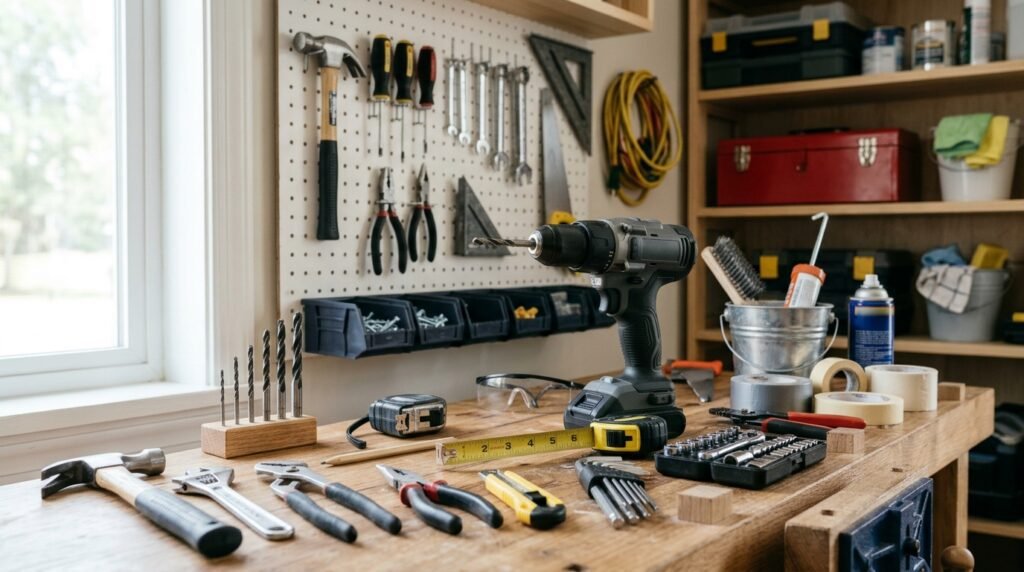
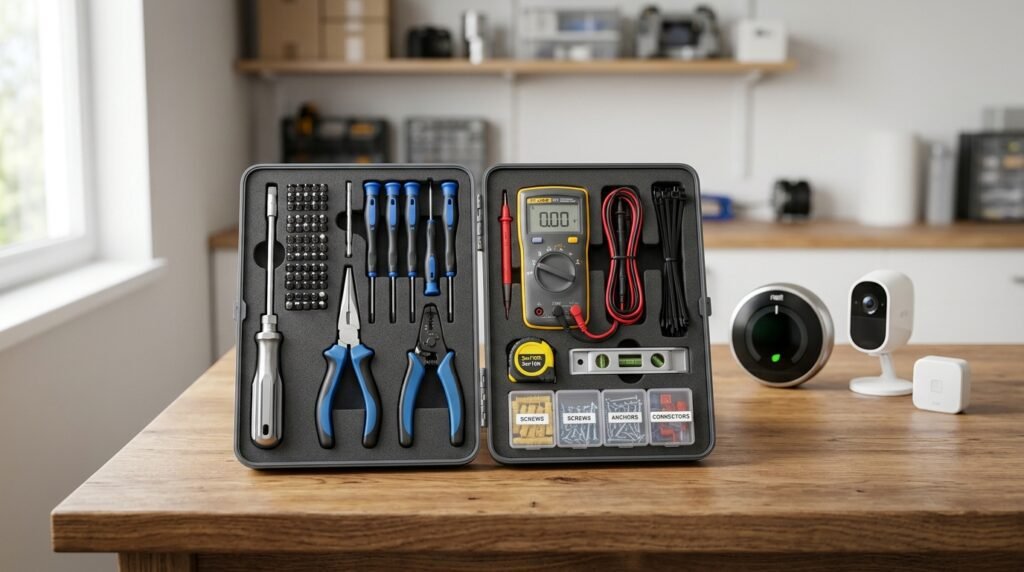
Modern homes rely on connected devices, from smart thermostats and video doorbells to security cameras, sensors, smart switches, and automated lighting. When a device needs mounting, adjustment, or basic troubleshooting, having the right hand tools nearby can make repairs easier and help prevent avoidable damage.
The best smart home hand tools are not necessarily the most expensive or extensive kits. A carefully selected collection of screwdrivers, precision bits, measuring tools, pliers, and other essentials can handle many routine installation and maintenance tasks without filling your home with equipment you rarely use.
In this guide, you’ll discover 10 essential tool categories, the jobs each one handles, the features worth comparing before you buy, and common purchasing mistakes to avoid. You’ll also learn how to organize your tools and choose the right equipment for different smart-home projects while keeping safety in mind.
Affiliate Disclosure: SmartAirHQ participates in the Amazon Associates program and other affiliate programs. As an Amazon Associate, I earn from qualifying purchases. Some links in this article are affiliate links, which means SmartAirHQ may earn a commission if you purchase through them, at no additional cost to you.
Product prices, availability, specifications, and seller information may change. Check the latest details on the retailer’s website before purchasing.
What Makes a Good Smart Home Hand Tool Kit?
A smart-home tool kit differs from a traditional household toolbox because connected devices combine mechanical fasteners, mounting brackets, cables, and delicate electronic components. The right tools should handle routine household repairs and precision tasks without taking up unnecessary storage space.
A practical collection should cover fastening, gripping, measuring, cutting, cable management, and precision electronics work. Depending on your projects, you may also need suitable testing equipment for low-voltage troubleshooting. Choose tools according to the devices you own and the jobs you plan to perform rather than buying the largest set available.
Safety matters, too: Ordinary hand tools are not substitutes for electrical safety training. Follow manufacturer instructions, use appropriately rated equipment, and leave hazardous mains-wiring work to a qualified electrician.
🛒 Browse smart-home repair tool kits on Amazon to compare tool sets for DIY installations, routine maintenance, and everyday household repairs.
The 10 Essential Smart Home Hand Tool Kits
The right hand tools make smart-home installation, maintenance, and basic troubleshooting easier. From mounting smart cameras and sensors to adjusting brackets and organizing cables, a practical toolkit can help you complete common DIY tasks more efficiently.
You do not need ten separate toolboxes. Many essentials can fit into one organized kit, while specialized tools can be added according to your projects. Use the comparison table below to identify which tools you need most.
Smart Home Hand Tools — Which Kit Do You Need?
| Tool Category | Best For | Priority |
|---|---|---|
| Screwdriver and bit set | Mounting brackets, plates, and screw fasteners | Essential |
| Precision screwdriver kit | Small screws in sensors, remotes, and compact devices | Essential for small electronics |
| Pliers and grip tools | Holding, gripping, and suitable cutting tasks | Essential |
| Wire stripper and crimper | Preparing compatible wires and terminals | Project-dependent |
| Non-contact voltage tester | Initial indication of possible AC voltage | Safety-related |
| Digital multimeter | Measuring voltage, resistance, and continuity when appropriate | Optional for basic maintenance |
| Measuring tape and compact level | Measuring positions and aligning mounted devices | Essential |
| Utility knife and precision cutting tools | Opening packaging and cutting suitable materials | Useful |
| Cable management kit | Organizing, labeling, and routing cables | Useful |
| Inspection and small-parts tools | Improving visibility and handling small items | Optional |
1. General Screwdriver and Bit Set
A screwdriver and bit set is the foundation of a smart-home repair toolkit. Mounting plates, sensor covers, thermostat faceplates, camera brackets, battery compartments, and many electronic enclosures use screws that require the correct driver.
Choose a set containing multiple Phillips and flat-head sizes, along with common Torx, hex, and compatible security bits. Magnetic tips can help control small screws when working in confined spaces.
Look for clearly labeled bits, a comfortable handle, and durable construction. A ratcheting screwdriver can also save time when repeatedly tightening or loosening fasteners.
For repairs involving nuts, bolts, and compatible mechanical fasteners, explore our guide to the best socket set to compare drive sizes and useful accessories for your wider home repair toolbox.
🛒 Browse screwdriver and bit sets on Amazon
2. Precision Electronics Screwdriver Kit
Smart-home devices often contain smaller fasteners than conventional household hardware. A precision screwdriver kit provides better control when working with sensors, remotes, small control units, battery compartments, and other compact electronics.
Look for small Phillips, flat-head, Torx, hex, and other commonly used precision tips. A rotating end cap can make delicate adjustments easier by allowing you to turn the handle with your fingertips while keeping the tip aligned.
The main advantage is accuracy. An oversized screwdriver can damage a small screw head, slip against nearby components, or make a straightforward repair unnecessarily difficult.
🔎 Find precision electronics screwdriver kits on Amazon
3. Pliers and Grip Tool Kit
Pliers are useful when fingers cannot comfortably reach, hold, bend, or pull a component. A practical set may include long-nose pliers, diagonal cutters, slip-joint pliers, and combination pliers.
Long-nose pliers are useful in tight spaces and around small components. Diagonal cutters can cut suitable cable ties and compatible small-gauge wire, while slip-joint pliers are better suited to general gripping and household mechanical tasks.
Use each tool for its intended purpose. Avoid using cutters as improvised gripping tools or forcing pliers onto fasteners they were not designed to handle. The correct tool improves control and reduces the risk of damaging components.
🛍️ Shop household plier sets on Amazon
4. Wire Stripper and Crimper Kit
Some smart-home projects involve low-voltage cables, small conductors, connectors, and communication wiring. A dedicated wire stripper and crimper is generally more suitable for these tasks than using a knife or general-purpose cutter.
Choose a kit that matches the wire sizes and terminal types you expect to encounter. Clearly marked stripping positions can improve consistency, while a compatible crimping tool helps create appropriate connections when used correctly.
Do not assume that all smart-home wiring is safe to handle. Identify the circuit, follow the device manufacturer’s instructions, and use tools rated for the intended application. For mains-voltage work or unfamiliar wiring, seek help from a qualified electrician.
⭐ Explore wire stripper and crimper kits on Amazon
5. Non-Contact Voltage Tester
A non-contact voltage tester can be useful when a project involves switches, outlets, or electrical wiring. It provides an initial indication that AC voltage may be present without requiring direct contact with the conductor.
However, it must not be treated as the only method of verifying that a circuit is safe. These testers have limitations and may fail to detect voltage under certain conditions. Follow the manufacturer’s instructions and appropriate electrical safety procedures.
Never assume that a circuit is de-energized simply because a connected device has been switched off. The U.S. Consumer Product Safety Commission’s electrical safety guidance provides additional advice for homeowners.
🔗 See non-contact voltage testers on Amazon
6. Digital Multimeter Kit
A digital multimeter can help investigate electrical problems beyond what a visual inspection can reveal. Depending on the meter and your level of training, it can measure voltage, resistance, and continuity when the instrument is suitable for the task.
For smart-home maintenance, a multimeter may be useful for checking compatible low-voltage circuits, batteries, power adapters, and wiring. The correct measurement mode, range, lead placement, and circuit conditions are essential.
Never guess which terminals or settings to use. Incorrect procedures can damage the meter or create an electrical hazard. If you are unfamiliar with electrical measurements, avoid experimenting on energized wiring and consult a qualified professional.
🔎 Find digital multimeters on Amazon
7. Measuring Tape and Compact Level
Accurate placement matters when installing smart cameras, sensors, displays, thermostats, wall controls, and mounting brackets. A measuring tape helps you check height and spacing, while a compact bubble level helps keep mounted equipment properly aligned.
These inexpensive tools can prevent a common DIY mistake: drilling holes or fastening a bracket before checking its position. Measure the location, mark the mounting points, check alignment, and inspect the area before drilling.
For wall-mounted devices, a suitable stud finder can help identify potential mounting points. Read our guide to choosing the best stud finder before drilling. Always check for concealed wiring and plumbing, and follow the device manufacturer’s mounting instructions.
If your project requires pilot holes or driving compatible screws, our cordless power drill buying guide explains which features to compare when choosing a drill for home installation tasks.
🛒 Explore measuring tapes and compact levels on Amazon
8. Utility Knife and Precision Cutting Tools
A utility knife is useful for opening packaging, trimming suitable materials, cutting tape, and performing other basic household tasks. For smart-home projects, controlled cuts are more important than applying excessive force.
Replace dull blades instead of pushing harder, select the appropriate blade for the material, and cut away from your body. Precision cutting tools can also help with cable-management materials and other delicate, non-electrical tasks.
Store sharp tools securely, and never use a knife as a substitute for a screwdriver, pry bar, or electrical tool. Do not cut into cables or wiring unless the task and safety procedures specifically allow it.
🛍️ Shop utility knives and precision cutting tools on Amazon
9. Cable Management and Installation Kit
As the number of connected devices grows, cable management becomes increasingly useful. Smart speakers, cameras, hubs, routers, sensors, and controllers can quickly create an untidy collection of wires.
A basic kit may include reusable cable ties, hook-and-loop straps, adhesive clips, cable labels, and suitable routing accessories. Organized cables are easier to identify during troubleshooting and simpler to maintain when a device needs replacement.
Avoid tightening cable ties excessively around delicate cables. Route wires so they are not pinched, pulled, sharply bent, or exposed to avoidable heat or mechanical damage. Use mounting accessories appropriate for the surface and cable type.
🏠 Find cable management kits on Amazon
10. Inspection, Picking, and Small-Parts Tool Kit
Inspection and small-parts tools can be helpful when working with compact connected devices. A kit may include tweezers, a small flashlight, suitable inspection picks, and a magnetic pickup tool for retrieving compatible metal items from accessible spaces.
Tweezers can help position small components, while an inspection light improves visibility inside cabinets, behind wall-mounted equipment, and underneath desks or network shelves.
Use these tools carefully around delicate electronics. Do not insert metal picks or tweezers into energized equipment, and never use a magnetic pickup tool near components that may be affected by magnetic fields. Choose accessories suited to the device and task.
✨ Explore electronics inspection and precision tool kits on Amazon
Buying tip: Start with the tools you will use most often, such as a screwdriver set, precision drivers, pliers, a measuring tape, and a level. Add wire tools, electrical testing equipment, or specialized accessories only when your projects require them and you understand how to use them safely.
How the 10 Smart Home Tool Kits Compare
Each tool category serves a different purpose during smart-home installation, maintenance, and basic troubleshooting. Rather than choosing a kit based only on its piece count, consider the tasks you perform most often, the devices you own, and whether you need specialized tools.
Smart Home Tool Kits Compared by Purpose
| Tool Kit | Main Purpose | Best For | Priority |
|---|---|---|---|
| Screwdriver and bit set | General fastening | Mounts, brackets, covers, and household hardware | Essential |
| Precision screwdriver kit | Working with small fasteners | Sensors, remotes, and compact electronics | Essential for small devices |
| Pliers set | Gripping, bending, and suitable cutting tasks | Hardware, compatible cables, and tight spaces | Essential |
| Wire stripper and crimper | Preparing wires and compatible terminals | Projects involving suitable low-voltage wiring | Project-dependent |
| Non-contact voltage tester | Initial indication of possible AC voltage | Preliminary electrical checks | Safety-related |
| Digital multimeter | Measuring electrical properties | Batteries and compatible low-voltage circuits | Optional for basic maintenance |
| Measuring tape and compact level | Measuring and alignment | Cameras, sensors, thermostats, and displays | Essential |
| Utility knife and cutting tools | Controlled cutting | Packaging, tape, and suitable materials | Useful |
| Cable-management kit | Cable routing and organization | Hubs, cameras, routers, and sensors | Useful |
| Inspection and small-parts kit | Improving visibility and handling small items | Connectors, screws, and accessible tight spaces | Optional |
For most homeowners, a practical starting combination is a general screwdriver and bit set, precision drivers, pliers, measuring tools, and basic cable-management supplies. Add specialized wire tools or electrical testing equipment only when your projects require them and you know how to use them safely.
Remember that a non-contact voltage tester provides only an initial indication and does not, by itself, prove that a circuit is safe. Follow the tool manufacturer’s instructions and seek a qualified electrician for electrical work beyond your experience.
How to Build a Smart Home Repair Toolbox Without Overspending
You do not need to buy every tool at once. A staged approach helps you build a practical smart-home repair toolbox around your actual projects, budget, and maintenance needs.
Start with frequently used essentials: a quality screwdriver and bit set, pliers, measuring tape, compact level, utility knife, and basic cable-management supplies. These tools can handle many routine mounting, adjustment, and organization tasks around the home.
Next, add a precision screwdriver kit if you regularly maintain small electronics, sensors, or remotes. Consider wire strippers, crimpers, or electrical testing equipment only when your projects require them and you understand their safe use.
Before purchasing another tool, ask yourself three questions:
- What specific job will this tool perform?
- Do I already own a suitable tool for the same task?
- Will this tool improve accuracy, control, or safety?
Compare the quality, included accessories, warranty, storage case, and suitability for your projects rather than choosing a kit simply because it contains more pieces. A smaller, well-made set can offer better value than a large collection of tools you rarely use.
If you are building a wider household maintenance collection, explore our guide to the best home maintenance tools for additional essentials beyond smart-home installations.
What to Look for When Choosing Smart Home Hand Tools
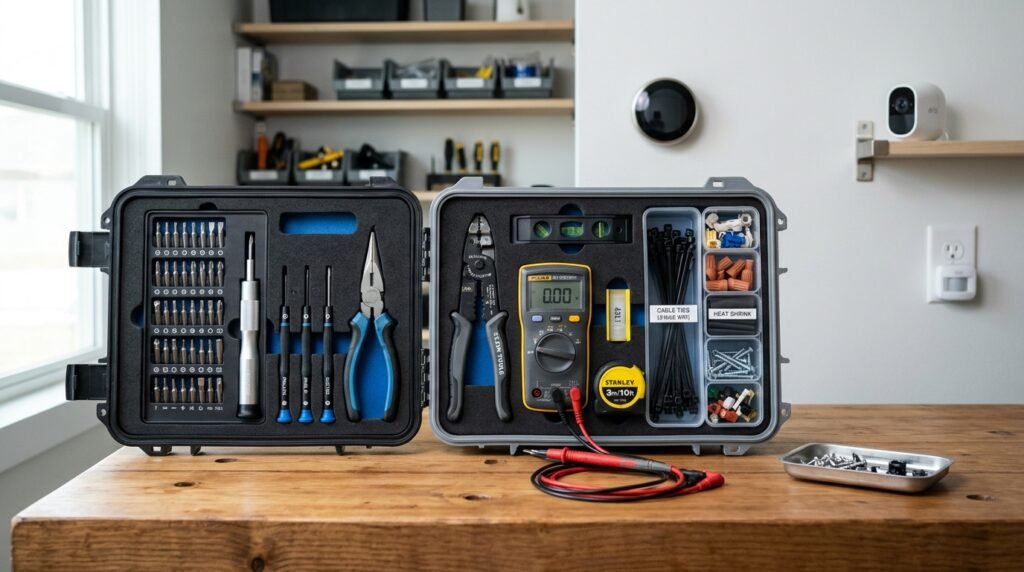
When choosing smart-home hand tools, prioritize quality, control, and suitability over the total number of pieces in a kit. A poorly fitting screwdriver bit can damage a fastener, while an uncomfortable or poorly aligned gripping tool may slip and damage a component.
Look for comfortable handles, accurately machined tips, durable materials, clear size markings, secure storage, and replaceable accessories where available. For precision screwdrivers, a correct tip fit is particularly important. For pliers and cutters, smooth movement and properly aligned jaws help improve control during routine repairs.
Storage is another important consideration. A kit with labeled compartments makes tools easier to identify and return after use. It also helps you notice missing pieces before starting a project. Choose a compact case if you have limited storage space, or a larger organizer if you maintain several types of household equipment.
Finally, match the tools to your actual needs. Basic mounting and maintenance may require only a small hand-tool collection, while electrical testing or specialized wiring tasks require appropriate equipment and knowledge. Never use ordinary hand tools as a substitute for properly rated electrical equipment .For related information about heating, cooling, ventilation, and indoor air quality, explore the SmartAirHQ Climate Control category.
How to Organize Tools for Faster Smart Home Repairs
A well-organized toolkit saves time when installing, adjusting, or maintaining connected devices. Instead of searching through one large box for a small screwdriver or cable accessory, arrange your equipment into clearly defined groups.
Separate your tools by function:
- General repairs: Screwdrivers, pliers, measuring tools, and a utility knife.
- Precision work: Small drivers, tweezers, and inspection accessories.
- Cable management: Cable ties, labels, clips, and routing supplies.
- Electrical testing: Keep testers and meters together with their accessories and instructions.
Use labeled compartments or small cases to prevent loose bits and accessories from getting mixed together. Keep sharp tools secured, protect precision tips from damage, and store electrical testing equipment according to the manufacturer’s instructions.
Before starting a project, check that the tools you need are present and in good condition. After finishing, return each item to its designated place. This simple routine makes your next repair easier to prepare for and helps you identify missing accessories quickly.
🛒 Browse tool organizers and storage cases on Amazon to compare compartment layouts and storage options for your repair toolkit.
Common Smart Home Tool Kit Mistakes to Avoid
Choosing the wrong tool can turn a straightforward smart-home repair into a damaged fastener, broken component, or avoidable safety risk. Buying more tools than you need is one mistake, but using an unsuitable tool simply because it is nearby can be just as problematic.
Avoid these common mistakes:
- Using tools for the wrong purpose: Do not use a knife as a screwdriver or substitute pliers for the correct wrench. Use tools designed for the task.
- Choosing an almost-fitting screwdriver bit: The tip should fit the fastener correctly to reduce slipping and damage.
- Assuming all smart-home wiring is safe: Never rely on a device’s appearance or low-voltage label alone to determine whether nearby wiring is safe to handle.
- Ignoring tool condition: Check handles, tips, cutting edges, insulation, and test leads for damage before use. Remove damaged tools from service.
- Guessing during electrical work: Do not bypass protective equipment or improvise when identifying circuits. If you are unsure how to perform a task safely, consult a qualified electrician.
The Occupational Safety and Health Administration (OSHA) provides guidance on safe tool selection, use, and maintenance. Although its requirements primarily address workplace safety, the basic principle also applies to home DIY projects: use the appropriate tool and keep it in safe working condition.
🛒 Browse insulated screwdriver sets on Amazon to compare options for electrical tasks. Insulated tools do not make electrical work automatically safe; select tools with appropriate ratings and leave unfamiliar or hazardous wiring work to a qualified professional.
Smart Home Tool Safety Basics
Before repairing a connected device, identify the type of work involved. Adjusting a mounting bracket is different from handling low-voltage electronics or working with household electrical power. Read the manufacturer’s instructions and use tools suitable for the specific task.
Keep these safety principles in mind:
- Check the equipment first: Inspect tool handles, tips, cutting edges, insulation, and test leads for visible damage.
- Use the right tool: Do not improvise with unsuitable tools or force components that resist movement.
- Protect yourself and the device: Keep sharp tools controlled, work in a well-lit area, and follow the device manufacturer’s handling instructions.
- Treat electrical work seriously: Never assume a circuit is de-energized because a switch is off or a device has stopped working.
- Know when to stop: If you cannot confidently identify the circuit, verify the electrical conditions, or determine whether the repair is safe, stop and contact a qualified electrician.
Remember that insulated tools and electrical testers do not eliminate every hazard. Use appropriately rated equipment according to its instructions, and leave unfamiliar or hazardous electrical work to a qualified professional.
How to Choose the Right Kit for Different Smart Home Jobs
The tools you need depend on the device, the installation method, and the type of work involved. Choosing tools for the specific job helps avoid unnecessary purchases and reduces the temptation to improvise with unsuitable equipment.
Use the guide below to match common smart-home tasks with a practical tool combination.
Recommended Tools for Common Smart Home Jobs
| Smart-Home Job | Useful Tool Combination | Important Consideration |
|---|---|---|
| Mounting a sensor | Screwdriver, tape measure, compact level | Check the mounting surface before drilling |
| Installing a camera bracket | Screwdriver and bits, tape measure, level | Verify placement and mounting requirements |
| Adjusting a thermostat | Appropriate screwdriver or precision driver | Follow the manufacturer’s instructions |
| Organizing hub cables | Cable ties, labels, suitable cutters | Avoid pinching or tightly bending cables |
| Opening a compatible small device | Precision drivers, suitable tweezers, inspection light | Check whether opening the device affects its warranty |
| Checking compatible low-voltage equipment | Suitable multimeter and appropriate hand tools | Use correct settings and procedures |
| Completing general household adjustments | Screwdriver set, pliers, measuring tape | Select each tool for its intended purpose |
The goal is to build a toolkit around the work you actually perform, rather than purchasing every available tool. Start with common household tasks and add specialized equipment only when a project calls for it.
Electrical work requires particular care. If a task involves household mains wiring or you are unsure how to verify that equipment is safe, stop and consult a qualified electrician.
Smart Home Hand Tools and a Minimalist Repair Strategy
A minimalist repair strategy is about keeping tools organized around distinct tasks, not simply owning fewer items. When each tool has a clear purpose, it becomes easier to identify gaps in your collection and avoid accumulating accessories you rarely use.
One useful approach is to review your toolbox periodically. Check whether duplicate tools offer a genuine advantage, whether interchangeable bits are still in good condition, and whether worn or damaged items need replacement. Keep specialized accessories together so they are easy to locate when a particular project requires them.
Consider the space your tools occupy, how often you use them, and whether they remain suitable for the devices you maintain. As your smart-home setup changes, update your collection selectively instead of replacing everything at once.
The result is a more manageable repair system: tools remain easy to find, missing or damaged items are easier to spot, and your collection can adapt to new projects without becoming cluttered.
Frequently Asked Questions About Smart Home Hand Tools
These frequently asked questions cover common decisions about choosing, using, and maintaining tools for smart-home projects.
What tools should every smart home owner have?
A general screwdriver and bit set, pliers, measuring tape, compact level, and precision screwdriver kit are useful starting points. Additional tools depend on the devices you install and the repairs you perform.
Do I need a special smart home tool kit?
No. Most smart-home installations use standard household hand tools. A kit with precision bits, small drivers, and cable-management accessories can be particularly useful for compact connected devices.
Is a multimeter necessary for smart home repairs?
Not for every repair. A multimeter is useful for certain electrical measurements, but it requires appropriate knowledge and safe operating procedures. Many routine mounting and maintenance tasks do not require one.
Which screwdriver bits are most useful for smart home devices?
Phillips, flat-head, Torx, and hex bits cover many common fasteners. A set with multiple sizes is more versatile because different devices use different screw types and dimensions.
Can I use regular pliers for smart home wiring?
Regular pliers can grip suitable components, but they are not substitutes for wire strippers or crimpers when preparing cables and terminals. Choose tools designed for the specific task and cable type.
How should I store smart home repair tools?
Use a toolbox with organized compartments and keep precision accessories separate from heavier tools. Secure sharp items and store electrical testing equipment according to the manufacturer’s instructions.
What is the most useful tool for smart home repairs?
A screwdriver and bit set is a practical starting point for many routine installations. However, the best tool depends on the job, whether it involves mounting hardware, small electronics, cable organization, or electrical troubleshooting.
Final Thoughts: Build a Toolbox That Works for Your Smart Home
The best smart home hand tools are the ones that help you complete everyday maintenance tasks accurately, efficiently, and without unnecessary complications.
Choose tools according to your actual needs, keep them organized, and replace worn or damaged equipment when necessary. As your connected home evolves, update your collection selectively instead of buying tools you may never use.
A practical, well-maintained toolkit can make DIY installations more manageable while helping you recognize when a repair requires specialized skills or a qualified professional.