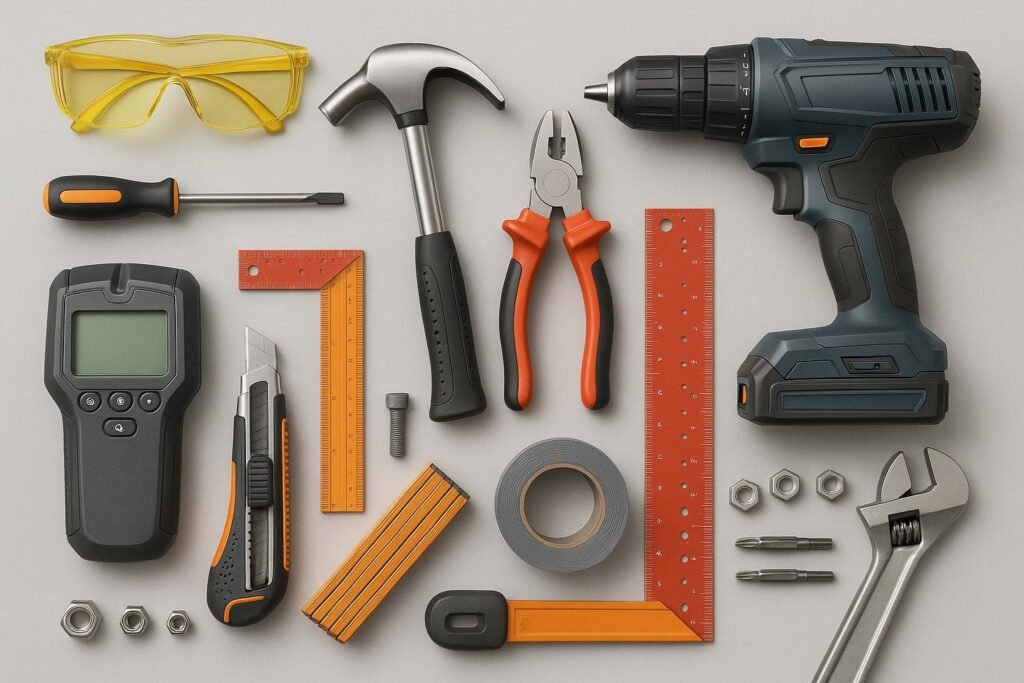
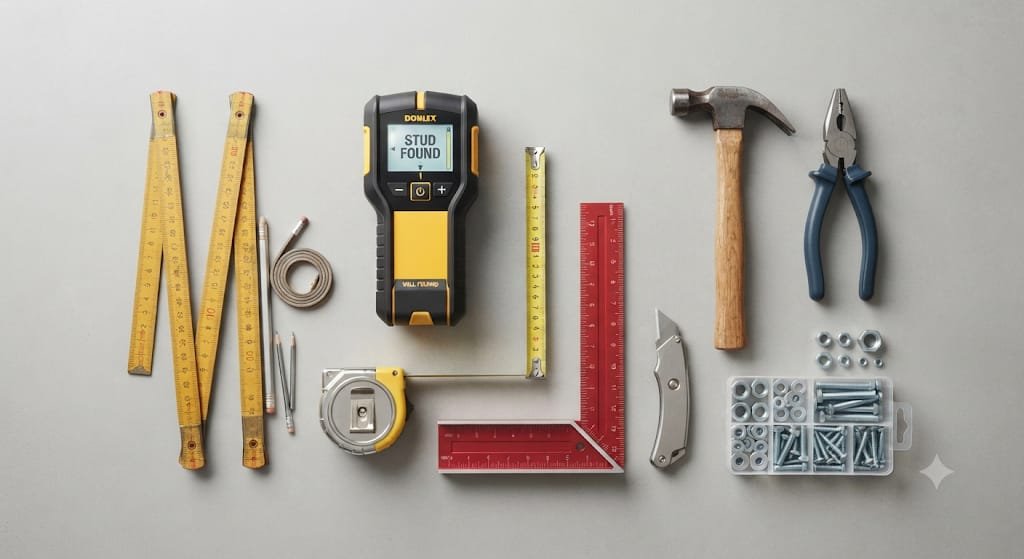
Modern homes contain more connected devices than ever: smart thermostats, sensors, doorbells, cameras, switches, hubs, speakers, networking equipment, and automated lighting. When something needs adjusting, mounting, tightening, replacing, or troubleshooting, the right hand tools can save time and prevent small jobs from becoming frustrating projects.
This guide to Smart Home Hand Tools: 10 Essential Kits for Modern Repair focuses on the practical tools that belong in a modern home repair kit. Instead of buying a large toolbox filled with tools you rarely use, you can build a compact collection around the jobs smart-home owners actually encounter.
You will find ten useful tool categories, what each kit is designed to handle, what features matter when shopping, common mistakes to avoid, and a practical way to organize everything so the tools are ready whenever a connected device needs attention.
Affiliate disclosure: This article contains affiliate links. If you purchase through qualifying links, SmartAirHQ may earn a commission at no additional cost to you. As an Amazon Associate I earn from qualifying purchases. Links marked as paid links may earn a commission if you make a qualifying purchase. Prices, availability, specifications, and seller information can change, so verify the current product details before purchasing.
What Makes a Good Smart Home Hand Tool Kit?
A smart-home tool kit is different from a traditional household toolbox because many connected devices combine ordinary mechanical hardware with small electronics, cables, mounting brackets, terminals, and delicate components. You need tools that can handle both everyday repairs and precision work without taking up unnecessary space.
The best setup is therefore not necessarily the biggest set. A practical collection should cover fastening, gripping, measuring, cutting, cable management, low-voltage troubleshooting, and delicate electronics work. It should also be easy to carry from a utility closet to a thermostat, network cabinet, security camera, or wall-mounted sensor.
For most homeowners, prioritize correct fit, comfortable handles, durable materials, precision tips, organized storage, and appropriate electrical safety features over the number of pieces included in a kit.
The 10 Essential Smart Home Hand Tool Kits
The following ten categories cover the majority of basic tool needs associated with installing, adjusting, maintaining, and troubleshooting smart-home equipment. You do not necessarily need ten separate cases. Several categories can be combined into one compact home repair toolbox.
1. General Screwdriver and Bit Set
A screwdriver and bit set is the foundation of almost every smart-home repair kit. Mounting plates, sensor covers, thermostat faceplates, camera brackets, battery compartments, wall hardware, and electronic enclosures frequently rely on screws.
A useful set should include multiple Phillips and flat-head sizes, along with common specialty bits such as Torx, hex, and security-style bits when appropriate. Magnetic tips can make it easier to control small screws, particularly when working inside cramped enclosures.
Look for a set with clearly labeled bits and a comfortable handle. A ratcheting driver can also be useful when you need to repeatedly tighten or loosen fasteners without repositioning your hand.
Browse screwdriver and bit sets on Amazon (paid link)
2. Precision Electronics Screwdriver Kit
Smart-home devices often contain much smaller fasteners than conventional household hardware. A precision screwdriver kit gives you better control when opening sensors, remotes, small control units, battery compartments, and other compact electronics.
Choose a kit with small Phillips, flat, Torx, hex, and other commonly encountered precision tips. A rotating end cap can make tiny adjustments easier because you can keep the tool aligned while turning it with your fingertips.
The main benefit is control. Using an oversized screwdriver on a tiny fastener can damage the screw head, slip against nearby components, or make a simple repair unnecessarily difficult.
Browse precision screwdriver kits on Amazon (paid link)
3. Pliers and Grip Tool Kit
Pliers are useful whenever fingers cannot comfortably reach, hold, bend, or pull a component. A compact set can include long-nose pliers, diagonal cutters, slip-joint pliers, and combination pliers.
Long-nose pliers are especially useful around tight spaces and small terminals. Diagonal cutters can help with cable ties and suitable small-gauge wire. Slip-joint pliers are better suited to general gripping and household mechanical tasks.
Avoid using cutters as improvised gripping tools or forcing pliers onto fasteners they were not designed to handle. Choosing the right plier for the task improves control and helps preserve both the tool and the component.
Browse household plier sets on Amazon (paid link)
4. Wire Stripper and Crimper Kit
Smart-home projects can involve low-voltage cables, small conductors, connectors, and communication wiring. A dedicated wire stripper and crimper kit is more appropriate than using a knife or general-purpose cutter for every cable-related task.
A good kit should match the types and sizes of wiring you expect to encounter. Adjustable or clearly marked stripping positions can make preparation more consistent, while a suitable crimping function can help when installing compatible terminals.
Do not assume that every wire in a smart-home installation is safe to handle. Before working on electrical wiring, identify the circuit and follow appropriate safety procedures. For work involving mains voltage or unfamiliar wiring, professional assistance may be the safer choice.
Browse wire stripper and crimper kits on Amazon (paid link)
5. Non-Contact Voltage Tester
A non-contact voltage tester can be a useful addition when a project involves electrical components, switches, outlets, or wiring. Its purpose is to provide an initial indication that electrical energy may be present without requiring direct contact with the conductor.
It should not be treated as the only verification method for electrical work. Follow the tester manufacturer’s instructions, understand its limitations, and use appropriate procedures for the particular electrical system.
For homeowners working around connected devices, the key principle is simple: do not assume a circuit is de-energized merely because a device appears to be switched off. The U.S. Consumer Product Safety Commission provides additional home electrical safety guidance for consumers. (U.S. Consumer Product Safety Commission)
Browse non-contact voltage testers on Amazon (paid link)
6. Digital Multimeter Kit
A digital multimeter expands troubleshooting capabilities beyond simple visual inspection. Depending on the instrument and your knowledge level, a multimeter can be used to investigate electrical characteristics such as voltage, resistance, and continuity.
For smart-home maintenance, it can be particularly helpful when troubleshooting compatible low-voltage circuits, batteries, adapters, and wiring. However, the correct measurement mode, range, lead placement, and circuit conditions matter.
Never use a multimeter setting casually or guess which terminals to use. Incorrect measurement procedures can damage the meter or create a hazardous situation. If you are not comfortable identifying electrical systems and measurement requirements, use a qualified professional rather than experimenting on energized wiring.
Browse digital multimeters on Amazon (paid link)
7. Measuring Tape and Compact Level
Smart-home devices often look simple to install until you discover that placement matters. Cameras, sensors, displays, thermostats, wall controls, and brackets need accurate positioning if you want a clean installation.
A compact measuring tape helps determine mounting height, spacing, and alignment. A small bubble level is useful for wall-mounted equipment, especially when visual alignment matters.
This combination is inexpensive but valuable because it prevents a common mistake: drilling or fastening first and checking alignment afterward. Measure the mounting location, mark the position, verify the level, and only then make permanent holes.
Browse measuring tapes and compact levels on Amazon (paid link)
8. Utility Knife and Precision Cutting Tools
A sharp utility knife has many legitimate uses during home repair, including opening packaging, trimming suitable materials, cutting tape, and preparing certain non-electrical materials.
For smart-home projects, precision is more important than force. Replace dull blades instead of pushing harder, and use the correct blade and cutting method for the material.
A small precision cutting tool can complement the utility knife when working with cable-management materials or other delicate tasks. Keep sharp tools stored securely and never use a blade as a substitute for a screwdriver, pry bar, or electrical tool.
Browse utility knives and precision cutting tools on Amazon (paid link)
9. Cable Management and Installation Kit
Cable management tools become increasingly useful as the number of connected devices grows. Smart speakers, cameras, hubs, routers, sensors, controllers, and other equipment can quickly create an untidy collection of wires.
A basic cable-management kit can include reusable cable ties, hook-and-loop straps, adhesive clips, cable labels, and suitable routing accessories. The goal is not simply to make cables look better. Organized wiring makes future troubleshooting, replacement, and maintenance easier.
Avoid over-tightening cable ties around delicate cables. Route cables so they are not unnecessarily bent, pinched, pulled, or exposed to avoidable heat or mechanical damage.
Browse cable management kits on Amazon (paid link)
10. Inspection, Picking, and Small-Parts Tool Kit
Small inspection tools can be surprisingly useful around modern connected equipment. A compact kit may include inspection picks, tweezers, a small flashlight, a magnetic pickup tool, and similar accessories.
These tools help when a screw falls into a narrow space, a small connector needs positioning, or an enclosure requires visual inspection. Tweezers are particularly useful for small components, but they should be used carefully around electronics and energized circuits.
A bright inspection light is another underrated addition. Good visibility can reduce mistakes when working inside cabinets, behind wall-mounted equipment, or underneath desks and network shelves.
Browse inspection and precision tool kits on Amazon (paid link)
How the 10 Smart Home Tool Kits Compare
Each tool category solves a different part of the repair process. Instead of judging a kit only by its number of pieces, consider how often you expect to use it and what kind of smart-home equipment you maintain.
| Tool kit | Main purpose | Best for |
|---|---|---|
| Screwdriver and bit set | General fastening | Mounts, brackets, covers, hardware |
| Precision screwdriver kit | Small fasteners | Sensors, electronics, compact devices |
| Pliers set | Grip, bend, cut | Hardware, cables, tight spaces |
| Wire stripper/crimper | Cable preparation | Compatible low-voltage wiring |
| Voltage tester | Initial electrical indication | Electrical safety checks |
| Digital multimeter | Electrical troubleshooting | Batteries, circuits, compatible low-voltage systems |
| Tape measure + level | Accurate placement | Sensors, cameras, thermostats, displays |
| Utility knife | Controlled cutting | Packaging and suitable materials |
| Cable-management kit | Routing and organization | Hubs, cameras, routers, sensors |
| Inspection kit | Small-detail work | Connectors, screws, tight spaces |
The most versatile starting combination is generally a general screwdriver set, pliers, measuring tools, precision drivers, and basic cable-management supplies. Add electrical testing tools when your projects genuinely require them and you understand how to use them.
How to Build a Smart Home Repair Toolbox Without Overspending
You do not need to purchase every tool at once. A staged approach is usually more practical because it lets the toolbox grow around your actual projects.
Start with the tools that solve the most common mechanical problems: a quality screwdriver and bit set, pliers, measuring tape, level, utility knife, and basic organization supplies. These can cover mounting and adjustment tasks for many household devices.
Next, add precision tools if you regularly work with small electronics. After that, consider wire-handling and electrical-testing equipment if your projects require it.
A useful buying rule is to ask three questions before adding a tool:
- What specific job will this tool perform?
- Do I already have another tool that safely performs the same job?
- Will the tool improve control or safety compared with my current workaround?
This approach avoids the common mistake of buying a large toolbox based solely on piece count.
Browse smart-home repair tool kits on Amazon (paid link)
What to Look for When Choosing Smart Home Hand Tools
Quality matters more than quantity when tools are used around expensive connected equipment. A poorly fitting screwdriver bit can damage a fastener, while a poorly designed gripping tool can slip and damage a component.
Look for comfortable handles, accurate tips, durable construction, clear size markings, secure storage, and replacement accessories where appropriate. For precision tools, tip quality and fit are especially important. For cutters and pliers, smooth operation and appropriate jaw alignment can make a noticeable difference.
Storage also matters. A kit with labeled compartments is easier to use than a collection of loose tools at the bottom of a box. When every tool has a designated place, missing tools are easier to identify before starting a repair.
If your home includes significant heating, cooling, ventilation, or air-quality equipment, you can also explore SmartAirHQ Climate Control category for related home-maintenance content.
How to Organize Tools for Faster Smart Home Repairs
Tool organization becomes especially valuable when several small projects happen throughout the year. Instead of keeping everything in one oversized toolbox, consider dividing tools by function.
A compact everyday compartment can contain screwdrivers, pliers, measuring tools, a utility knife, and cable-management supplies. A separate precision section can hold small drivers, tweezers, picks, and inspection accessories. Electrical testing equipment should be kept together and clearly identified so it is not confused with ordinary tools.
Labeling cases can also help. For example, you might use sections for general repair, electronics, cable work, and electrical testing.
This organization makes it easier to take only the tools required for a project instead of carrying a heavy toolbox from room to room.
Browse tool organizers and storage cases on Amazon (paid link)
Save This Smart Home Tool Guide on Pinterest
Planning your next smart home repair or installation? Save this guide to Pinterest so you can easily come back to this list of essential hand tools when you need to work on smart sensors, cameras, thermostats, connected devices, cables, or other household equipment. Follow SmartAirHQ on Pinterest for more practical smart-home guides, repair tips, and useful tool recommendations.
📌 Save on Pinterest
📌 https://pin.it/5VmhLrXHC
Common Smart Home Tool Kit Mistakes to Avoid
Buying too many tools is only one problem. The bigger issue is using the wrong tool for a task because it appears convenient.
One common mistake is using a knife as a screwdriver or pliers as a substitute for the correct wrench. Another is using a screwdriver bit that almost fits instead of one that properly engages the fastener. These shortcuts can damage hardware and make future repairs more difficult.
Electrical work requires even greater care. Do not assume that a low-voltage-looking device means every nearby conductor is safe. Do not bypass protective equipment or rely on guesswork when identifying circuits.
Tools should also be inspected before use. OSHA notes that hand and power tools can create hazards when improperly used or maintained and emphasizes using appropriate tools and maintaining them in safe condition. (OSHA)
Browse insulated screwdriver sets on Amazon (paid link)
Smart Home Tool Safety Basics
The best tool kit is only useful when it is used responsibly. Before repairing a connected device, identify what you are actually working on, read the manufacturer’s instructions where available, and determine whether the job involves only mechanical hardware, low-voltage electronics, or household electrical power.
For electrical work, do not rely on a single assumption or an unfamiliar testing method. If you are unsure whether a circuit is energized or whether a repair is within your skill level, stop and obtain qualified help.
For general tool safety, inspect tools for damage, use the correct tool for the task, keep cutting edges controlled, and store sharp or precision tools safely. OSHA’s hand-tool guidance provides additional information about tool condition and safe use. (OSHA)
Read OSHA’s hand and power tool safety guidance
How to Choose the Right Kit for Different Smart Home Jobs
Different projects call for different combinations of tools. Choosing the smallest suitable kit can make a repair faster and reduce unnecessary equipment.
For mounting a smart camera or sensor, you will generally get the most value from a screwdriver and bit set, measuring tape, level, utility knife, and cable-management accessories. For opening a compact electronic device, precision drivers, tweezers, picks, and an inspection light become more useful.
For compatible low-voltage cable work, add wire-handling tools and appropriate testing equipment. For work involving household mains electricity, the priority changes from convenience to electrical safety and competence.
| Smart-home job | Useful tool combination |
|---|---|
| Mounting a sensor | Screwdriver, level, tape measure |
| Installing a camera bracket | Screwdriver, bits, level, tape measure |
| Adjusting a thermostat | Screwdriver, precision driver, tester when appropriate |
| Organizing hub cables | Pliers, cutters, cable-management kit |
| Working with small electronics | Precision drivers, tweezers, inspection tools |
| Troubleshooting compatible low-voltage equipment | Multimeter, appropriate drivers, wire tools |
| General household adjustments | Screwdriver set, pliers, utility knife, tape measure |
The objective is not to own every possible tool. It is to have the right tool available when the particular job requires it.
Buying Smart Home Hand Tools on Amazon
If you prefer to compare current options before purchasing, use the individual Amazon category links throughout this guide rather than choosing a kit solely because it has the largest number of pieces.
For example, a precision electronics kit should be evaluated for tip selection and fit, while a plier kit should be evaluated for the types of gripping and cutting tasks it covers. A multimeter should be selected according to the measurements you actually need and your ability to use the instrument correctly.
Amazon listings, prices, sellers, availability, and specifications can change. Always verify the current listing before purchasing.
Browse general home hand tools on Amazon (paid link)
🛒Check Price on Amazon
Smart Home Hand Tools and a Minimalist Repair Strategy
A minimalist toolbox can actually be more useful than an oversized collection because every tool has a clear purpose. The ideal setup covers the most common repair categories without creating unnecessary duplication.
A strong basic collection can begin with a general screwdriver and bit set, pliers, tape measure, level, utility knife, cable-management supplies, and a precision screwdriver kit. Add a wire stripper, voltage tester, and multimeter only when they match the work you expect to perform.
This approach keeps the toolbox compact while still supporting a wide variety of smart-home maintenance tasks. It also makes replacement easier: when a tool becomes damaged or worn, you know exactly what role the replacement needs to fulfill.
Browse compact household tool kits on Amazon (paid link)
Frequently Asked Questions About Smart Home Hand Tools
A well-built smart-home toolbox raises several practical questions, especially for homeowners who are moving from ordinary household repairs into connected-device installation and maintenance. The answers below focus on choosing tools by function rather than buying a large kit simply because it contains many pieces.
What tools should every smart home owner have?
A general screwdriver and bit set, pliers, measuring tape, compact level, utility knife, precision screwdriver set, and cable-management supplies make a strong starting collection. Electrical testing and wire-handling tools can be added when your projects require them.
Do I need a special smart home tool kit?
Not necessarily. Most smart-home repairs use conventional hand tools. What makes the toolbox different is the emphasis on precision screwdrivers, small bits, cable-management tools, and careful electrical testing rather than specialized “smart home” hardware.
Is a multimeter necessary for smart home repairs?
A multimeter is useful for people who regularly troubleshoot compatible electrical or low-voltage systems and understand how to operate one safely. It is not necessary for every homeowner or every smart-device installation.
What screwdriver bits are useful for smart home devices?
Phillips, flat-head, Torx, and hex bits are useful starting points. Precision versions of these bits are valuable for smaller electronics and compact enclosures. The exact fastener depends on the device, so a versatile bit set is usually more practical than buying only one size.
Can I use regular pliers for smart home wiring?
Regular pliers are useful for gripping, but they are not a replacement for a proper wire stripper or appropriate crimping tool. Use a tool designed for the specific cable task rather than improvising with a general-purpose tool.
How should I store smart home repair tools?
Keep frequently used hand tools together and separate precision electronics tools from heavier equipment. Electrical testing tools should be clearly identified, while sharp cutting tools should be stored securely. Labeled compartments make small tools easier to find.
What is the most important tool in a smart home toolbox?
For general repairs, a versatile screwdriver and bit set is arguably the most frequently useful starting point. However, the “most important” tool depends on the task. Precision electronics work, cable work, mounting, and electrical troubleshooting each require different tools.
Final Thought: Build the Toolbox Around the Repairs You Actually Do
The best Smart Home Hand Tools collection is not the one with the most pieces. It is the one that gives you reliable control over the jobs you actually perform.
Start with the fundamentals: a quality screwdriver and bit set, precision drivers, pliers, measuring tools, a utility knife, and cable-management supplies. Then add wire-handling and electrical-testing equipment as your projects become more advanced.
A thoughtfully organized toolbox makes smart-home maintenance easier because the right tool is available before a small repair turns into a larger problem. Keep the tools maintained, use each one for its intended purpose, and treat electrical work with appropriate caution.
For more home-focused guides and connected-living ideas, visit smartairhq. The goal is simple: fewer improvised repairs, better organization, and a toolbox built around the way a modern connected home actually works.