Public charging ports can be convenient when your phone battery is running low at an airport, hotel, café, library, or train station. However, a USB connection can potentially carry data as well as electrical power. This is why privacy-conscious travellers look for a USB data blocker before connecting their devices to unfamiliar charging ports.
The best USB data blockers, sometimes called USB charge-only adapters or juice-jacking protectors, are compact accessories designed to allow charging while preventing data communication through the USB connection. They can be useful for people who travel frequently, work remotely, or regularly charge their devices in public places.
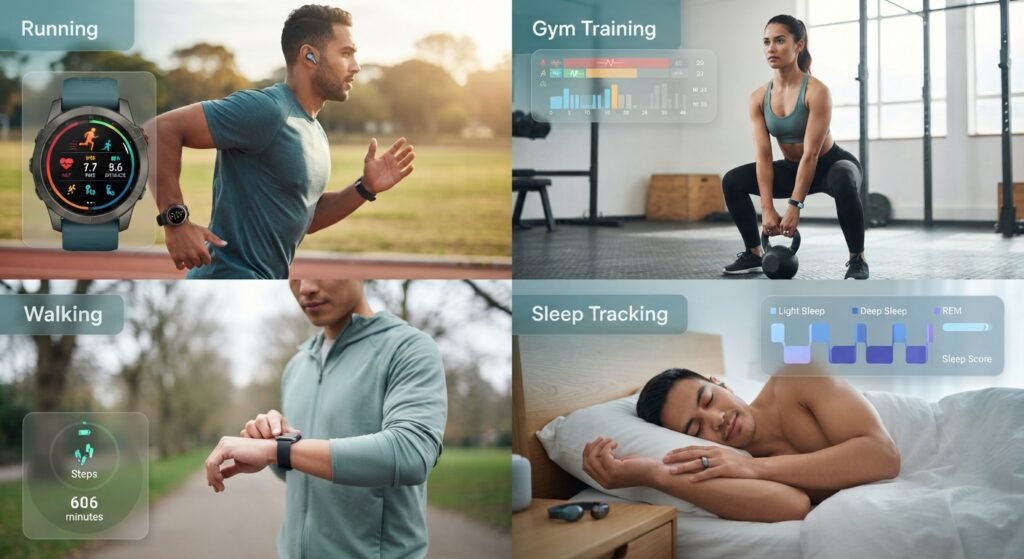
When travelling with smartwatches, fitness trackers, or other wearable devices, remember to pack the charging cable or adapter recommended by the manufacturer. If you regularly travel with connected wearables, our Smart Wearable Gadgets Buying Guide can help you explore wearable technology and compare features before choosing your next device. Keeping your own compatible charging accessories handy can also reduce your reliance on unfamiliar public USB charging ports.
In this guide, you will learn how USB data blockers work, which features matter most, how to choose the right connector, and what alternatives can help protect your devices while charging on the go.
Quick answer: Choose a USB data blocker that matches your device’s connector, supports the charging requirements of your phone or tablet, and comes from a reputable manufacturer. For the simplest approach, use your own wall charger and cable with a standard electrical outlet whenever possible.
USB Data Blocker Buying Comparison
| Option | Best use | Main advantage | Important limitation |
|---|---|---|---|
| USB-A data blocker | Older USB-A charging ports | Compact and straightforward | May require an adapter for newer devices |
| USB-C data blocker | Compatible USB-C charging setups | Convenient for modern devices | Charging speed and USB-C compatibility vary |
| Charge-only USB cable | Travel and everyday charging | Combines the cable and data-blocking function | Must support the required connector and power |
| USB-A to USB-C blocker setup | Compatible legacy charging ports | Useful when a USB-A port is the available power source | Adds a connector and may limit charging speed |
| Personal wall charger | Hotels, offices and homes | Avoids connecting to an unfamiliar USB data port | Requires access to an electrical outlet |
| Portable power bank | Airports, public transport and outdoor trips | Reduces reliance on public charging ports | Requires advance charging and safe storage |
What Is a USB Data Blocker?
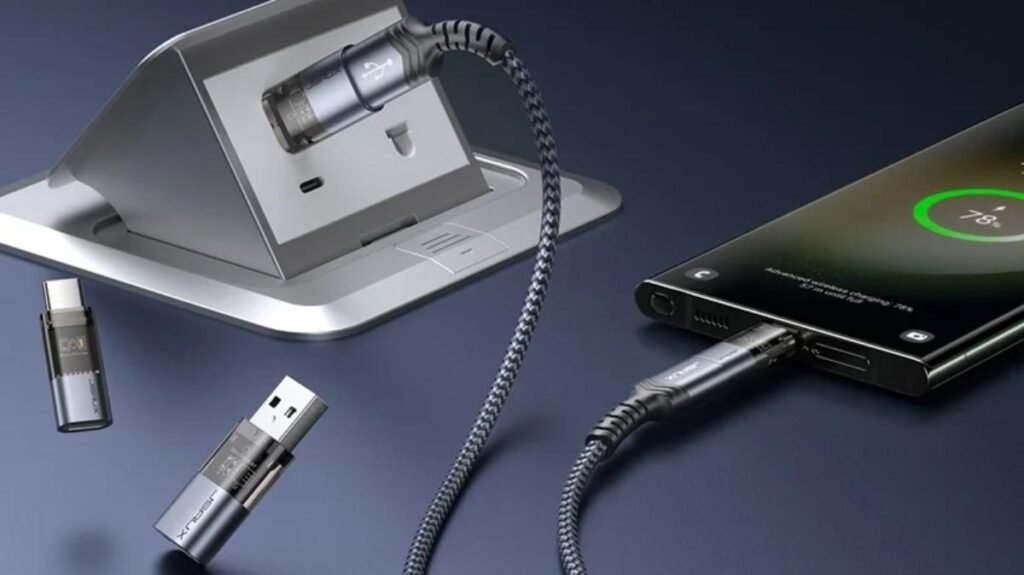
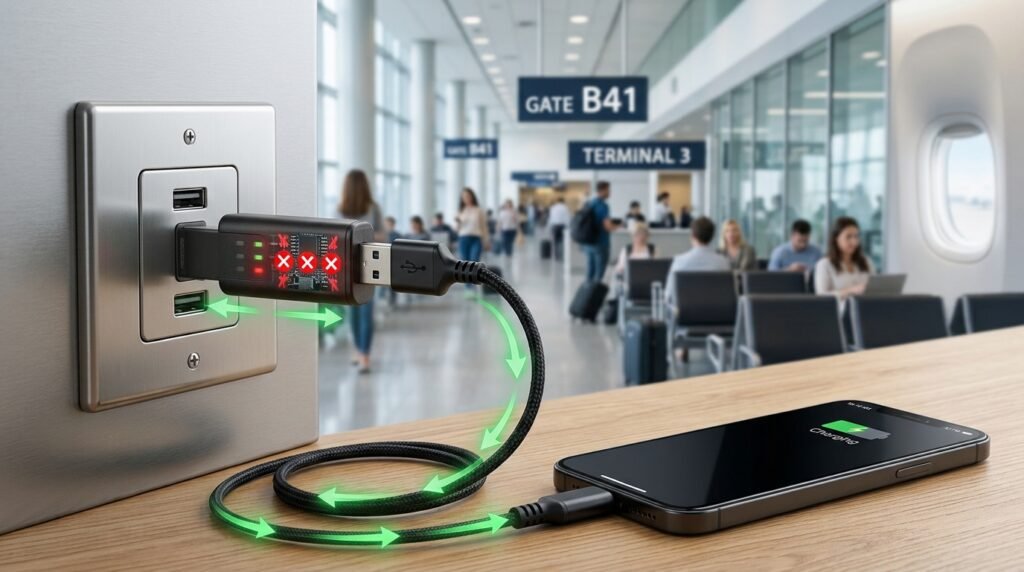
A USB data blocker is a small adapter that sits between a compatible USB charging source and your device. It is designed to allow electrical power to pass through while blocking the data connection.
A standard USB connection may support both charging and communication with another device. Depending on the connection, this can enable file transfers, device recognition, syncing or other data functions.
A data blocker is designed to remove that data pathway. This is useful when you need power from a charging source that you do not fully trust.
USB data blockers are also known as:
- USB charge-only adapters
- Juice-jacking protectors
- USB data-blocking adapters
- USB sync blockers
- Charge-only USB accessories
The term “USB condom” is also used informally, but “USB data blocker” is the more professional term for a buying guide.
It is important to understand that a data blocker does not scan your phone for malware, encrypt your files or protect you from phishing. It addresses a specific risk: unwanted data communication over the connected USB interface.
How Does a USB Data Blocker Work?
A USB data blocker interrupts or disables the relevant data connections while preserving the power connections supported by its design.
When you connect your device through a compatible blocker, the intended result is that electrical power reaches your phone or tablet without establishing an ordinary USB data connection to the charging host.
This can reduce exposure to unwanted file access or data exchange through an untrusted USB port.
However, different USB standards use different power-negotiation methods. Some charging arrangements also rely on communication between connected devices to determine available power. Therefore, not every blocker supports every charging protocol or delivers the same charging speed.
USB Data Blocker vs. Other Charging Options
| Charging method | Blocks USB data by design? | Portability | Best use |
|---|---|---|---|
| USB data blocker | Yes, for supported connections | Excellent | Using a compatible public USB port |
| Personal wall charger and cable | Avoids connecting to a public USB data port | Good | Hotels, homes and offices |
| Portable power bank | Usually avoids public charging ports while powering your device | Good | Travel and commuting |
| Charge-only cable | Yes, if properly designed without data connections | Good | Regular travel charging |
| Standard USB cable connected to an unknown port | No | Excellent | Best avoided when the source is untrusted |
A personal wall charger connected to a normal electrical outlet is often the simplest alternative. A power bank is useful when an outlet is unavailable.
Why Should You Use a USB Data Blocker?
1. Reduce exposure to juice jacking
Juice jacking describes a potential attack in which a compromised USB charging connection is used for unwanted data access or malicious activity.
The concern arises because USB can support both power and data. A data blocker can help prevent communication through the supported USB data pathways.
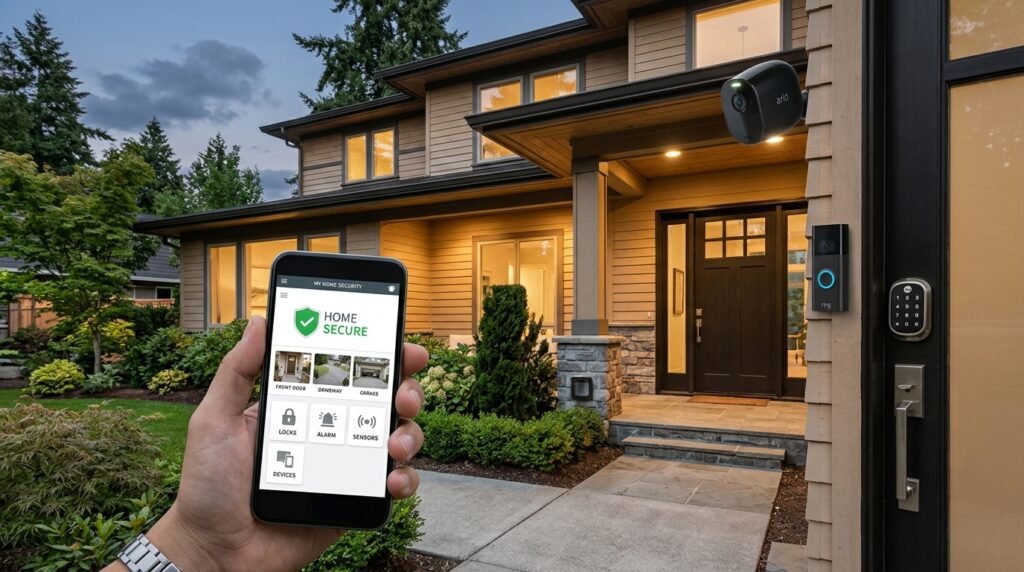
USB data blockers add an extra layer of protection when charging your phone or other USB-powered devices through unfamiliar ports. However, they do not replace broader device security measures. If you want to improve protection across your connected home, explore our Best Smart Home Security Gadgets 2026 guide for practical options to help monitor and secure your smart-home environment.
For background, read the Michigan Attorney General’s consumer guidance on juice jacking.
2. Protect your privacy while travelling
Travellers often charge phones at airports, hotels, conference centres and transport terminals. Carrying a compact blocker gives you another option when you encounter an unfamiliar USB charging port.
3. Keep charging accessories compact
A small blocker can fit in a laptop bag, backpack or travel pouch. It may be more convenient than carrying a dedicated charge-only cable for every situation.
4. Add a layer of protection for work devices
People who use phones for business email, work documents and company accounts may prefer to minimise connections to untrusted USB hosts. Follow your employer’s security policy for managed devices.
Which USB Data Blocker Should You Choose?
| Your situation | Recommended option | What to verify |
|---|---|---|
| You have a modern USB-C phone | Compatible USB-C data blocker | Connector compatibility and power support |
| You use an older USB-A charging port | USB-A data blocker | Correct orientation and connector arrangement |
| You want one accessory for regular travel | Compact blocker with protective cap | Durability and portability |
| You need to charge several devices | Multiple compatible blockers or charge-only cables | Connector types and charging requirements |
| You need the simplest public-charging alternative | Personal wall charger | Plug type and charging standard |
| You travel where outlets are scarce | Portable power bank | Capacity, output and airline rules |
Shop the Best USB Data Blockers and Safe Charging Accessories
Choosing the right USB data blocker depends on your device, charging cable, and the type of USB port you plan to use. A blocker can help prevent data connections through compatible USB ports, while a personal wall charger or power bank can reduce your reliance on unfamiliar public charging stations.
The following Amazon links let you compare available options, product specifications, compatibility, and customer reviews before buying. Product availability and features may vary, so verify the listing details before placing an order.
Affiliate disclosure: This section contains Amazon affiliate links. As an Amazon Associate, SmartAirHQ may earn from qualifying purchases at no additional cost to you.
1. USB Data Blockers: Start Here
Protect your connection when using unfamiliar USB ports.
A USB data blocker is designed to allow power to pass through while blocking data connections. Before choosing one, confirm its connector type, supported charging standards, and compatibility with your device.
🛍️ Shop USB Data Blockers on Amazon.
2. USB-C Data Blockers
For newer phones, tablets, and USB-C devices.
If your device uses USB-C, look for a blocker specifically designed for USB-C connections. Check whether the product supports your charging requirements and whether it limits charging speed or other functions.
🔎 Find USB-C Data Blockers on Amazon.
3. USB-A Data Blockers
For compatible USB-A charging ports.
USB-A blockers may be useful with older charging stations, standard USB-A chargers, and compatible cables. Check the connector orientation and device compatibility before purchasing.
⭐ Explore USB-A Data Blockers on Amazon.
4. Charge-Only USB-C Cables
A cable-based option for compatible charging setups.
Charge-only cables are designed to provide power without carrying USB data. Verify the cable’s supported power rating, connector type, and compatibility with your device before relying on it for charging.
🏠 Find Charge-Only USB-C Cables on Amazon.
5. USB-A to USB-C Adapters
Connect compatible USB-C devices to USB-A accessories.
An adapter can help connect devices with different USB connector types, but not every adapter supports every charging or data function. Check the manufacturer’s specifications and your device’s requirements.
🛒 Check USB-A to USB-C Adapters on Amazon.
6. USB-C Wall Chargers
Use your own power source instead of an unfamiliar public USB port.
A personal wall charger is a practical alternative when a suitable electrical outlet is available. Choose a reputable model with appropriate power output and built-in safety protections compatible with your device.
✨ Explore USB-C Wall Chargers on Amazon.
7. Portable Power Banks
Keep your devices charged while travelling.
A power bank lets you charge compatible devices without connecting them to a public USB charging port. Compare capacity, output power, charging protocols, size, and airline travel restrictions before choosing one.
🔗 See Portable Power Banks on Amazon.
8. Multiport USB-C Chargers
Charge several compatible devices from one power adapter.
Multiport chargers can be useful for travellers carrying a phone, tablet, earbuds, or other USB-powered devices. Check total output and how power is shared when multiple ports are in use.
🏠 Find Multiport USB-C Chargers on Amazon.
9. USB-C Charging Cables
Choose a cable that matches your device and power needs.
Charging cables differ in power capability, data-transfer support, length, and build quality. Check the cable specifications rather than assuming every USB-C cable supports the same charging speed.
🛍️ Shop USB-C Charging Cables on Amazon.
10. USB-C to Lightning Cables
For compatible Apple devices with a Lightning connector.
If your iPhone or accessory uses Lightning, a compatible USB-C to Lightning cable can connect it to a suitable USB-C charger. Confirm device compatibility and supported charging features before ordering.
✨ Explore USB-C to Lightning Cables on Amazon.
11. Compact Travel Chargers
Pack a dedicated charger for airports, hotels, and trips.
A compact charger can help you rely on a wall outlet instead of an unfamiliar public USB port. Compare plug compatibility, output power, safety certifications, and portability for your destination.
🛒 Check Compact Travel Chargers on Amazon.
12. USB Charging Accessories for Travel
Build a practical charging kit for everyday use and travel.
Depending on your devices, a travel kit may include a compatible data blocker, charging cable, wall adapter, and power bank. Choose accessories based on your actual device requirements rather than buying items you do not need.
✨ Explore USB Charging Accessories for Travel on Amazon.
Which USB Charging Accessory Should You Choose?
- For an unfamiliar public USB port: Consider a compatible USB data blocker.
- For charging from a wall outlet: Use a suitable personal wall charger.
- For charging away from outlets: Consider a power bank.
- For a USB-C device: Check USB-C compatibility, charging requirements, and cable specifications.
- For travel: Choose a compact, compatible setup that meets your device and destination requirements.
Smart buying tip: A USB data blocker is not a guarantee against every form of cyberattack, and it does not replace device security updates, strong authentication, or other security practices. Compare product specifications and reviews before buying.
Features to Check Before Buying
USB Data Blocker Buying Checklist
| Feature | Why it matters | What to look for |
|---|---|---|
| Connector type | Determines whether the accessory fits | USB-A or USB-C as required |
| Data blocking | The core purpose of the product | Clear manufacturer documentation that data lines are blocked |
| Charging compatibility | Determines whether your device charges properly | Support for the device and charging setup you use |
| Power delivery | Affects charging performance | Explicitly documented power and protocol support |
| Build quality | Influences durability | Secure connectors and a well-finished housing |
| Size and weight | Matters when travelling | A compact design that is easy to store |
| Manufacturer support | Helps resolve compatibility problems | Clear specifications, warranty and support information |
| Product documentation | Helps verify the intended function | Technical details instead of vague security promises |
Do not assume that a USB-C data blocker supports every USB-C feature. USB-C is a connector type, not a guarantee of a particular charging speed, data rate or power capability.
USB-A vs. USB-C: Which One Do You Need?
USB-A is the older rectangular connector commonly found on many legacy chargers, computers and public charging stations. USB-C is a smaller, reversible connector used by many modern smartphones, tablets, laptops and accessories.
Your choice should depend on the port you are connecting to, the cable you use and the requirements of the device being charged.
USB-A vs. USB-C Data Blockers
| Comparison | USB-A | USB-C |
|---|---|---|
| Connector shape | Rectangular | Small and reversible |
| Common use | Older chargers and USB ports | Modern phones, tablets and laptops |
| Charging performance | Depends on the charger and supported standard | Can support higher power with compatible equipment |
| Compatibility | Suitable for USB-A connections | Suitable for USB-C connections |
| Main buying consideration | Correct connector arrangement | Data-blocking design and power compatibility |
Before ordering, confirm whether the product is a complete blocker, a charge-only cable or a simple connector adapter. These are not interchangeable terms.
How to Use a USB Data Blocker Correctly
Follow the manufacturer’s connection instructions. For a typical compatible adapter, the general process is:
- Check that the blocker matches your charging port and cable.
- Connect the blocker to the supported USB charging source as directed.
- Connect your charging cable or device to the other side, following the product’s instructions.
- Confirm that charging starts normally.
- If the device requests an unexpected data connection or access permission, decline it and disconnect if necessary.
- If charging fails or becomes unusually slow, stop and check compatibility rather than assuming the blocker is faulty or bypassing its protection.
A blocker cannot make every charging source safe. Avoid damaged or suspicious charging stations, unknown cables and accessories of uncertain origin.
Public Charging Safety Checklist
| Safety measure | Recommended action |
|---|---|
| Use your own equipment | Carry a trusted charging cable and wall adapter |
| Prefer electrical outlets | Connect your own wall charger to a standard power outlet |
| Carry backup power | Keep a suitable power bank charged |
| Use a data blocker | Choose a compatible, documented product when using USB power |
| Check device prompts | Decline unexpected requests to trust a computer or share data |
| Update your device | Install operating-system and security updates |
| Avoid unknown cables | Do not connect cables or accessories found unattended |
| Follow workplace policies | Use approved charging methods for business devices |
For additional official guidance, see the U.S. Army Cyber Command’s juice-jacking fact sheet and the UK’s National Cyber Security Centre device security guidance.
Common Mistakes to Avoid
Buying the wrong connector
A blocker that does not match your cable and device will not be useful. Check both ends of the connection before purchasing.
Assuming every USB-C accessory supports fast charging
The USB-C connector alone does not guarantee fast charging. Verify the blocker’s specifications and the charging requirements of your device.
Treating a data blocker as complete cybersecurity protection
A blocker addresses USB data communication. It does not prevent every possible attack, protect against malicious apps already installed, or replace software updates and account security.
Ignoring product documentation
Avoid products that promise complete protection against all hackers without explaining their technical design. Look for clear information about data lines, supported connectors and charging behaviour.
Using public cables without checking their source
A data blocker is not a reason to trust every unknown cable or damaged charging station. Your own charger, cable and power bank are often preferable.
Frequently Asked Questions
1. Do USB data blockers really work?
A properly designed blocker can prevent data communication over the USB pathways it blocks while allowing supported charging. Its effectiveness depends on the design and connection involved.
2. Can a USB data blocker charge an iPhone?
It may work with a compatible charging arrangement, cable and connector. Check the product specifications for the particular iPhone and charging setup you use.
3. Does a USB data blocker slow down charging?
It can, depending on the design and supported charging protocols. Some products may not support the power negotiation required for faster charging, so verify the specifications.
4. Are USB data blockers compatible with Android phones?
Many are designed for compatible Android devices, but connector type and charging support vary. Confirm compatibility with your specific phone.
5. Is a charge-only cable better than a USB data blocker?
Neither is universally better. A charge-only cable combines the cable and blocking function, while a separate blocker can be convenient if you already carry a trusted cable. Choose based on connector compatibility, power requirements and convenience.
6. Can a USB data blocker prevent all malware?
No. It is designed to block supported USB data connections, not to detect or remove malware from your device. Keep your operating system updated and use trusted apps and accessories.
7. Should I use a USB data blocker at an airport?
It can be a useful extra precaution when using a compatible public USB port. An even simpler option is to use your own wall charger with an electrical outlet or a charged power bank.
Final Verdict
A USB data blocker is a small, practical accessory for travellers who want to reduce exposure to unwanted data connections while charging devices in public places. The best choice is one that matches your connector, documents its data-blocking design and supports the charging requirements of your device.
For everyday travel, the most sensible approach is to carry your own wall charger, cable and power bank, and use a reputable USB data blocker when appropriate. No single accessory replaces good device-security habits.
Ready to compare your options? Start with the USB data-blocker search links above, verify compatibility and choose a product with clear technical specifications rather than relying on marketing claims alone.