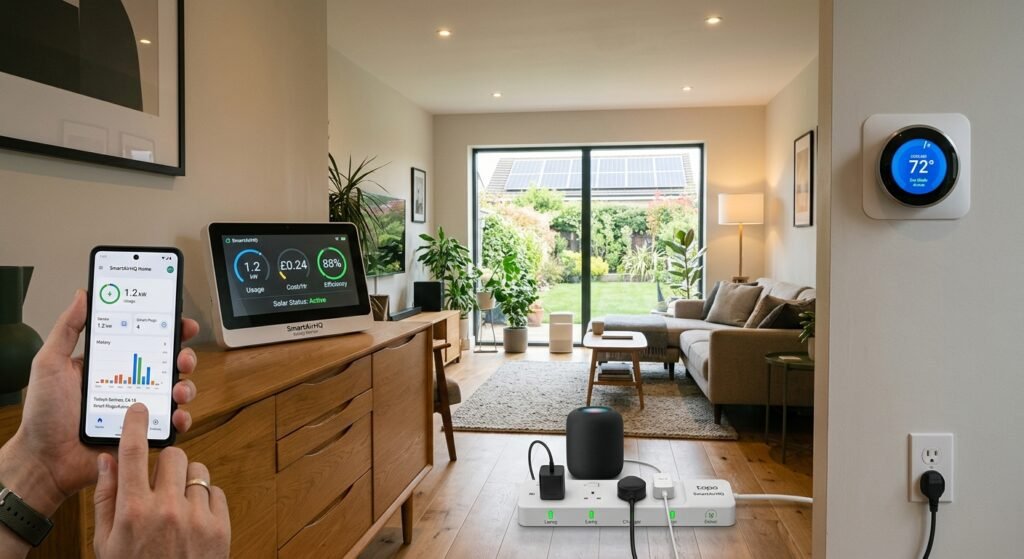
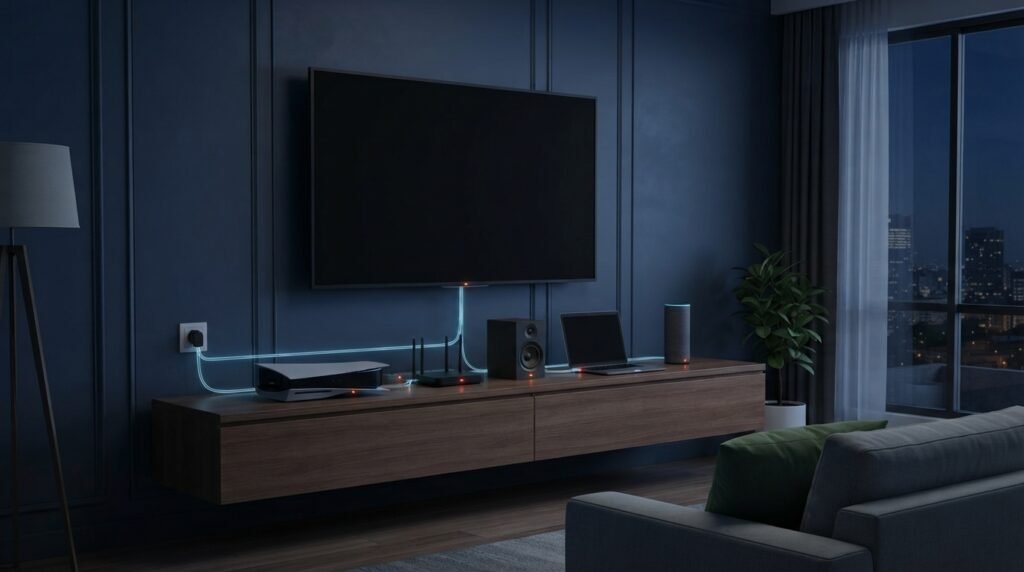
Phantom energy is the electricity many devices continue to consume even when they appear to be turned off. Also called standby power, vampire power, phantom load, or standby energy, this hidden electricity use comes from electronics that remain connected to an outlet and continue performing background functions.
A television waiting for a remote-control signal, a game console maintaining a network connection, a printer ready to receive a job, or a charger that remains connected can all contribute to idle power consumption. Individually, the amount may be small, but many always-connected devices can add up across a home, increasing electricity consumption and household energy costs over time.
Understanding phantom energy makes it easier to identify hidden electricity use and decide which devices should be unplugged, switched off at the outlet, connected to a smart power strip, or replaced with more energy-efficient alternatives.
For more practical advice on reducing electricity use, improving home energy efficiency, and choosing smarter technology, explore our SmartAirHQ energy efficiency guides. Discover practical ways to manage household energy consumption and make informed decisions about your home’s electricity use.
Best Products for Finding and Reducing Phantom Energy
The right tool for reducing phantom energy depends on whether you want to measure standby power, control individual devices, or switch multiple electronics off at once. The products below can help you identify unnecessary electricity use and make it easier to manage devices that remain connected to power.
| Product Type | Best For | Main Benefit | How It Helps With Phantom Energy | Amazon |
|---|---|---|---|---|
| Electricity Usage Monitor | Measuring appliance consumption | Shows how much electricity a device uses | Helps identify appliances that continue drawing power when idle | Check Price on Amazon |
| Plug-In Watt Meter | Measuring individual devices | Displays the power draw of connected equipment | Helps find devices with measurable standby or idle consumption | Check Price on Amazon |
| Smart Plug | Remote control and scheduling | Lets you turn connected devices on or off automatically | Can reduce unnecessary standby time by cutting power when devices are not needed | Check Price on Amazon |
| Energy-Monitoring Smart Plug | Measuring and controlling devices | Combines energy tracking with smart control | Helps identify power-hungry devices and automate their operation | Check Price on Amazon |
| Switched Power Strip | Multiple electronics | Allows several devices to be switched off together | Useful for reducing standby power from grouped electronics | Check Price on Amazon |
| Smart Power Strip | Automatic power management | Can control multiple connected devices | Helps automate power shutoff for electronics that do not need to remain active | Check Price on Amazon |
| Surge Protector Power Strip | Electronics protection and centralized switching | Provides convenient control for multiple devices | Makes it easier to disconnect groups of electronics from power when not in use | Check Price on Amazon |
| Whole-Home Energy Monitor | Monitoring household electricity use | Provides broader visibility into electricity consumption | Helps identify larger energy-use patterns and potential areas for savings | Check Price on Amazon |
Affiliate disclosure: This article contains affiliate links. If you purchase through qualifying links, SmartAirHQ may earn a commission at no additional cost to you.
What Is Phantom Energy?
Phantom energy is the electricity an electronic device can consume while it is switched off, in standby mode, or performing little or none of its primary function. It is also commonly called standby power, phantom load, or vampire power. Although “phantom energy” is an informal consumer term rather than a separate type of electricity, the underlying standby electricity consumption is real.
The U.S. Department of Energy defines standby power as electricity consumed by equipment while it is in its lowest-power mode but remains connected to mains electricity. Depending on the device, standby power can support functions such as remote-control detection, clocks, displays, memory, sensors, network connectivity, or quick-start features.
The important point is simple: turning a device off does not always mean it stops using electricity. If the device remains connected to an electrical outlet, its internal power supply or other components may continue drawing a small amount of electricity.
This hidden electricity use is why phantom energy is often described as standby energy consumption, hidden power consumption, or vampire power. While the standby draw from a single device may be small, multiple always-connected devices can contribute to unnecessary electricity use throughout a home.
What Is Standby Power and Why Do Devices Use It?
Standby power is the electricity an appliance or electronic device can use while it remains connected to mains power but operates in a low-power state. Instead of becoming completely electrically inactive, some devices stay partially powered so they can respond quickly to commands or maintain specific functions.
For example, a smart television may use a small amount of electricity to receive a remote-control command. A network-connected device may maintain communication with a router, while a digital clock needs continuous power to display the time. Other electronics may use standby power to preserve settings, monitor sensors, maintain memory, or provide quick-start functionality.
The International Energy Agency (IEA) identifies functions such as remote control, network connectivity, and digital displays among the reasons equipment can continue consuming electricity when it is not performing its primary function.
Standby power is not automatically unnecessary or wasted. Some standby functions provide useful convenience, connectivity, or safety features. The practical goal is to identify avoidable standby consumption and reduce power use from devices that do not need to remain connected or active when they are not being used.
Does Standby Mode Use Electricity?
Yes. Standby mode can use electricity because the device remains connected to the electrical supply and continues operating selected low-power functions. Depending on the device, these functions may include remote-control detection, network connectivity, displays, sensors, memory, or quick-start features.
The amount of standby electricity varies considerably by device type, design, settings, age, network features, and operating mode. Modern electronics can be designed to use very little standby power, while devices with networking, quick-start functions, displays, sensors, or remote activation may continue drawing electricity even when they appear to be turned off.
Because standby consumption varies from one device to another, it is better to measure the actual power draw or check the manufacturer’s specifications rather than assume that every appliance uses the same amount of electricity in standby mode.
For homeowners trying to reduce phantom energy, measuring individual devices can help identify which electronics are worth unplugging, switching off at the outlet, or controlling with a smart plug or power strip.
Do Plugged-In Devices Use Electricity When Turned Off?
Some plugged-in devices can continue using electricity even when they appear to be turned off, although the amount of power varies by device. Electronics with standby features may keep certain internal circuits energized so they can respond to remote commands, maintain network connections, preserve settings, monitor sensors, or provide quick-start functionality.
The U.S. Department of Energy notes that some electronic devices can consume electricity even when they appear to be turned off. Standby and low-power consumption can also be measured using standardized approaches such as IEC 62301, which applies to the measurement of standby and other low-power modes in household appliances and mains-connected equipment.
There is also an important difference between a soft electronic “off” command and a physical switch that completely disconnects a device from the electrical supply. A soft-off state may leave some circuits powered, while a true power disconnect can stop the device from drawing electricity from the outlet.
If you want to know whether a particular device is contributing to phantom energy use, measuring its power draw with a plug-in electricity monitor is more reliable than judging consumption by whether the device’s display or main function appears to be off.
Phantom Energy vs. Vampire Power vs. Phantom Load
The terms phantom energy, vampire power, and phantom load are often used to describe the hidden electricity consumption of electronics that remain connected to power while they are turned off, inactive, or in standby mode. Although the wording differs, all three relate to the same broader issue of electricity use outside a device’s main active operation.
Phantom Energy
Phantom energy is an informal term for electricity consumed by electronic devices when they appear to be turned off or are not actively being used. Devices may continue drawing a small amount of electricity to support functions such as remote-control detection, network connectivity, memory, displays, or sensors.
Vampire Power
Vampire power is another consumer-friendly term for hidden or continuing electricity consumption. The term emphasizes the idea that a connected electronic device can continue drawing power even when it appears inactive.
For example, a television, game console, computer, printer, or other connected electronic device may use some electricity while waiting for a command or maintaining a background function.
Phantom Load
Phantom load refers to the electrical load associated with devices that continue consuming electricity while they are inactive or operating in a low-power state. It can describe the power draw of an individual device or the combined standby consumption of multiple connected electronics throughout a home.
Quick Comparison
| Term | What It Means | Common Use |
|---|---|---|
| Phantom Energy | Hidden electricity consumed by inactive or standby devices | Consumer energy discussions |
| Vampire Power | Ongoing or hidden power draw from connected electronics | Everyday, easy-to-understand discussions |
| Phantom Load | The electrical load created by devices that continue using power while inactive | Energy-use and electrical discussions |
What Is the Difference?
In everyday household energy discussions, these three terms are often used interchangeably. Phantom energy and vampire power are informal terms that are easy for consumers to understand, while phantom load focuses more directly on the electrical load created by connected equipment.
The important point is the same: a device can appear to be off while still consuming some electricity. Identifying these loads can help homeowners decide which devices should be unplugged, switched off at the outlet, or controlled with a smart plug or power strip.
Which Appliances and Electronics Can Create Phantom Loads?
Many electronic devices can potentially create phantom loads when they remain connected to power while inactive or in standby mode. The amount of electricity they use depends on the device’s design, settings, features, and operating state.
Common Examples of Devices That May Use Standby Power
- Televisions and streaming devices
- Game consoles
- Computers and monitors
- Printers and multifunction devices
- Audio equipment
- Set-top boxes and media receivers
- Wi-Fi routers and networking equipment
- Smart-home devices
- Microwaves and other appliances with digital clocks
- Chargers and power adapters
- Small kitchen electronics
- Home-office equipment
- Devices with remote controls, displays, sensors, or network connectivity
However, simply having a standby function does not tell you how much electricity a particular device consumes. Two products with similar features can have significantly different standby power requirements.
For example, ENERGY STAR distinguishes between different low-power operating states, including passive standby and network-connected standby for certain electronics. This illustrates why connected features and operating modes can affect how much electricity a device uses when it is not performing its primary function.
The most reliable way to identify a significant phantom load is to measure the device’s actual power consumption or check its manufacturer specifications rather than assuming every connected appliance uses the same amount of standby electricity.
How Much Energy Do Appliances Use on Standby?
There is no single standby-power figure that applies to every appliance or electronic device. Electricity consumption depends on the device, its settings, features, and operating mode, so estimating a home’s phantom load using one fixed wattage for every device can be misleading.
A simple way to understand standby electricity use is to calculate annual energy consumption from the device’s power draw:
Annual energy use (kWh) = Power (watts) × Hours used ÷ 1,000
For example:
| Continuous Standby Power | Annual Electricity Use |
|---|---|
| 1 watt | 8.76 kWh/year |
| 5 watts | 43.8 kWh/year |
| 10 watts | 87.6 kWh/year |
These examples assume the device continuously draws the stated amount of power for 24 hours a day, 365 days a year.
The actual financial cost depends on your electricity rate. For example, if electricity costs $0.15 per kWh, a device drawing 5 watts continuously would use about 43.8 kWh per year, costing approximately $6.57 per year.
The calculation also shows why several small standby loads can become more noticeable when they operate around the clock. Instead of focusing on one small device, consider the combined standby consumption of televisions, computers, networking equipment, chargers, smart-home devices, and other electronics that remain connected continuously.
For accurate household measurements, a plug-in electricity meter or energy monitor can help measure the actual power consumption of compatible devices. This is more reliable than estimating standby use based only on the device type.
The U.S. Department of Energy also references standardized methods for measuring standby and low-power consumption, including IEC 62301 for household appliances and mains-connected equipment.
How to Calculate Your Own Standby Energy Cost
To estimate the annual electricity cost of a device, multiply its standby power consumption by the number of hours it operates, divide by 1,000 to convert watt-hours into kilowatt-hours (kWh), and then multiply the result by your electricity rate.
Annual cost = (Watts × Hours per day × 365 ÷ 1,000) × Electricity rate
For example, a device that continuously draws 5 watts would use approximately 43.8 kWh per year. If your electricity rate is $0.15 per kWh, that would cost about $6.57 per year.
This calculation can help you identify which always-connected devices may be worth unplugging, switching off at the outlet, or controlling with a smart plug.
Why Phantom Energy Matters for Household Energy Waste
The main concern with phantom energy is not that every standby device consumes a large amount of electricity. Instead, the potential issue is the cumulative effect of many devices that remain connected to power continuously.
A typical home may contain televisions, computers, monitors, chargers, printers, entertainment systems, networking equipment, smart-home devices, and kitchen electronics. Each device may have a relatively small standby load, but multiple devices operating in low-power modes around the clock can add to overall household electricity consumption.
The International Energy Agency (IEA) has highlighted standby power as an important area for improving the energy efficiency of connected equipment. Reducing unnecessary standby consumption can therefore be one part of a broader household energy-efficiency strategy.
The practical goal is not to eliminate the use of electronics. Instead, homeowners can identify devices that do not need to remain powered continuously and then choose an appropriate solution, such as unplugging them, switching them off at the outlet, using a switched power strip, or automating them with a smart plug.
For more ways to explore cleaner energy solutions and understand how renewable energy can reduce reliance on conventional electricity sources, see our Wind Turbines & Clean Energy guide.
How to Reduce Phantom Energy at Home
Reducing phantom energy does not mean unplugging every appliance every time you leave the room. A more practical approach is to identify devices that are easy to disconnect, used infrequently, or likely to remain inactive for long periods.
Start with electronics that do not need to stay powered continuously. Entertainment systems, desktop computer setups, printers, chargers, and peripheral equipment are often easier to manage than appliances or devices that require continuous operation.
Practical Ways to Reduce Phantom Energy
- Unplug electronics that do not need continuous power.
- Use switched power strips to control groups of related devices at once.
- Turn off power strips when entertainment or home-office equipment is not needed.
- Enable energy-saving and sleep modes where available.
- Review network-connected standby features and disable them when they provide little practical benefit.
- Avoid leaving chargers and power adapters connected unnecessarily when practical.
- Measure suspicious devices with a plug-in electricity meter instead of relying on assumptions.
- Replace older electronics with more efficient models when replacement is already necessary.
The goal is to reduce unnecessary standby electricity use without sacrificing useful functionality or convenience.
Reducing phantom energy is one practical part of improving household energy efficiency. Smart technology can make energy-saving habits easier to monitor and automate. To explore more ways to monitor and manage household electricity use, see our Smart Energy guides.
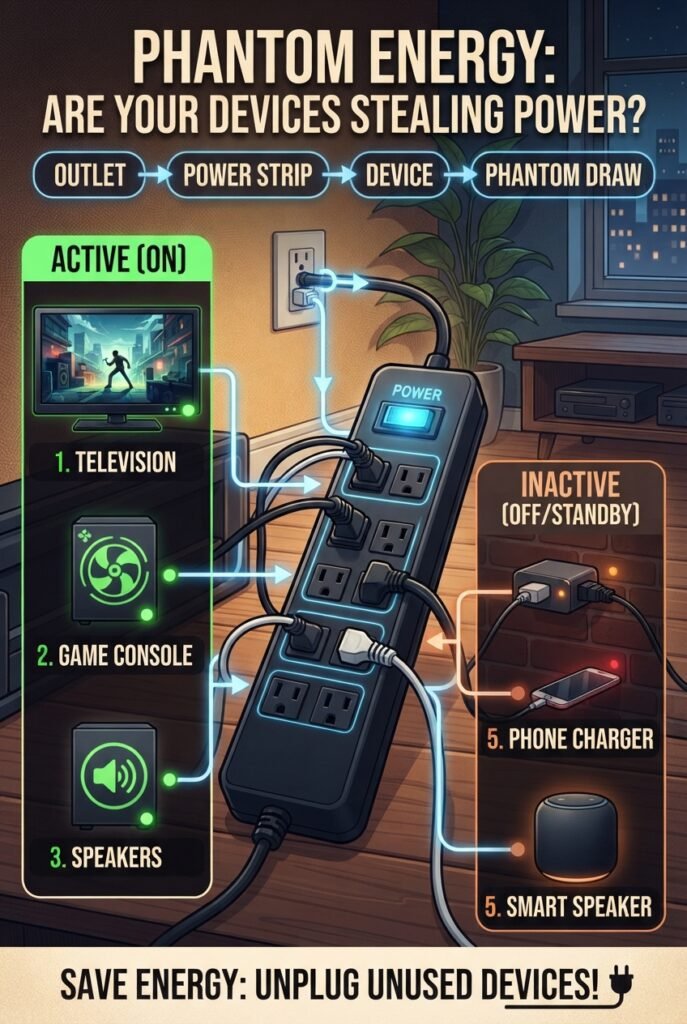
Use Smart Power Strips for Groups of Devices
A smart or switched power strip can make phantom-energy reduction easier by allowing several related devices to be controlled or disconnected together.
For example, a home-office setup may include a monitor, speakers, printer, and other peripherals. Instead of unplugging each device individually, a properly rated switched power strip can disconnect the group when the equipment is not needed.
This approach can also be useful for entertainment systems. A television, media player, game console, and related accessories can be connected to one controlled power source, making it easier to cut power when the system is not in use.
Always choose a power strip that is appropriate for the connected equipment, and follow the manufacturer’s safety, capacity, and load instructions.
The goal is simple: make reducing unnecessary standby electricity as convenient as switching one control.
Enable Energy-Saving and Sleep Modes
Power-management settings can reduce idle electricity consumption without requiring you to manually switch equipment off throughout the day.
Computers, monitors, printers, televisions, and other electronics may offer sleep, automatic power-down, or energy-saving modes. These settings reduce power consumption when equipment has been inactive for a defined period.
ENERGY STAR specifications include low-power operating modes and standby requirements for various categories of electronic equipment, highlighting the role of efficient power management in reducing unnecessary energy use.
The best setting depends on how you use the device. If an aggressive sleep setting interrupts your workflow, adjust the timing rather than disabling power management completely. This can help balance convenience with lower idle electricity consumption.
Unplug Devices That Rarely Need to Stay Ready
Some electronics provide little benefit from remaining connected to power when they are not used for extended periods.
Examples may include occasionally used printers, older entertainment equipment, spare chargers, seasonal electronics, and secondary devices. If a device is used only occasionally, disconnecting it from the outlet can eliminate its standby electricity consumption while it remains unplugged.
However, this approach should be applied selectively. Devices that perform necessary functions, maintain important settings, provide security-related functions, or need to remain connected to a network may need continuous power.
The goal is not to unplug everything in your home. Instead, focus on devices that are rarely used and do not need to remain ready, making phantom-energy reduction practical without sacrificing useful functionality.
How to Find Energy Vampires in Your Home
Finding phantom loads is easier when you approach the process systematically instead of guessing which appliance is responsible.
Start by making a simple inventory of electronics that remain connected to power continuously. Pay particular attention to devices with features such as:
- Remote controls
- Digital displays
- Network connectivity
- Quick-start functionality
- Timers or clocks
- Smart-home features
- External power adapters
- Sleep or standby modes
Next, check the manufacturer’s specifications for standby power, off-mode power, or low-power consumption where this information is available.
For devices where the standby consumption is unclear, a plug-in electricity meter can provide a more practical measurement. Check the device’s power draw while it is:
- Operating normally
- In sleep or standby mode
- Apparently switched off
Comparing these measurements can reveal whether a device continues drawing measurable electricity when it is not performing its primary function.
The U.S. Department of Energy references standardized methods for measuring standby and low-power consumption in mains-connected equipment. For homeowners, however, a suitable plug-in energy meter provides a simple way to investigate individual devices and identify potentially unnecessary standby loads.
Once you identify the devices with measurable standby consumption, you can decide whether to unplug them, use a switched or smart power strip, enable a more efficient power mode, or simply leave them connected when their standby function is useful.
A Simple Way to Calculate Phantom Energy Costs
Once you know a device’s approximate standby wattage, you can estimate how much electricity it could consume over a year.
Calculate Annual Energy Use
Annual energy use (kWh) = Standby watts × Hours used ÷ 1,000
For a device that remains in standby continuously for an entire year:
Annual energy use = Standby watts × 8,760 ÷ 1,000
For example, a device that continuously draws 3 watts would use:
3 × 8,760 ÷ 1,000 = 26.28 kWh per year
Calculate the Annual Cost
Annual cost = Annual kWh × Electricity price per kWh
For example, if electricity costs $0.15 per kWh, a 3-watt device using 26.28 kWh per year would cost approximately $3.94 per year.
These figures are estimates rather than predictions of an actual electricity bill because standby consumption can vary with device behavior, settings, operating conditions, and power-management features.
The calculation becomes especially useful when comparing multiple devices. A single low-power standby load may have a small impact, while several always-connected electronics can create a larger combined load worth investigating.
Phantom Energy Reduction: What Should You Turn Off First?
When reducing standby electricity, prioritize devices based on how long they remain unused, how much standby power they consume, and how easy they are to disconnect.
| Priority | Device Situation | Practical Action |
|---|---|---|
| High | Rarely used electronics that remain connected | Unplug or switch off at the outlet |
| High | Groups of entertainment or home-office equipment | Use a switched or smart power strip |
| Medium | Devices with adjustable sleep or power-saving settings | Enable energy-saving modes |
| Medium | Older electronics with measurable standby consumption | Measure their power use and consider replacement when appropriate |
| Low | Essential equipment that needs to remain powered | Keep connected if continuous operation is necessary |
| Low | Very low-power devices providing useful standby functions | Leave connected when the convenience outweighs the potential savings |
This approach helps prevent a common mistake: spending too much effort eliminating tiny standby loads while overlooking larger or easier opportunities.
The goal is not to eliminate every watt of standby consumption. Instead, focus first on devices where reducing unnecessary standby power is practical, measurable, and unlikely to affect useful functionality.
Smart Standby and Low-Power Standby
Modern electronics increasingly use smart standby and low-power operating modes to balance convenience with reduced electricity consumption. Instead of remaining fully active, a device can enter a lower-power state while retaining selected functions.
Features such as network connectivity, remote activation, automatic updates, sensors, displays, and quick-start functionality can influence how much electricity a device uses while it is not performing its primary function.
The important distinction is between useful standby functionality and unnecessary always-on consumption. A device that needs to remain reachable remotely or maintain an important connected function may have a practical reason to stay powered. In contrast, a rarely used device with no meaningful standby requirement may not need continuous power.
Energy-efficient product design can reduce standby consumption while preserving useful features. The International Energy Agency (IEA) has identified improvements in product design, testing methods, standards, and energy-efficiency programs as important approaches to reducing standby power consumption.
For homeowners, the practical takeaway is simple: do not assume that every standby load needs to be eliminated. Focus on unnecessary consumption while keeping standby features that provide genuine convenience or functionality.
Choosing Energy-Efficient Appliances to Reduce Future Phantom Loads
When purchasing new electronics or appliances, look beyond their active-mode electricity consumption. Standby and off-mode power use can also be worth considering, particularly for products that remain connected to electricity continuously.
When specifications are available, check whether the manufacturer provides information about standby, off-mode, or low-power consumption. Comparing these figures can help you understand how a product may use electricity when it is not performing its primary function.
You can also look for recognized energy-efficiency programs where applicable. ENERGY STAR includes energy-efficiency and low-power requirements for various categories of products, making certification information useful when comparing eligible models.
Choosing efficient equipment from the beginning can help reduce both active electricity consumption and unnecessary standby power over the product’s lifetime.
A Useful Buying Checklist Includes:
- Standby power rating
- Off-mode power rating
- Sleep-mode behavior
- Network connectivity requirements
- Automatic power-down features
- Energy-saving settings
- Whether the device genuinely needs to remain connected
- Total expected energy use, rather than standby power alone
Standby power should be one factor in a purchase decision, not the only one. A product that uses slightly more electricity in standby may still have a lower overall energy footprint if it is substantially more efficient during normal operation.
When comparing products, consider the complete energy profile—including active use, standby consumption, operating hours, and the features you actually need.
Common Phantom Energy Mistakes to Avoid
Phantom energy is often misunderstood, which can lead to unnecessary effort or unrealistic expectations. Keep these common mistakes in mind when trying to reduce standby electricity.
1. Assuming Every Plugged-In Device Uses a Lot of Electricity
Not every plugged-in appliance consumes a significant amount of standby power. Standby consumption varies considerably between devices, so it is better to measure actual power use or check manufacturer specifications rather than assume every device is a major energy drain.
2. Assuming Remote-Off Means Zero Electricity Use
Turning a device off with a remote control does not necessarily eliminate electricity consumption. Some electronic off or standby states can continue using power for functions such as remote-control detection, memory, networking, or quick-start features.
3. Assuming Every Charger Creates a Large Phantom Load
Some chargers and power adapters can consume electricity when connected without a device, but the amount varies by design. Instead of assuming every charger creates a significant load, check the specifications or measure its actual power consumption when practical.
4. Unplugging Equipment That Needs Continuous Power
Not every device should be disconnected simply to eliminate a small standby load. Security equipment, networking infrastructure, medical equipment, refrigerators, and other essential systems may need continuous power to perform their intended functions.
The goal is smart energy management, not indiscriminate unplugging. Focus on unnecessary standby consumption while keeping essential equipment and useful connected features powered when they are genuinely needed.
How to Reduce Phantom Loads Without Making Life Inconvenient
The most effective energy-saving habits are usually the ones that are simple enough to maintain consistently. If unplugging individual devices every evening becomes frustrating, create an easier system instead.
Create Power Zones
Group related electronics into power zones controlled by a switched or smart power strip.
For example:
- Home-office zone: monitor, speakers, printer, and other peripherals
- Entertainment zone: television, media player, game console, and accessories
- Charging zone: chargers and other devices that do not need to remain powered continuously
Devices that genuinely require continuous power should remain outside these groups.
Create an Away-From-Home Routine
When leaving home for an extended period, switch off designated nonessential power strips and disconnect equipment that does not need to remain active. There is no need to unplug every device individually.
This approach turns phantom-load reduction from a daily chore into a simple household energy-management habit.
For more practical ways to monitor and reduce household electricity consumption, see our How to Reduce Electricity in 2026 guide.
Browse Amazon
If you want to make phantom-energy reduction easier, practical tools such as plug-in electricity meters, watt meters, smart plugs, switched power strips, and energy monitors can help you identify or control unnecessary standby consumption.
Before purchasing, compare the product’s electrical rating, supported load, features, compatibility, safety information, and current seller details. Product availability, specifications, and prices can change.
Recommended Tools for Reducing Phantom Energy
| Product Type | Best For | Amazon |
|---|---|---|
| Electricity Usage Monitor | Measuring appliance electricity consumption | 🛍️ Shop : Monitor on Amazon |
| Plug-In Watt Meter | Measuring standby and active power draw | 🔎 Find: Price on Amazon |
| Smart Plug | Remote control and scheduling | ⭐ Explore : Smart Plug on Amazon |
| Energy-Monitoring Smart Plug | Measuring and controlling connected devices | 🏠 Find : Energy-Monitoring on Amazon |
| Switched Power Strip | Turning off multiple devices together | 🛒 Check: Switched Power Strip on Amazon |
| Smart Power Strip | Automating power control for multiple devices | ✨Browse : Smart Power Strip on Amazon |
| Surge Protector Power Strip | Centralized switching and equipment protection | ✨ Explore : Surge Protector on Amazon |
| Home Electricity Monitor | Monitoring broader household electricity use | 🔗 See: Home Electricity Monitor on Amazon |
Affiliate disclosure: This article contains affiliate links. If you purchase through qualifying links, SmartAirHQ may earn a commission at no additional cost to you.
Prices, availability, specifications, and seller information can change, so verify the current product details before purchasing.
Phantom Energy FAQ
Understanding phantom energy is straightforward, but questions often arise when you start looking at individual devices. These answers cover common household questions about standby electricity and practical ways to reduce unnecessary consumption.
What Is Phantom Energy in Simple Terms?
Phantom energy is electricity consumed by a device while it appears to be off, asleep, or inactive. It is commonly called standby power, vampire power, or phantom load.
What Is an Energy Vampire?
An energy vampire is an informal term for an electronic device that continues consuming electricity when it is not actively being used. The term generally refers to standby or background power consumption.
How Do I Stop Energy Vampires?
Start by identifying devices that remain connected while they are not being used. Unplug rarely used electronics, use switched power strips for groups of equipment, enable energy-saving modes, and measure questionable devices when practical.
How Do I Reduce Standby Power at Home?
Use a combination of switched power strips, automatic sleep settings, selective unplugging, and energy-efficient equipment. Focus first on devices that remain inactive for long periods and provide little benefit from staying powered.
Do Smart Devices Always Use More Standby Electricity?
Not necessarily. A smart device may consume some electricity to maintain network connectivity or support remote features, but its actual standby consumption depends on its design, settings, features, and operating mode.
Is Unplugging Appliances Better Than Using Standby Mode?
If a device does not need to remain connected, unplugging or completely disconnecting it can eliminate its standby electricity consumption. However, some equipment needs continuous power for useful or essential functions, so the appropriate approach depends on the device and its purpose.
Can Phantom Energy Increase My Electricity Bill?
Yes. Standby electricity contributes to total household electricity consumption. The financial impact depends on the number of devices, their standby power consumption, how long they remain connected, and your electricity rate.
How Can I Measure Phantom Energy?
A suitable plug-in electricity meter can measure the power drawn by compatible devices. For standardized technical testing, IEC 62301 provides methods for measuring standby and other low-power modes in household appliances and mains-connected equipment.
For practical household troubleshooting, measuring individual devices can help you identify which standby loads are worth addressing instead of assuming every plugged-in device consumes a significant amount of electricity.
Final Thought: Make Hidden Electricity Consumption Visible
Phantom energy is easy to overlook because the devices responsible for it often appear inactive. Yet standby power, idle electricity use, and off-mode consumption can contribute to a home’s overall electricity demand.
The goal is not to unplug everything. Instead, identify unnecessary standby loads, measure uncertain devices, use energy-saving features, group electronics on switched power strips, and choose energy-efficient equipment when replacing older products.
Once you know which devices continue drawing electricity when they are not actively being used, phantom-load reduction becomes a practical household energy-efficiency task rather than a mystery.
Small changes across multiple devices can help reduce unnecessary electricity consumption while allowing you to keep the technology, connectivity, and convenience that actually matter in your home.