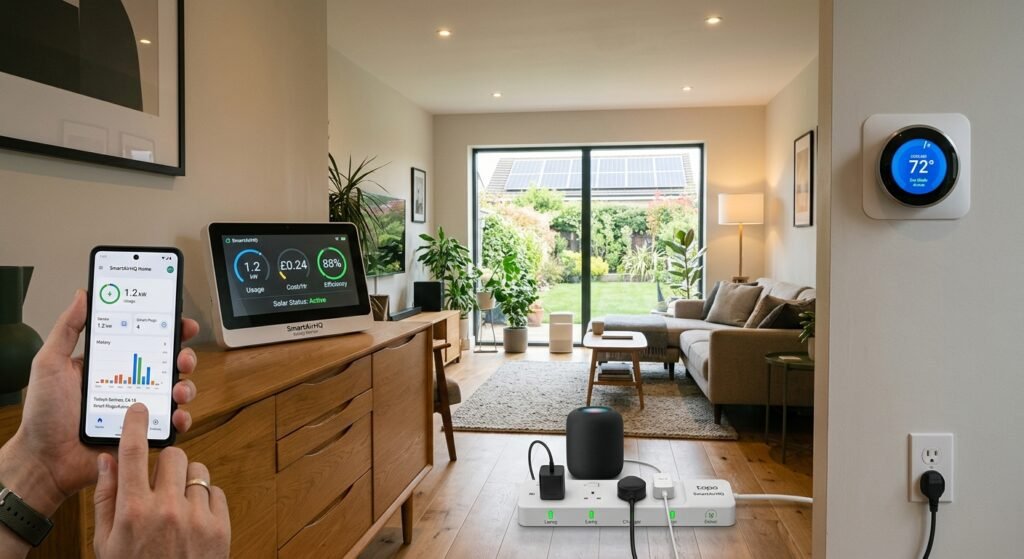
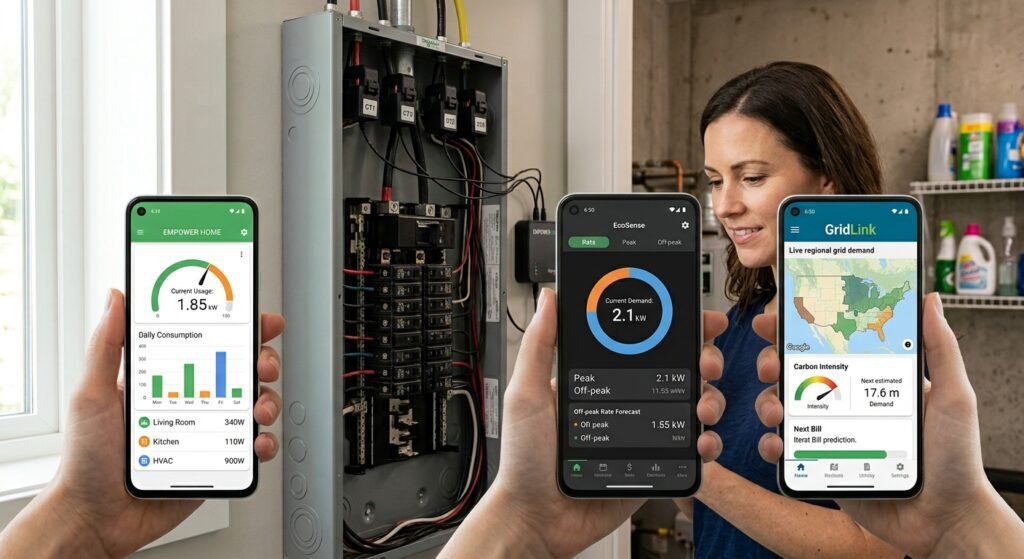
If your electricity bill keeps climbing but you cannot tell which appliances are responsible, a smart energy monitor can turn that monthly mystery into useful, measurable information. The right device can show real-time power consumption, identify high-energy circuits or appliances, track historical usage, and help you decide where reducing electricity use will actually matter.
This Smart Energy Monitor Buying Guide: 15 Best Home Power Trackers covers the main types of energy monitors, what to look for before buying, and 15 options worth considering. The list includes whole-home energy monitors, circuit-level systems, smart plugs, and energy-monitoring devices for more targeted appliance tracking.
Affiliate disclosure: This article contains affiliate links. If you purchase through qualifying links, SmartAirHQ may earn a commission at no additional cost to you. The links throughout this guide are provided to help you compare relevant energy-monitoring products and choose an option that fits your needs. Prices, availability, specifications, and seller information can change, so verify the current product details before purchasing. You can learn more about the
Amazon Associates Program.
Why a Smart Energy Monitor Is Worth Considering
A utility bill tells you how much electricity your household used over a billing period, but it usually does not explain which circuits, appliances, or habits contributed to that consumption. A smart energy monitor fills that information gap by measuring electricity use and presenting the results through an app, dashboard, display, or home-automation platform. This information can help you spot unusually high consumption, understand when your electricity use is highest, and decide where changes could make the biggest difference.
Why Use a Smart Energy Monitor?
| What You Want to Know | How an Energy Monitor Helps | Potential Benefit |
|---|---|---|
| Where electricity is being used | Shows household, circuit, or appliance-level consumption | Identifies major energy-consuming areas |
| When energy use is highest | Provides real-time and historical usage data | Helps identify usage patterns and peak periods |
| Which appliances consume the most | Measures individual devices or circuits | Makes appliance comparisons easier |
| Why your electricity bill is high | Reveals consumption that may be difficult to see from the bill alone | Gives you more specific information to investigate |
| Whether an energy-saving change worked | Lets you compare usage before and after a change | Helps measure the effect of adjustments |
| How major loads affect your home | Tracks circuits such as HVAC, water heating, or EV charging on compatible systems | Provides more detailed information about large electrical loads |
Energy monitoring is especially useful when you have several major loads operating at different times, such as air conditioning, electric water heating, refrigeration, laundry equipment, cooking appliances, computers, or an electric vehicle charger. Instead of guessing which device is expensive to operate, you can measure its electricity consumption and compare it with the rest of your home.
For households trying to reduce electricity use, a home energy monitor can turn general usage data into more specific information that supports better decisions about appliances, circuits, and daily energy habits.
If you’re interested in connected household equipment and smart appliances, explore our Home Appliances section for more guides, buying recommendations, and practical tips.
How Home Energy Monitors Track Electricity Use
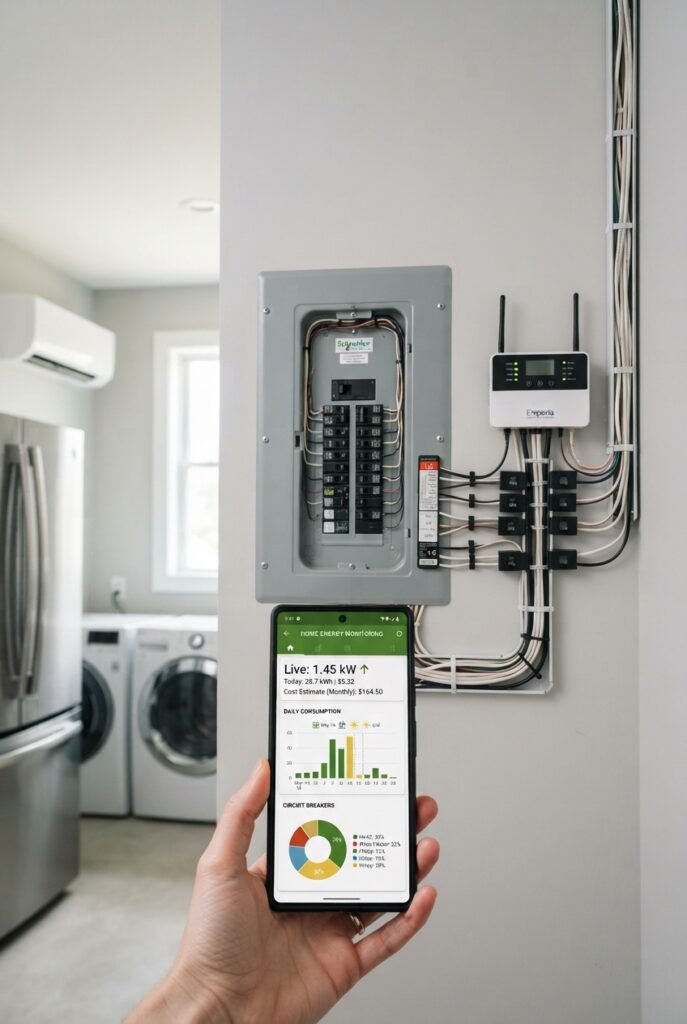
Home energy monitors generally fall into two categories: whole-home or circuit-level monitors and plug-in energy monitors. Whole-home systems measure electricity entering your home and may use current-transformer sensors around electrical conductors or connect with a compatible smart meter. More advanced systems can also monitor individual circuits, giving you a clearer view of where electricity is being used.
Plug-in energy monitors take a simpler approach. They sit between an electrical outlet and an appliance and measure the electricity used by that connected device. This makes them particularly useful for refrigerators, televisions, computers, entertainment systems, office equipment, fans, and other plug-in loads.
The distinction matters because a whole-home energy monitor answers a broad question—“How much electricity is my home using?”—while a plug-in monitor answers a narrower question—“How much electricity is this particular device using?” Understanding the difference can help you choose the type of energy monitor that matches your home and tracking needs.
Whole-Home Energy Monitoring
Whole-home energy monitors are designed to provide a broad picture of household electricity consumption. Depending on the system, you may also be able to monitor individual circuits such as HVAC equipment, water heating, kitchen loads, an EV charger, or other major electrical loads. Some systems can combine whole-home measurement with additional circuit sensors for more detailed tracking.
This type of monitor makes the most sense when you want to understand your home’s overall energy profile rather than investigate only one appliance. Installation can be more involved because some systems require access to the electrical panel. Always follow the manufacturer’s installation requirements and use a qualified electrician when installation involves electrical-panel work.
Smart Plugs for Appliance-Level Tracking
Smart plugs with energy monitoring are easier to deploy because they normally plug into an existing outlet. They can report power consumption for whatever appliance is connected and may also provide remote control, schedules, timers, or automation.
For example, the Emporia Smart Plug measures real-time power, voltage, and cumulative energy use and can be managed through its app. (Emporia Energy Help Center) TP-Link’s Tapo P110M similarly provides energy tracking, bill-estimation features, scheduling, and remote control. (TP-Link)
Smart plugs are not a replacement for a whole-home monitor. Instead, they are an excellent complement when you want detailed measurements for specific plug-in appliances.
15 Best Home Power Trackers to Consider
The best home energy monitor depends on what you want to measure. A homeowner trying to understand an entire electrical panel needs a different solution from someone who simply wants to find out how much a gaming computer, refrigerator, or home-office setup consumes.
The following 15 options cover several use cases. Some are whole-home energy monitoring systems, some focus on individual circuits, and others are smart plugs designed for appliance-level energy monitoring. Rather than choosing solely by price, match the monitoring method to the question you want the device to answer.
1. Emporia Vue 3 Home Energy Monitor
The Emporia Vue 3 is designed for homeowners who want detailed visibility into whole-home electricity use and, when additional sensors are installed, individual circuits. It monitors the main electrical lines and can support up to 16 branch circuits per device, helping you track major loads such as HVAC equipment, water heating, kitchen circuits, solar generation, and EV charging.
The base configuration can be used for whole-home monitoring, while additional current sensors provide more detailed circuit-level information. This makes the Vue 3 flexible for homeowners who want to start with overall consumption and expand circuit monitoring as their needs grow.
Best for: Whole-home and detailed circuit-level energy monitoring
Why consider it: A flexible option for homeowners who want to track overall electricity use and identify which major circuits contribute most to consumption.
Installation note: The Vue 3 is installed at the electrical panel. Follow the manufacturer’s installation requirements and use a qualified electrician when professional electrical-panel work is required.
🛍️ Shop : Emporia Vue 3 on Amazon.
2. Eyedro Home Energy Monitor
The Eyedro Home Energy Monitor is designed for homeowners who want real-time visibility into whole-home electricity consumption. It measures energy use along with watts, amps, volts, and power factor, while its MyEyedro platform provides access to usage data and historical trends. The system supports Wi-Fi or Ethernet connectivity and is designed for residential 120/240V systems in North America, with a European model also available.
Eyedro can also be used to monitor significant electrical loads such as HVAC equipment, EV chargers, and solar systems, making it useful for homeowners who want more detailed information than a utility bill provides.
Best for: Whole-home electricity monitoring and usage tracking
Why consider it: Provides real-time and historical energy information through a dedicated monitoring platform.
Installation note: Check the voltage, regional model, sensor requirements, and installation instructions before purchasing.
🔎 Find : Eyedro Home Energy Monitor on Amazon.
3. Shelly EM Gen3 Energy Meter
The Shelly EM Gen3 is aimed at technically inclined homeowners and smart-home enthusiasts who want energy measurements that can become part of a broader automation setup. It is better suited to buyers who want flexibility in how energy data is monitored and integrated rather than simply looking for a basic plug-in electricity meter.
This type of energy meter can be particularly useful for people building a more advanced smart-home system and wanting energy data alongside other connected devices.
Best for: Smart-home enthusiasts and energy-automation projects
Why consider it: A more technical approach for buyers who want energy monitoring as part of a wider connected-home setup.
Installation note: Verify the exact model, current-transformer configuration, electrical compatibility, and installation requirements before purchase.
⭐ Explore : Shelly EM Gen3 Energy Meter on Amazon.
4. Smappee Infinity
Smappee Infinity is an advanced energy-management system designed for households that want more than basic electricity monitoring. It can be used in setups involving multiple energy flows and major electrical loads, making it particularly relevant for homes with solar generation, EV charging, or more complex energy-management needs.
This type of system is better suited to buyers looking for an energy-management platform rather than a simple electricity-use meter.
Best for: Advanced home energy management and complex electrical setups
Why consider it: Useful when you want to monitor and manage multiple aspects of household energy use rather than simply measure total consumption.
Installation note: Review the required components, sensors, compatibility, and professional installation requirements before buying.
🏠 Find : Smappee Infinity on Amazon.
5. Curb Home Energy Monitor
The Curb Home Energy Monitor represents a circuit-level approach to home energy monitoring. Rather than relying only on an overall household number, circuit-level measurement can help you understand where electricity is being consumed and which major loads contribute most to household usage.
This type of monitoring can be useful for homes with several large electrical loads or homeowners who want more detailed information about individual circuits.
Best for: Detailed circuit-level energy tracking
Why consider it: Circuit-level information can make it easier to identify which parts of a home are responsible for significant electricity consumption.
Buying note: Check current product availability, installation requirements, service terms, and compatibility before purchasing because these factors can affect the long-term value of the system.
🛒 Check Price Curb Home Energy Monitor on Amazon.
6. Emporia Smart Plug Energy Monitor
The Emporia Smart Plug is a simpler way to measure electricity use at the individual-appliance level. It sits between a wall outlet and the appliance, reports real-time power and cumulative energy use, and can also provide remote on/off control through the Emporia app.
It can be useful for investigating appliances such as televisions, computers, refrigerators, fans, and other compatible plug-in devices. Emporia also offers regional versions, so buyers should choose the model that matches their electrical system and outlet type.
Best for: Appliance-level energy monitoring
Why consider it: Easy to use when you want to measure one connected appliance without installing equipment inside an electrical panel.
Compatibility note: Check the regional version, outlet type, electrical rating, and appliance compatibility before purchasing.
✨ Explore : Emporia Smart Plug Energy Monitor on Amazon.
7. TP-Link Kasa HS300 Smart Plug Power Strip
The TP-Link Kasa HS300 is useful when you want to monitor several connected devices from one smart power strip. It is particularly relevant to desks, entertainment centers, and home-office setups where multiple electronics operate together.
Instead of installing an individual energy-monitoring plug for every device, a smart power strip can provide a more convenient way to manage a group of compatible plug-in loads.
Best for: Home offices, entertainment centers, and multiple connected devices
Why consider it: Combines multiple smart outlets in one power strip, making it practical for groups of electronics.
Buying note: Check current regional availability and product support before purchasing because smart-home product lines can change over time.
🔗 See : TP-Link Kasa HS300 Smart Plug Power Strip on Amazon.
8. Govee Smart Plug With Energy Monitoring
A Govee smart plug with energy monitoring can be useful when the goal is simple appliance-level measurement rather than electrical-panel installation. A plug-based monitor lets you measure the electricity used by an individual connected device and compare its consumption over time.
This approach can work well for renters or homeowners who want to investigate specific appliances before investing in a whole-home energy monitoring system.
Best for: Simple appliance-level energy tracking
Why consider it: Plug-in monitoring is easier to set up than panel-level equipment and can help identify the electricity use of individual devices.
Buying note: Govee offers multiple smart-plug models, so verify the exact model, energy-monitoring capability, electrical rating, and regional compatibility before ordering.
🛍️ Shop : Govee Smart Plug With Energy Monitoring on Amazon.
9. Etekcity Energy-Monitoring Smart Plug
An Etekcity energy-monitoring smart plug is another option for measuring individual appliances without opening an electrical panel. A plug-based tracker can be particularly useful when you suspect standby consumption, want to compare appliances, or need to understand how much electricity a device uses during a normal operating cycle.
Best for: Appliance testing and standby-power monitoring
Why consider it: A convenient way to measure a specific plug-in appliance and observe its electricity use over time.
Buying note: Etekcity offers multiple smart-plug models, so verify that the specific model you purchase includes energy monitoring and is rated appropriately for your intended appliance.
🔎 Find : Etekcity Energy-Monitoring Smart Plug on Amazon.
10. TP-Link Tapo P110M
The TP-Link Tapo P110M combines smart-plug control with energy monitoring and Matter compatibility. TP-Link says it tracks the energy use of connected devices, supports electricity-rate input for bill estimates, and provides real-time and historical energy information through the Tapo ecosystem.
Its compact design can also be useful when outlet space matters. For buyers building a mixed smart-home ecosystem, check the exact regional model and supported platforms before ordering because product availability and features can vary by market.
Best for: Smart-home users who want energy monitoring and Matter support
Why consider it: Combines appliance-level energy tracking, smart control, scheduling, and broader smart-home interoperability.
⭐ Explore : TP-Link Tapo P110M on Amazon.
11. Meross MSS315 Matter Smart Plug
The Meross MSS315 is designed for buyers who want a smart plug with energy measurement and Matter-oriented interoperability. It can be useful for tracking the electricity consumption of individual appliances while also integrating the plug into a compatible smart-home environment.
This type of product is best used for individual appliances rather than as a substitute for a whole-home energy monitor. It can, however, help build an appliance-by-appliance picture of household electricity consumption.
Best for: Matter-compatible smart homes and appliance-level monitoring
Why consider it: Combines smart-plug functionality with energy monitoring for individual connected devices.
Buying note: Check the exact regional model and supported smart-home platforms before purchasing.
🏠 Find : Meross MSS315 Matter Smart Plug on Amazon.
12. SONOFF Energy-Monitoring Smart Plug
A SONOFF energy-monitoring smart plug can be useful for homeowners who want appliance-level electricity measurement combined with smart-home control. A plug-based monitor is most appropriate when you have a specific device you want to investigate rather than needing visibility across the entire electrical panel.
Before buying, verify the exact SONOFF model, electrical rating, regional plug type, energy-monitoring capability, and supported smart-home ecosystem because the brand offers multiple smart-plug configurations.
Best for: Appliance-level monitoring and smart-home control
Why consider it: Provides a plug-in approach for measuring individual devices without installing equipment at the electrical panel.
🛒 Check prices : SONOFF Energy-Monitoring Smart Plug on Amazon.
13. Emporia Smart Plug With Vue Integration
For homeowners already using the Emporia Vue 3, adding Emporia Smart Plugs can provide a more detailed view of individual plug-in appliances alongside whole-home and circuit-level data. The Emporia platform is designed to combine Vue monitoring with Smart Plugs for broader home energy management.
This makes the combination particularly useful when you want to compare whole-home consumption with the usage of specific appliances.
Best for: Emporia users who want to expand appliance-level monitoring
Why consider it: The Smart Plug can complement a Vue installation by adding device-level information to a broader energy-monitoring setup.
✨ Explore : Emporia Smart Plug With Vue Integration on Amazon.
14. Eyedro Home Energy Monitor With Additional Sensors
For homeowners who need more detailed measurement around specific electrical loads, an Eyedro setup can be expanded with compatible sensors and monitoring configurations. The system is designed to provide real-time electricity information and can be used to investigate areas such as HVAC, EV charging, and solar-related consumption.
This option is most relevant when whole-home visibility is the starting point but you also want to investigate particular loads or energy patterns.
Best for: Homeowners who want flexible monitoring around major electrical loads
Why consider it: Eyedro provides real-time usage information and supports different monitoring configurations through its sensor ecosystem.
🔗 See : Eyedro Home Energy Monitor With Additional Sensors on Amazon.
15. TP-Link Tapo Energy-Monitoring Smart Plug
A Tapo energy-monitoring smart plug is another practical option for readers who want to start with appliance-level electricity tracking before moving to a whole-home system. It can be useful for monitoring individual electronics, office equipment, fans, or other compatible plug-in loads.
For buyers who do not need electrical-panel installation, a smart plug can provide a lower-complexity way to learn which individual devices consume the most electricity.
Best for: Beginners who want simple appliance-level energy monitoring
Why consider it: Easy-to-use plug-in monitoring can help identify high-consumption devices without installing a whole-home monitoring system.
Buying note: Confirm the exact Tapo model, energy-monitoring capability, regional electrical rating, and smart-home compatibility before purchasing.
🛒 Check Price : TP-Link Tapo Energy-Monitoring Smart Plug on Amazon.
How to Choose the Right Home Energy Monitor
Choosing an energy monitor is easier when you start with the measurement problem rather than the product name. Ask whether you want to measure your entire house, selected electrical circuits, or individual plug-in appliances. A whole-home system provides broader information but can require electrical-panel installation. A smart plug is simpler but only measures the device connected to it.
You should also consider how you want to use the data. If you only want to see electricity consumption, a basic monitor may be enough. If you want alerts, automation, solar tracking, time-of-use strategies, or integration with a smart-home platform, look for those capabilities specifically. The most expensive monitor is not automatically the most useful one.
Home Energy Monitor Types at a Glance
| Monitoring Type | Best For | What It Measures | Installation | Main Advantage |
|---|---|---|---|---|
| Whole-Home Monitor | Understanding total household usage | Overall electricity consumption | Electrical panel | Gives the broadest view of home energy use |
| Circuit-Level Monitor | Tracking major electrical loads | Individual circuits such as HVAC or EV charging | Electrical panel | Shows which major circuits use the most electricity |
| Smart Plug Monitor | Measuring individual appliances | One connected plug-in device | Plug-and-play | Simple and useful for appliance-level tracking |
| Solar/Energy Management System | Homes with solar, batteries, or EVs | Grid, solar, household loads, and other energy flows | Varies by system | Provides a more detailed view of complex energy flows |
Choose Whole-Home Monitoring if You Want the Big Picture
A whole-home energy monitor is useful when your primary question is where the electricity in your house is going overall. It can reveal patterns that are difficult to see with individual plugs, such as large heating and cooling loads, electric water heating, cooking equipment, or other hard-wired circuits.
This approach is also useful if several family members use appliances simultaneously and you want to understand the household’s total demand. Circuit-level sensors can provide another layer of detail, allowing you to compare major loads instead of relying on estimates.
Choose Smart Plugs for Individual Appliances
Smart plugs make sense when your question is highly specific. You might want to know how much electricity a refrigerator consumes over a week, whether an office setup draws power overnight, or how much a particular appliance uses during a complete operating cycle.
They are also attractive for renters because installation is generally simpler than electrical-panel monitoring. However, never exceed the smart plug’s electrical rating, and do not assume every plug is suitable for every high-load appliance. Check the manufacturer’s compatibility and load requirements before connecting equipment.
Consider Circuit-Level Monitoring for Major Loads
Circuit-level monitoring sits between basic whole-home measurement and individual smart plugs. Instead of monitoring every outlet separately, sensors can be attached to selected electrical circuits. This can be useful for large loads that are difficult or inappropriate to monitor through a plug.
Examples include HVAC systems, electric water heaters, EV charging circuits, and other hard-wired equipment. If your primary goal is understanding which major systems dominate your electricity consumption, circuit-level monitoring can provide more useful information than a collection of ordinary smart plugs.
Check Solar and EV Compatibility
Solar households have a different energy-monitoring problem because electricity can move in more than one direction. You may want to distinguish between energy imported from the grid, household consumption, solar production, and exported energy. Smappee, Emporia, and other systems offer configurations aimed at more complex energy flows, but compatibility varies by installation. (Smappee).
EV owners should similarly consider whether the monitor can separately track the charging circuit or integrate with the charging equipment. If EV charging represents a significant portion of household consumption, being able to isolate that load can make the energy data more actionable.
Smart Energy Monitor Features That Matter Most
Not every feature deserves equal weight when comparing home power trackers. A flashy mobile app is useful, but accurate and understandable measurement is more important. Start with the monitoring scope, then consider installation, data resolution, historical reporting, alerts, smart-home compatibility, solar support, and recurring costs.
The right feature set depends on your household. A renter measuring a gaming PC needs a different device from a homeowner trying to analyze HVAC consumption across an entire electrical panel. Buying according to your actual use case will usually produce better results than choosing a monitor based only on its feature count.
Home Energy Monitor Features at a Glance
| Feature | Why It Matters | Best For |
|---|---|---|
| Real-Time Monitoring | Shows electricity use as it happens | Troubleshooting and identifying active loads |
| Historical Energy Data | Reveals usage patterns over time | Comparing daily, weekly, or monthly consumption |
| Energy Cost Estimates | Converts electricity use into estimated costs | Understanding how usage affects your bill |
| Alerts & Automation | Notifies you about unusual or high consumption | Managing energy use and connected devices |
| Smart-Home Compatibility | Connects energy data with other smart-home systems | Users with Alexa, Google Home, Matter, or similar platforms |
| Circuit-Level Monitoring | Tracks selected electrical circuits separately | HVAC, EV chargers, water heaters, and other major loads |
| Solar & EV Support | Helps track more complex energy flows | Homes with solar panels, batteries, or EV charging |
| Installation Requirements | Determines how difficult setup will be | Choosing between plug-in and electrical-panel systems |
| Recurring Costs | Some services may require subscriptions or additional fees | Buyers who want predictable long-term costs |
Real-Time Electricity Usage
Real-time information is valuable because it lets you observe what happens when a device turns on or off. You can switch an appliance on, watch the measured load change, and compare that behavior with other devices.
This makes troubleshooting much easier. Instead of assuming that an appliance is responsible for high electricity consumption, you can observe its actual contribution. Real-time readings are particularly useful when testing standby loads, operating cycles, heating elements, pumps, and other equipment whose power demand changes during use.
Historical Energy Data
Historical information helps turn individual readings into patterns. A device that uses a moderate amount of power for a few minutes may consume less electricity over time than a lower-powered appliance that operates continuously.
Look for a monitor that makes it easy to review consumption by hour, day, week, or month. Historical data is especially valuable when you want to compare behavior before and after an efficiency change.
Energy Cost Estimation
Some monitors let you enter your electricity rate and estimate the cost associated with measured consumption. This can make the information easier to understand because most people think about their electricity bill in money rather than kilowatt-hours alone.
Remember that cost estimates depend on the rate information entered and the structure of your electricity tariff. If your utility uses time-of-use pricing, demand charges, taxes, or other billing components, a simple flat-rate calculation may not match the final bill exactly.
Alerts and Automation
Alerts can turn an energy monitor from a passive dashboard into a practical household-management tool. For example, an alert could tell you when consumption suddenly exceeds a chosen threshold or when a monitored device behaves differently from its normal pattern.
Smart plugs can go a step further by providing schedules and remote control. Some energy-monitoring smart plugs, such as the Tapo P110M, also offer scheduling and auto-off functions alongside energy monitoring. Always check the current product specifications because features can vary by model, region, firmware, and app version.
Smart-Home Compatibility
If your home already uses Alexa, Google Home, Apple Home, Matter, Home Assistant, or another platform, check compatibility before buying. Energy-monitoring data does not always appear in every ecosystem even when basic device control is supported.
Matter can improve interoperability, but support for specific energy-monitoring data points can depend on the device, firmware, controller, and ecosystem. Always verify what information the specific product exposes before assuming that every platform will display the same energy data.
Smart Energy Monitor Features Comparison
| Feature | What to Look For | Why It Matters |
|---|---|---|
| Real-Time Monitoring | Live wattage and power readings | Helps identify what is using electricity right now |
| Historical Data | Hourly, daily, weekly, and monthly usage | Helps reveal long-term consumption patterns |
| Energy Cost Tracking | Custom electricity-rate settings | Makes energy usage easier to understand in dollars |
| Alerts | High-usage or threshold notifications | Helps identify unusual consumption |
| Automation | Scheduling, auto-off, and smart routines | Can help manage connected devices automatically |
| Smart-Home Integration | Alexa, Google Home, Apple Home, Matter, or Home Assistant support | Makes energy data easier to use within an existing smart home |
| Circuit Monitoring | Individual circuit measurement | Useful for HVAC, EV chargers, water heaters, and other major loads |
| Solar Compatibility | Solar production, grid import/export, or battery monitoring | Important for homes with solar or energy storage |
| Installation | Plug-in, electrical-panel, or professional installation | Determines setup difficulty and installation requirements |
| Subscription Costs | Free app features versus recurring fees | Helps estimate the total long-term cost |
Tip: Do not choose a monitor simply because it has the longest feature list. Focus on the features that match what you actually want to measure and manage.
Installation: What You Should Know Before Buying
Installation difficulty is one of the most important differences between energy-monitoring products. A plug-in monitor usually requires little more than connecting it to an outlet and configuring an app. A whole-home monitor may involve accessing the electrical panel and installing current sensors around electrical conductors.
Electrical-panel work should not be treated like ordinary smart-home setup. If the manufacturer recommends professional installation, follow that recommendation. The goal of an energy monitor is to improve visibility and control—not to create an electrical safety problem.
Before purchasing, check the monitor’s installation documentation, electrical-system compatibility, number of phases supported, sensor configuration, Wi-Fi requirements, and regional model. Also verify whether the product requires a professional electrician or whether the manufacturer provides a supported DIY installation method.
Installation Requirements at a Glance
| Monitor Type | Typical Setup | Installation Difficulty | Important Consideration |
|---|---|---|---|
| Plug-In Energy Monitor | Connects between an outlet and appliance | Low | Check outlet, voltage, and load rating |
| Smart Plug with Energy Monitoring | Plug into an outlet and connect through an app | Low | Verify the maximum supported load |
| Whole-Home Monitor | Sensors installed at the electrical panel | Moderate to High | May require electrical-panel access and professional installation |
| Circuit-Level Monitor | Current sensors attached to selected circuits | Moderate to High | Confirm circuit compatibility and sensor configuration |
| Solar/Energy Management System | Multiple sensors and energy connections | Varies | Check solar, battery, grid, and phase compatibility |
What to Check Before Installation
- Electrical system: Confirm that the monitor supports your home’s voltage and electrical configuration.
- Number of phases: Check whether the device supports single-phase, split-phase, or three-phase systems as required.
- Sensor configuration: Make sure the included sensors are suitable for the circuits you want to monitor.
- Electrical-panel requirements: Determine whether the installation requires access inside the panel.
- Wi-Fi requirements: Check supported Wi-Fi bands, network requirements, and whether the monitor can operate reliably where it will be installed.
- Regional model: Verify that you are purchasing the correct model for your country and electrical system.
- Professional installation: Follow the manufacturer’s installation instructions and use a qualified electrician when required.
Always review the manufacturer’s current installation documentation before purchasing or installing a panel-mounted energy monitor. For example, Emporia provides product documentation and installation resources for its energy-monitoring systems.
How to Use an Energy Monitor to Lower Electricity Consumption
Buying a monitor does not automatically reduce an electricity bill. The value comes from using the information to make better decisions. Start by establishing a baseline rather than immediately changing everything. Watch your home’s normal consumption for several days and identify the loads that consistently stand out.
Then investigate one category at a time. Measure the biggest loads first because reducing a large, recurring consumption source is usually more meaningful than obsessing over tiny standby loads. After making a change, continue monitoring so you can see whether the change actually produced the expected result.
After making a change, continue monitoring so you can see whether the change actually produced the expected result. You can also explore these
smart energy-saving devices for your home for additional ways to manage and reduce household electricity use.
5-Step Energy Monitoring Strategy
| Step | What to Do | What to Look For |
|---|---|---|
| 1. Establish a Baseline | Monitor normal household usage for several days | Typical daily consumption and recurring peaks |
| 2. Find Large Loads | Identify appliances and circuits using substantial electricity | HVAC, water heating, cooking, refrigeration, laundry, and EV charging |
| 3. Investigate Standby Usage | Measure devices that remain powered while idle | Unexpected consumption from electronics and equipment |
| 4. Make One Change | Adjust one habit, schedule, or device at a time | Whether the change produces a measurable difference |
| 5. Recheck the Data | Compare new usage with your original baseline | Long-term improvement and recurring patterns |
Step 1: Establish Your Normal Baseline
Give the monitor enough time to capture ordinary household behavior. Include weekdays and weekends when possible because energy consumption can change significantly depending on work schedules, cooking routines, laundry, entertainment, and other activities.
Record your typical daily consumption and identify obvious peaks. The purpose of this stage is not to save electricity immediately. It is to understand what “normal” looks like so unusual consumption becomes easier to recognize.
Step 2: Find the Largest Loads
Look for equipment that consumes substantial power or operates for long periods. Depending on the home, this could include heating and cooling equipment, electric water heating, cooking equipment, refrigeration, laundry appliances, EV charging, or other major loads.
A circuit-level monitor is particularly useful here because many high-consumption systems are hard-wired and cannot be measured conveniently with an ordinary smart plug.
Step 3: Investigate Standby Consumption
Once the major loads are understood, investigate devices that remain powered when they appear to be off. Entertainment systems, computers, chargers, networking equipment, and other electronics can sometimes consume electricity while idle.
A smart plug is useful for this kind of experiment because you can measure the appliance directly. If the measured standby consumption is insignificant, you have evidence that it may not be worth prioritizing. If it is unexpectedly high, you have a clear target for further investigation.
Step 4: Make One Change at a Time
Avoid changing ten things simultaneously because you will not know which action produced the result. Instead, make one practical adjustment and continue monitoring.
For example, you might change an appliance schedule, reduce unnecessary operating hours, adjust a thermostat strategy, or switch off a device that remains unnecessarily active. The energy monitor then becomes a feedback tool that shows whether the change made a measurable difference.
Step 5: Recheck Your Data
After implementing a change, compare the new measurements with your baseline. Look at similar days or periods whenever possible so that weather, occupancy, and normal household variation do not confuse the comparison.
This process turns an energy monitor into a simple experiment: measure, change, observe, and refine. Over time, the value comes less from constantly watching the app and more from learning which household behaviors actually affect electricity consumption.
Common Home Energy Monitor Buying Mistakes
Many disappointing purchases happen because buyers choose a product based on features rather than the type of information they actually need. A smart plug cannot tell you what your whole HVAC system is consuming, while a sophisticated circuit monitor may be unnecessary if you only want to measure a television.
Another common mistake is ignoring installation requirements. A device that technically offers the information you want may not be suitable for your electrical system or preferred installation method. Buyers should also check regional voltage, outlet style, supported phases, smart-home compatibility, and whether the product requires a subscription or cloud account.
Common Buying Mistakes at a Glance
| Buying Mistake | Why It Can Be a Problem | What to Do Instead |
|---|---|---|
| Buying a Smart Plug for Whole-Home Monitoring | It only measures the connected appliance | Choose whole-home or circuit-level monitoring |
| Choosing Maximum Sensor Count | Extra sensors may add cost without useful information | Buy enough monitoring capacity for your actual needs |
| Ignoring Regional Compatibility | Voltage, outlets, phases, and product versions can differ | Confirm the exact model supports your electrical system |
| Focusing Only on Purchase Price | A cheap monitor may lack important features or require extra costs | Consider installation, sensors, subscriptions, and long-term usability |
| Ignoring Installation Requirements | Some systems require electrical-panel access or professional installation | Review installation requirements before buying |
| Assuming Every Smart-Home Platform Works the Same | Energy data may not be available across every ecosystem | Check the exact compatibility and supported energy features |
| Ignoring Data Access | Some products may limit how you view or export your energy data | Check app features, historical data, and data-access options |
Buying a Smart Plug When You Need Whole-Home Data
A smart plug measures the connected appliance, not everything happening elsewhere in the house. Buying several plugs can provide useful appliance-level information, but it still may not reveal the consumption of hard-wired systems.
If your question is “Why is my entire house using so much electricity?”, start with a whole-home or circuit-level monitor instead.
Choosing Maximum Sensor Count Without a Reason
More sensors sound better, but additional monitoring only provides value if you have a reason to use the data. A household may benefit from detailed circuit-level monitoring, while another home may only need total consumption plus a few major circuits.
Think about the decisions you want the monitor to support. If you only need to identify the largest three loads, you may not need to measure every circuit.
Ignoring Regional Compatibility
Electrical standards vary by country and region. Voltage, outlet types, smart-plug ratings, communication standards, and available product versions can all differ.
This is particularly important when buying from international marketplaces. Always confirm that the exact model is intended for your electrical system rather than assuming that a visually identical product will work safely.
Focusing Only on the Purchase Price
The cheapest monitor is not necessarily the lowest-cost solution over time. A low-cost device that does not provide the information you need can become an expensive dead end.
Consider the total ownership experience: installation, sensors, subscriptions, replacement requirements, app quality, data access, compatibility, and whether the monitor can grow with your needs.
Home Energy Monitor vs. Smart Meter: What’s the Difference?
A utility smart meter and a consumer energy monitor can both provide electricity information, but they serve different purposes. A smart meter is part of the utility’s metering infrastructure and is primarily used to measure electricity consumption for billing and grid operations.
A home energy monitor is a consumer-facing tool designed to help you understand your household’s energy behavior. Depending on the product, it can provide more immediate information, circuit-level detail, appliance-level measurements, alerts, or smart-home integration.
If your utility already provides a detailed energy portal, you can use it alongside a home energy monitor rather than assuming you need to choose one. The utility system can provide useful billing information and whole-home usage history, while a consumer monitor can help you investigate specific circuits, appliances, or energy-use patterns.
Smart Meter vs. Home Energy Monitor
| Feature | Utility Smart Meter | Home Energy Monitor |
|---|---|---|
| Primary Purpose | Utility metering and billing | Understanding household energy use |
| Who Provides It | Electricity utility | Consumer or energy-monitoring manufacturer |
| Whole-Home Usage | Yes | Usually yes, depending on the system |
| Circuit-Level Data | Usually not available to the homeowner | Available with compatible systems |
| Appliance-Level Monitoring | Generally not directly | Available with smart plugs or sensors |
| Real-Time Visibility | Depends on utility portal | Often available through an app or display |
| Alerts & Automation | Limited and utility-dependent | Available on compatible products |
| Smart-Home Integration | Usually limited | Available on compatible systems |
| Billing Information | Directly connected to utility billing | Usually provides estimates based on entered rates |
For general energy-efficiency information, the U.S. Department of Energy’s Energy Saver resources provide additional guidance on understanding and managing household energy use.
Home Energy Monitor by Use Case
The easiest way to narrow the list is to match the device to the job you need it to perform. There is no single energy monitor that fits every household. The right choice depends on whether you need whole-home visibility, circuit-level information, appliance measurements, solar tracking, smart-home integration, or a simple way to investigate individual devices.
Which Type of Energy Monitor Fits Your Needs?
| Your Priority | What to Look For | Suitable Monitor Type |
|---|---|---|
| Whole-home visibility | Total household electricity consumption | Whole-home energy monitor |
| Major-circuit tracking | Separate readings for important circuits | Circuit-level monitor with CT sensors |
| Individual appliance measurement | Direct measurement of one plug-in device | Energy-monitoring smart plug |
| Solar monitoring | Solar production and grid import/export data | Solar-compatible energy monitor |
| EV energy tracking | Separate monitoring of EV charging | Circuit-level or EV-compatible monitor |
| Smart-home automation | Matter, Alexa, Google Home, Home Assistant, or compatible ecosystem support | Smart-home compatible monitor |
| Renter-friendly setup | Simple installation without electrical-panel work | Plug-in energy monitor or smart plug |
| Advanced DIY integration | Local API or advanced smart-home support | Open/local-integration energy monitor |
| Electricity-cost estimates | Configurable electricity-rate information | Monitor with cost-estimation features |
| Standby-power investigation | Real-time appliance-level measurements | Energy-monitoring smart plug |
The goal is not to choose the monitor with the longest specification sheet. Choose a monitoring approach that provides the information you can actually use to understand and manage your home’s electricity consumption.
How Much Detail Do You Really Need?
For many households, the best strategy is to start with the least complicated monitoring system that can answer the question you have. If you simply want to identify which plug-in appliance uses the most electricity, a smart plug can be enough.
If your concern is an unexpectedly high household bill, a whole-home monitor gives you a better starting point. Once you identify the major circuits, you can add more granular measurements if necessary. This staged approach can prevent unnecessary spending while still giving you a path toward deeper energy analysis.
Choose the Level of Monitoring You Need
| Your Question | Recommended Monitoring Level | Why |
|---|---|---|
| How much electricity does this appliance use? | Smart plug | Measures one plug-in device directly |
| Why is my home’s electricity use so high? | Whole-home monitor | Shows overall household consumption |
| Which major systems use the most electricity? | Circuit-level monitor | Separates important electrical circuits |
| How much power does my HVAC or EV charger use? | Circuit-level monitoring | Suitable for major hard-wired loads |
| How much detail do I need across my entire home? | Whole-home + circuit monitoring | Combines overall usage with detailed circuit data |
The goal is to buy enough monitoring capability to answer your questions without paying for features or sensors you are unlikely to use. You can always expand your monitoring setup later if your energy-tracking needs become more detailed.
Where Smart Energy Monitors Fit Into a Smarter Home
Energy monitoring becomes more valuable when it is connected to decisions and automation. Instead of merely displaying a number, a smart system can help you identify high-consumption devices, observe changes in demand, and potentially coordinate equipment around schedules or energy availability.
This is especially relevant for homes with solar panels, EV charging, electric heating, batteries, or time-based electricity pricing. Depending on the system, energy-monitoring platforms can combine consumption data with solar production, EV charging, smart plugs, or other connected equipment.
How Energy Monitoring Can Support a Smarter Home
| Energy Monitoring Capability | Possible Smart-Home Use |
|---|---|
| Real-time consumption data | Identify high-energy devices while they are operating |
| Historical usage | Compare consumption patterns and evaluate changes |
| Smart plugs | Monitor and manage selected plug-in appliances |
| Solar monitoring | Compare household consumption with solar production |
| EV monitoring | Track electricity used for EV charging |
| Energy alerts | Receive notifications when consumption exceeds a chosen threshold |
| Automation | Use compatible platforms to create schedules or energy-based routines |
| Time-of-use tracking | Identify when electricity consumption occurs and adjust usage where practical |
The exact capabilities depend on the monitor, connected devices, software, and smart-home platform you use. Compatibility should therefore be checked for the specific product rather than assumed from a general ecosystem name.
The important principle is simple: measure first, then automate what you understand. A good energy-monitoring setup should first help you understand where electricity is going, then give you the information needed to decide which actions or automations are worth implementing.
Frequently Asked Questions About Home Power Trackers
What is the best type of home energy monitor?
The right type depends on what you want to measure. For whole-house visibility, consider a whole-home or circuit-level monitor. For measuring individual plug-in appliances, an energy-monitoring smart plug is usually more appropriate.
Can a smart energy monitor reduce my electricity bill?
A monitor does not reduce electricity consumption by itself. Its value comes from showing you where electricity is being used so you can make informed changes and then verify whether those changes worked.
Are smart plugs good for measuring electricity use?
Yes. Energy-monitoring smart plugs are useful for plug-in appliances because they measure the device connected directly to the plug. They are not a substitute for measuring hard-wired circuits or the entire house.
Do I need an electrician to install a home energy monitor?
Some plug-in monitors require little or no electrical work, while whole-home and circuit-level systems may require installation at the electrical panel. Follow the manufacturer’s installation instructions and use a qualified professional when required.
Can home energy monitors track solar power?
Some systems support solar monitoring and can track different energy flows, such as household consumption, solar production, grid imports, or exports. Solar compatibility varies by product and electrical configuration, so verify that the exact model supports your system before buying.
What should I monitor first?
Start with the largest or most frequently operating loads. Heating and cooling, electric water heating, refrigeration, EV charging, cooking, and other major loads can provide useful starting points. Once those are understood, you can investigate smaller loads such as standby consumption.
Is circuit-level monitoring better than smart plugs?
Neither is universally better. Circuit-level monitoring is useful for hard-wired or major loads, while smart plugs are simpler for individual plug-in appliances. Depending on the household, using both approaches can provide a more complete picture.
Do I need a subscription for an energy monitor?
It depends on the product. Some systems provide core monitoring features without a recurring fee, while others may charge for certain services, cloud features, or extended data access. Always check the current pricing and feature structure before purchasing.
Can an energy monitor estimate my electricity bill?
Some devices allow you to enter an electricity rate and estimate energy costs. The result is an estimate and may differ from your actual utility bill if your tariff includes different rates, taxes, fees, demand charges, or other billing components.
How long should I monitor my home?
There is no universal minimum period. Start with enough time to capture normal household behavior, including different types of days. Longer observation can provide a clearer picture of recurring patterns, unusual consumption, and the effects of changes you make.
A Simple Buying Checklist for Your Next Energy Monitor
Before you click the buy button, compare the monitor against your actual electrical and monitoring requirements. A short checklist can prevent most compatibility and usefulness problems.
Energy Monitor Buying Checklist
| What to Check | Questions to Ask Before Buying |
|---|---|
| Monitoring Scope | Do you need whole-home, circuit-level, or individual-appliance monitoring? |
| Electrical Compatibility | Does it support your voltage, phase configuration, and outlet or electrical-system requirements? |
| Installation | Is it plug-and-play, or does it require electrical-panel installation? |
| Data & Reporting | Does it provide real-time readings, historical data, cost estimates, or alerts? |
| Solar Support | Can it track solar production, grid imports, exports, or self-consumption if needed? |
| EV Support | Can it monitor or isolate your EV charging load? |
| Smart-Home Compatibility | Does it work with your preferred ecosystem or platform? |
| Connectivity | Does it use Wi-Fi, local network, cloud services, or another connection method? |
| Ongoing Costs | Does the product require a subscription for the features you want? |
| Expansion | Can you add sensors, circuits, or additional smart plugs later? |
| App & Data Access | Is the information easy to understand, review, and export if needed? |
| Regional Model | Is the exact model designed for your country’s electrical system and market? |
Final Check Before You Buy
Before purchasing, make sure the monitor can answer the specific energy question you are trying to solve. You do not necessarily need the most advanced system; you need one that provides the right information for your home, electrical setup, and monitoring goals.
A monitor that matches these requirements is more likely to remain useful beyond the initial setup and help you make practical decisions about your electricity consumption.
Explore More Smart Energy Guides
Want to learn more about reducing electricity use and managing your home’s energy consumption? Explore more Smart Energy guides on SmartAirHQ for practical tips, energy-monitoring advice, and smart-home solutions.
Final Thought: Choose the Monitor That Answers Your Energy Question
The best home power tracker is not necessarily the most expensive or feature-packed device. It is the one that gives you the level of visibility you actually need. Whole-home monitors are useful for understanding total household demand, circuit-level systems help identify major electrical loads, and energy-monitoring smart plugs make individual appliances easier to investigate.
If you are unsure where to start, define the question first: Do you want to know what your whole house is using, which circuit is responsible, or how much one appliance consumes? Once you answer that, the right monitoring category becomes much easier to choose.
🛒 Browse : Smart Energy Monitors on Amazon.