
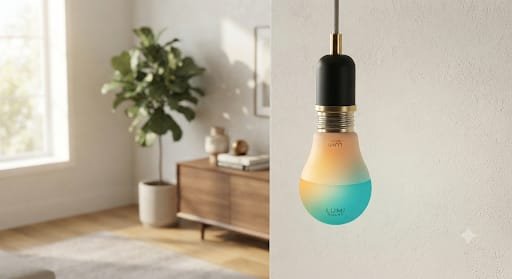
Smart LED Bulbs Buying Guide: 15 Best Color-Changing Lights Upgrading your home illumination with advanced smart LED bulbs can completely revolutionize your indoor ambiance, making a dependable choice
Smart LED Bulbs Buying Guide: 15 Best Color-Changing Lights
Choosing a smart bulb is no longer just about finding an LED that changes from white to blue or red. The best color-changing smart bulbs combine useful brightness, accurate colors, dimming, app control, voice assistants, scheduling, and increasingly, broader smart-home compatibility through standards such as Matter. The challenge is knowing which features actually matter for your room and which ones are mostly marketing.
This Smart LED Bulbs Buying Guide: 15 Best Color-Changing Lights breaks down the key buying factors and highlights 15 color-changing smart bulbs worth considering for bedrooms, living rooms, gaming spaces, offices, accent lighting, and whole-home setups. The selections are based on the combination of lighting capabilities, connectivity, ecosystem support, and practical use cases—not a claim that every bulb is best for every household.
🛒 Check Price on Amazon
Affiliate disclosure: This article contains affiliate links. If you purchase through qualifying links, SmartAirHQ may earn a commission at no additional cost to you.
The links throughout this guide are designed to help you browse relevant appliance categories. Prices, availability, specifications, and seller information can change, so verify the current product details before purchasing.
What Makes a Good Color-Changing Smart LED Bulb?
A good color-changing smart bulb should do more than produce bright colors. It should fit the socket and fixture you already have, provide enough useful white light for everyday tasks, dim smoothly, and work reliably with the smart-home platform you actually use. Connectivity is equally important: some bulbs connect directly over Wi-Fi, while others are designed around Bluetooth, Matter, Thread, or a manufacturer’s hub.
Before choosing a bulb, think about how you will use it. A bedroom bulb may benefit from gentle dimming and warm white settings, while a gaming room may prioritize vivid colors and scene effects. For a kitchen or workspace, brightness and useful white-light quality can matter more than the number of available colors.
Color Quality Is More Important Than the Number of Colors
Marketing often emphasizes huge color counts, but the practical question is whether the bulb produces the colors and white tones you actually want. RGB or RGBW technology can create colorful scenes, while tunable-white capability lets you move between warmer and cooler shades for everyday lighting. A bulb that combines both functions is generally more versatile than a color-only decorative light.
For normal room lighting, also look at lumens, not just watt-equivalent language. Lumens tell you how much light the bulb produces. A colorful bulb can look impressive at night while still being too dim to serve as the main light source in a room.
Smart Features Should Match Your Home
Smart bulbs can support schedules, scenes, timers, remote control, voice commands, grouping, energy monitoring, and automation. Some connect directly to Wi-Fi without a hub, while others may offer a richer experience through a dedicated ecosystem.
Matter is also worth understanding. The Connectivity Standards Alliance describes Matter as an interoperability standard intended to help compatible smart-home products work across ecosystems. (CSA-IOT)
If you are building a mixed-brand smart home, checking Matter compatibility before buying can reduce ecosystem headaches later.
Learn more about the Matter smart-home standard
15 Best Color-Changing Smart LED Bulbs to Consider
The following shortlist covers different priorities rather than pretending that one bulb is perfect for everyone. Some models emphasize brightness, others ecosystem compatibility, color control, simplicity, or value. Product versions and regional compatibility can change, so always confirm the current specification and socket type before ordering.
1. Philips Hue White and Color Ambiance A19
Philips Hue White and Color Ambiance A19
The Philips Hue White and Color Ambiance A19 is a strong choice for shoppers who want a mature smart-lighting ecosystem. The current A19 model offers white and color light, up to 1,100 lumens, deep dimming, and a broad white-light range. Philips Hue also offers optional bridge-based setups for people who want to expand beyond individual bulbs.
Best for: Whole-home smart lighting and ecosystem-focused buyers.
2. LIFX SuperColor A19 1100 Lumens
LIFX SuperColor A19 official product page
The LIFX SuperColor A19 is aimed at shoppers who want a bright, highly customizable bulb without adding a separate hub. LIFX lists 1,100 lumens, billions of colors, a warm-to-cool white range, direct Wi-Fi connectivity, and compatibility with major smart-home platforms. Its combination of brightness and color control makes it particularly useful when the bulb needs to function as everyday lighting rather than simple decoration.
Best for: Bright full-color lighting without a dedicated hub.
3. LIFX SuperColor A19 800 Lumens
LIFX SuperColor 800 official product page
The 800-lumen LIFX SuperColor A19 is a practical alternative for rooms where maximum brightness is less important. It retains the core appeal of the LIFX platform, including color customization, tunable white lighting, app control, and hub-free connectivity. It can make sense for bedrooms, accent lamps, smaller rooms, and decorative fixtures where 800 lumens is sufficient.
Best for: Smaller rooms and everyday ambient lighting.
4. Govee A19 Smart RGBWW Bulbs H600A
Govee A19 Smart RGBWW H600A official product page
Govee’s H600A A19 smart bulb combines RGB color control with warm and cool white lighting. The manufacturer lists more than 1,200 lumens, Wi-Fi and Bluetooth connectivity, app-based scenes, music synchronization, scheduling, grouping, and Matter compatibility. That makes it particularly attractive to people who want colorful entertainment lighting while still needing a bulb bright enough for normal room use.
Best for: Bright color lighting, entertainment, and music-based effects.
5. Govee BR30 Smart Colored Bulb
Govee BR30 Smart Colored Bulbs official product page
A BR30-style smart bulb is worth considering when you need a wider, more directional beam than a standard A19 bulb provides. Govee’s BR30 color-changing models offer millions of colors, customizable white tones, music synchronization, voice control, grouping, and Matter support on applicable versions. The shape is especially useful for recessed fixtures and other applications where directional light is desirable.
Best for: Recessed fixtures, focused lighting, and colorful room accents.
6. TP-Link Tapo L535
TP-Link Tapo L535 official product page
The Tapo L535 is one of the more versatile choices for buyers who want strong brightness and modern smart-home compatibility. TP-Link lists 1,100 lumens, 16 million colors, 2,500–6,500K tunable white lighting, dimming from 1% to 100%, energy monitoring, scheduling, remote control, and Matter compatibility. It also connects directly to Wi-Fi without requiring a separate hub.
Best for: Bright everyday lighting with broad smart-home functionality.
7. TP-Link Kasa KL135 Multicolor Smart Bulb
TP-Link Kasa KL135 official product page
The Kasa KL135 is designed for shoppers who prefer direct Wi-Fi smart lighting and want colorful scenes without installing a separate hub. TP-Link lists 1,000 lumens, a 2,500–9,000K tunable range, color-changing capability, dimming, voice control, scheduling, and app control. Its high output makes it a candidate for general-purpose rooms where colorful lighting still needs to provide useful illumination.
Best for: High-output Wi-Fi smart lighting and colorful scenes.
8. TP-Link Kasa KL130 Multicolor Smart Bulb
TP-Link Kasa KL130 official product page
The Kasa KL130 remains a notable option for buyers who like the Kasa app and want multicolor lighting with no dedicated hub. The current product page describes multicolor control, dimming, scenes, scheduling, remote access, voice control, and energy monitoring. Because product revisions can differ, check the exact hardware version and regional availability before purchasing.
Best for: Kasa users who want multicolor lighting and automation.
9. Meross MSL120 Smart Wi-Fi LED Bulb
Meross MSL120 official product page
The Meross MSL120 is a useful option for households that mix different smart-home ecosystems. Meross lists Apple HomeKit/Siri, Amazon Alexa, Google Home, and SmartThings compatibility, along with RGB color control, tunable white lighting, dimming, and direct Wi-Fi connectivity. Its A19 form factor and common socket options make it practical for everyday lamps and fixtures.
Best for: Multi-platform smart-home users.
10. Feit Electric Color-Changing RGBW A19 Smart Bulb
Feit Electric OM60/RGBW/CA/AG official product page
Feit Electric’s OM60/RGBW/CA/AG is a straightforward A19 color-changing smart bulb designed for direct Wi-Fi operation. The manufacturer lists 800 lumens, an E26 base, tunable white lighting, color-changing capability, dimming, scheduling, grouping, and compatibility with Amazon Alexa and Google Home. It is a sensible choice for shoppers who want familiar bulb hardware and mainstream voice-assistant support.
Best for: Straightforward Wi-Fi smart lighting with Alexa and Google Home.
11. WiZ 60W A19 Color LED Smart Bulb
The WiZ 60W A19 Color LED Smart Bulb is worth considering for shoppers who want a simple color-changing A19 bulb with app-based smart control. WiZ products are designed around connected lighting rather than requiring a traditional lighting hub for every setup. This type of bulb works especially well when you want schedules, scenes, dimming, and colorful ambient lighting in bedrooms, living rooms, and home offices.
Best for: Simple everyday smart lighting and colorful scenes.
12. Sengled Matter-Compatible Multicolor Smart Bulb
Sengled is another brand worth considering if you are building a smart home around Matter or other mainstream ecosystems. Matter is intended to improve interoperability between compatible smart-home products, although the exact setup still depends on the bulb, controller, app, and ecosystem. Sengled has also worked with Amazon on Matter-compatible smart lighting, making the brand relevant to shoppers looking beyond basic app-only bulbs. (Amazon Developer)
Best for: Buyers planning a Matter-oriented smart home.
13. Nanoleaf Essentials Matter A19 Smart Bulb
Nanoleaf Essentials bulbs are aimed at users who care about colorful ambient lighting and modern smart-home connectivity. The Essentials line has included A19-format smart bulbs designed for ecosystems such as Apple Home, Google Home, and other compatible platforms, with Matter appearing in newer generations. Before purchasing, verify the exact generation because connectivity and supported platforms can differ between older and newer Nanoleaf products.
Best for: Design-focused rooms and Matter-enabled lighting setups.
14. CYNC Full Color A19 Smart Bulb
The CYNC Full Color A19 is another option for shoppers looking for app-controlled full-color lighting in a familiar A19 form. It is particularly relevant for people who want colorful scenes, dimming, schedules, and voice-based smart-home control without moving to a specialized lighting fixture. Check the current CYNC model and ecosystem requirements carefully, especially if you already have other connected lights at home.
Best for: Colorful room lighting and smart-home scenes.
15. Feit Electric RGBW A19 Multi-Pack
If you want several bulbs for a bedroom, living room, or small apartment, a multi-pack can be more practical than buying individual bulbs. Feit’s RGBW A19 range is available in multiple pack configurations, and the manufacturer describes color-changing control, tunable white settings, smart-app control, and Alexa/Google compatibility. A multi-bulb setup is especially useful when you want synchronized colors across several fixtures. (Feit Electric)
Best for: Equipping several fixtures with matching color-changing bulbs.
Smart LED Bulb Buying Guide: Features to Check Before You Buy
Once you have a shortlist, compare the bulbs using a consistent set of criteria. This prevents the most common buying mistake: choosing a bulb because its packaging promises millions of colors while overlooking brightness, socket compatibility, connectivity, or ecosystem support.
A good buying decision starts with the physical fixture and ends with the software experience. If a bulb is physically incompatible with your lamp or frustrating to control, an impressive color specification will not make it a good purchase.
1. Check the Bulb Shape and Base
Start with the socket. A19 bulbs commonly use an E26 base in the United States, while other regions and fixtures may use E27, B22, E14, or other fittings. The bulb must physically fit the fixture and operate within the fixture’s electrical requirements.
Also check the bulb’s dimensions. Smart bulbs can be larger than traditional LEDs because they contain electronics, antennas, and additional components. A bulb that fits the socket may still be too wide or tall for a tight lampshade or enclosed fixture.
2. Compare Lumens Instead of Wattage Alone
Lumens are the more useful number when comparing brightness. A smart bulb marketed as a 60W replacement does not necessarily produce exactly the same practical experience as every other 60W-equivalent bulb.
For a bedside lamp, moderate brightness may be enough. For a ceiling fixture or large living room, a brighter bulb may be preferable. If you need several bulbs in one fixture, also consider the combined light output rather than evaluating each bulb in isolation.
3. Look for Both RGB Color and Tunable White
For most homes, the most flexible choice is a bulb that provides both colorful RGB lighting and adjustable white light. RGB is excellent for atmosphere, parties, gaming, decorative scenes, and accent lighting. Tunable white is more useful for everyday tasks because it gives you warmer or cooler illumination without relying on a saturated color.
This combination lets one bulb serve multiple purposes instead of requiring separate decorative and functional lights.
4. Check Wi-Fi, Bluetooth, Matter, and Hub Requirements
Connectivity is one of the most important differences between smart bulbs. Wi-Fi bulbs can often connect directly to your router, while Bluetooth can be useful for nearby control. Matter is designed to make compatible devices easier to integrate across supported smart-home ecosystems. (CSA-IOT)
Do not assume that the presence of a Matter logo means every feature will behave identically across every platform. Advanced scenes, manufacturer-specific effects, firmware updates, or energy features may still depend on the manufacturer’s app or ecosystem.
How to Choose the Right Color-Changing Bulb for Your Room
The best bulb depends heavily on where you plan to install it. A bedroom needs a different lighting profile from a gaming desk, and a kitchen usually benefits more from practical white illumination than extreme RGB effects.
Instead of asking, “Which smart bulb is the best?” ask, “Which smart bulb gives me the right balance of brightness, color control, connectivity, and automation for this room?” That simple change in thinking makes product comparisons much easier.
| Room or Use | What to Prioritize | Ideal Bulb Type |
|---|---|---|
| Bedroom | Warm whites, dimming, schedules | RGB + tunable white |
| Living room | Brightness, scenes, voice control | High-lumen RGBW |
| Gaming room | Saturated colors, effects, grouping | RGB/RGBWW |
| Home office | White-light quality, dimming | Tunable white + color |
| Kitchen | Brightness, useful white light | High-lumen RGBW |
| Accent lamp | Color range, compact size | Standard A19 RGB |
| Whole home | Ecosystem compatibility | Matter or established platform |
H3: Best Features for Bedrooms
For bedrooms, prioritize smooth dimming, warm white settings, schedules, and reliable automation. Bright saturated colors can be fun, but the bulb’s everyday white-light performance is usually more important. A bulb that can automatically switch to a softer setting in the evening can also reduce the need to manually adjust lighting every night.
If the bedroom uses multiple lamps, grouping is another useful feature because you can control several lights together rather than adjusting every bulb individually.
Best Features for Gaming and Entertainment
Gaming and entertainment spaces are where color-changing bulbs can become more than ordinary smart lighting. Look for strong color saturation, scene presets, music synchronization, grouping, and compatibility with the rest of your lighting system.
Govee, for example, offers music-related modes and group control on applicable smart bulb models, while other ecosystems focus more heavily on scenes and synchronized room lighting. (Govee)
Best Features for Living Rooms and Main Lighting
For a living room, brightness becomes much more important. If the smart bulb will serve as the primary light source, look for a higher-lumen model rather than choosing solely based on color effects.
The Philips Hue A19, LIFX SuperColor, Govee H600A, Tapo L535, and Kasa KL135 are examples of color-capable bulbs that also emphasize useful white-light output. Their specifications vary, so compare the current version before buying. (Philips Hue)
Wi-Fi Smart Bulbs vs. Hub-Based Smart Lighting
The decision between direct Wi-Fi lighting and a hub-based ecosystem is less about which technology is universally better and more about what you value. Wi-Fi bulbs are often appealing because setup can be simple: screw in the bulb, connect it to your network, and use the manufacturer’s app.
Hub-based systems can make more sense when you want to build a larger lighting installation around a dedicated ecosystem. The important thing is to understand the architecture before buying several bulbs so that you do not end up with a collection of incompatible apps and controllers.
When Direct Wi-Fi Is the Better Choice
Direct Wi-Fi is convenient for apartments, individual rooms, rental properties, and smaller smart-home projects. You can often control the bulb from your phone without buying another box for the network. Many Wi-Fi bulbs also provide remote access, schedules, grouping, and voice control.
The tradeoff is that your experience can depend more heavily on the manufacturer’s cloud service, app, firmware support, and Wi-Fi network. For a few bulbs, this may be perfectly acceptable.
When a Dedicated Ecosystem Makes Sense
A dedicated lighting ecosystem can be attractive when lighting is a major part of your smart home. Instead of managing several unrelated apps, you can keep bulbs, scenes, rooms, switches, and automations within a more unified system.
The Philips Hue ecosystem is a familiar example of this approach. It can be expanded from individual color bulbs into a larger lighting setup, with bridge-based configurations supporting many lights. (Philips Hue)
Common Smart Bulb Buying Mistakes to Avoid
Smart bulbs are easy to buy but surprisingly easy to buy incorrectly. The most common problems are not usually related to the color technology itself. They come from choosing the wrong socket, ignoring voltage requirements, overlooking network compatibility, or assuming that two products with similar packaging will offer the same smart-home features.
A few minutes of checking before checkout can prevent the frustration of returning several bulbs after discovering that they do not fit your fixture or work with your preferred platform.
Buying Only by the Number of Colors
Millions of colors sound impressive, but most people will never manually select more than a small number of favorite colors. What matters more is how well the bulb handles the colors you actually use, how bright it is, how smoothly it dims, and how easily you can automate it.
A bulb with fewer headline numbers but better everyday usability can be a smarter purchase than a flashy specification sheet.
Forgetting the Socket and Voltage
Always check the bulb base, fixture size, and electrical requirements. A19 describes the bulb shape, not the complete electrical specification. E26 and E27 bases are common but are not interchangeable assumptions for every region or fixture.
If you are replacing bulbs outside the United States, pay particular attention to voltage and socket standards. Manufacturer specifications should take priority over generic online recommendations.
Assuming Every Smart Feature Works Everywhere
A bulb can support Alexa, Google Home, Apple Home, Matter, or another platform while still having certain features limited to its manufacturer’s app. Advanced scenes, firmware updates, music effects, energy monitoring, or specialized lighting modes may not be available through every controller.
Before buying several bulbs, check the exact model number and the features supported by the ecosystem you intend to use.
How to Set Up Color-Changing Smart LED Bulbs
Most modern smart bulbs follow a straightforward setup process, but preparation makes the process smoother. Start by confirming the bulb’s socket and voltage, then install it in a suitable fixture. Avoid putting a smart bulb in a fixture where the wall switch will routinely cut power unless you are comfortable with the resulting loss of smart control.
For larger installations, set up one bulb first and verify the app, network, voice assistant, and automation features before installing the rest.
A Simple Smart Bulb Setup Process
- Check the bulb and fixture. Confirm the socket, voltage, bulb dimensions, and intended indoor or outdoor use.
- Install the bulb. Switch off power where appropriate, install the bulb, and restore power.
- Install the manufacturer’s app. Use the official app recommended for the specific model.
- Connect the bulb. Follow the pairing process for Wi-Fi, Bluetooth, Matter, or the relevant hub.
- Update firmware if prompted. Keeping the device current can improve compatibility and reliability.
- Test basic functions. Turn the bulb on and off, dim it, change colors, and test white-light settings.
- Create scenes and schedules. Once basic operation works, configure your preferred routines.
- Add voice control if desired. Connect the bulb to your supported voice assistant.
For more home maintenance and practical repair-related resources, you can also explore tools & Repair.
How to Build a Better Smart Lighting Setup
Buying one good bulb is easy. Building a smart lighting system that remains simple to use requires a little more planning. Start with the rooms where smart lighting provides the most practical benefit instead of replacing every bulb immediately.
Choose one ecosystem or connectivity strategy whenever possible. If you prefer Matter, prioritize compatible products and confirm which controller you will use. If you prefer a manufacturer’s ecosystem, stay within that platform for the rooms where synchronized scenes and automation matter most.
For additional home technology and appliance-related content, visit smartairhq.com.
Use Scenes Instead of Constantly Adjusting Individual Bulbs
Scenes turn multiple settings into one command. A “Movie” scene might reduce brightness and switch to a warm color, while a “Party” scene could use brighter saturated colors. A “Work” scene could return the room to a brighter neutral or cool white.
The advantage is consistency. Instead of manually adjusting several bulbs every time you change activities, you can create a few useful presets and activate them when needed.
Group Bulbs by Room
If you install several smart bulbs, organize them by physical room or function. A bedroom group, living-room group, and desk-light group are easier to understand than a long list of individual device names.
Use clear names as well. “Bedroom Ceiling” is much easier to control by voice than a generic name such as “Smart Bulb 4.”
Amazon Buying Tips for Smart LED Bulbs
When shopping on Amazon, compare the exact model number rather than relying only on the product title. Smart-lighting brands often sell multiple generations, pack sizes, regional versions, and brightness levels that look nearly identical in search results.
Also check the current listing for socket type, quantity, compatibility, and seller information. Prices and availability can change, so the Amazon links below are intended to help you browse the relevant product searches rather than promise a fixed price.
🛒 SmartAirHQ Amazon Smart Lighting Picks
Frequently Asked Questions About Color-Changing Smart Bulbs
Smart bulbs raise several practical questions before purchase, especially around Wi-Fi, brightness, compatibility, and whether color-changing capability is useful for everyday lighting. The answers below focus on the decisions that matter most when choosing between multiple models.
Are smart color-changing bulbs worth it?
Yes, if you will actually use scenes, dimming, schedules, voice control, or color-changing effects. They are especially useful for bedrooms, entertainment spaces, living rooms, and accent lighting. If you only need simple on/off lighting, a conventional LED may be a better-value choice.
Do smart bulbs work without Wi-Fi?
It depends on the model. Some bulbs rely primarily on Wi-Fi, while others support Bluetooth or other connectivity methods. Matter-enabled products can also use supported networking technologies such as Wi-Fi or Thread. Always check the exact model’s connectivity requirements before buying. (CSA-IOT)
Are RGB bulbs good for normal room lighting?
They can be, but look for a bulb that also provides tunable white lighting. RGB color is excellent for atmosphere, while adjustable white light is generally more practical for reading, working, cooking, and everyday illumination.
What brightness should I look for in a smart bulb?
Choose based on the room and fixture. Smaller lamps can work well with moderate brightness, while ceiling fixtures and main-room lighting often benefit from higher-lumen bulbs. Compare lumens rather than relying only on watt-equivalent labels.
Is Matter important when buying smart bulbs?
Matter can be useful if you want greater interoperability between supported smart-home ecosystems. However, it does not automatically guarantee that every manufacturer-specific feature will be available through every platform. Check the exact bulb and controller combination before purchasing. (CSA-IOT)
Do smart bulbs need a hub?
Not always. Many Wi-Fi smart bulbs connect directly to your home network. Other lighting systems may use a dedicated hub or bridge. The right option depends on how many bulbs you plan to install and which smart-home ecosystem you prefer.
Save This Smart LED Bulbs Guide on Pinterest
📌 Save this guide on Pinterest for later!
Comparing smart LED bulbs can take time, so save this guide to your Pinterest board and come back when you’re ready to choose your next color-changing smart bulb. Follow smartairhq for more smart-home and buying guides.
📌 Save on Pinterest
https://pin.it/2KdfHdpWh
Pinterest ID: smartairhq
Final Thought: Choose the Smart Bulb That Fits Your Lighting Needs
The best color-changing smart bulb is not necessarily the one with the most colors or the longest feature list. A better choice is the bulb that fits your fixture, produces enough useful light, offers the colors and white tones you want, and works with the smart-home platform you already use or plan to build.
For bright everyday lighting, prioritize lumens and white-light performance. For entertainment, focus on color quality, scenes, grouping, and effects. For a growing smart home, pay close attention to ecosystem compatibility and Matter support. And before purchasing several bulbs, verify the exact model, socket, voltage, connectivity, and current listing.
The goal of a good Smart LED Bulbs Buying Guide is ultimately simple: help you buy lighting that is enjoyable when you want color, practical when you need normal illumination, and easy to control every day.
🛒 Check SmartAirHQ’s Amazon Lighting Picks
Affiliate disclosure: This article contains affiliate links. If you purchase through qualifying links, SmartAirHQ may earn a commission at no additional cost to you.
Prices, availability, specifications, compatibility, and seller information can change. Always verify the current product details on the retailer or manufacturer’s website before purchasing.