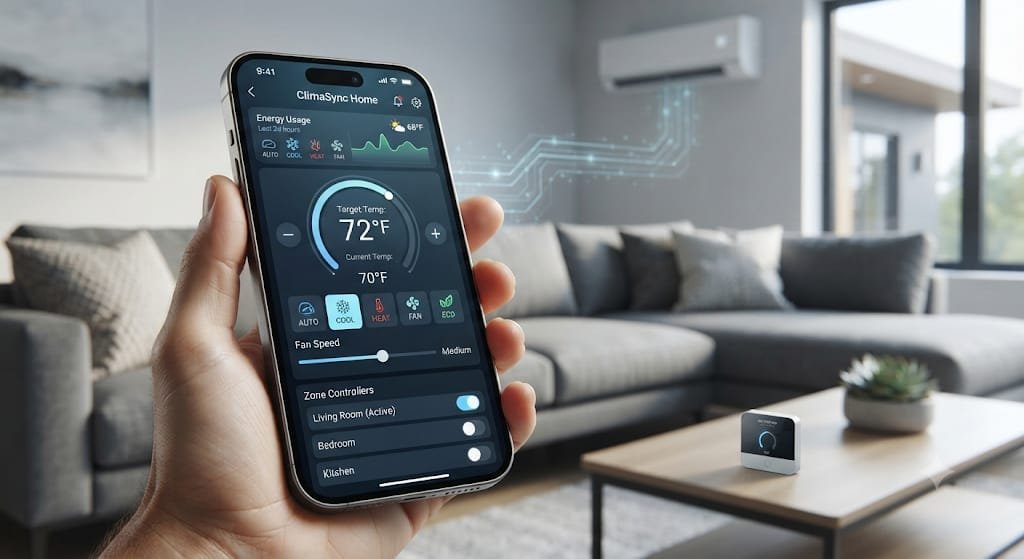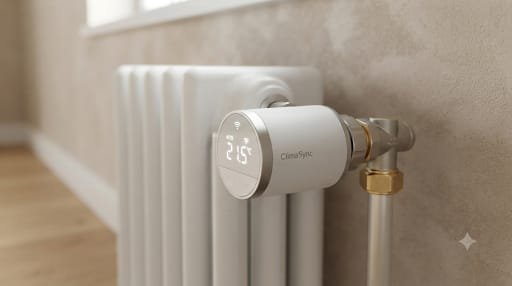
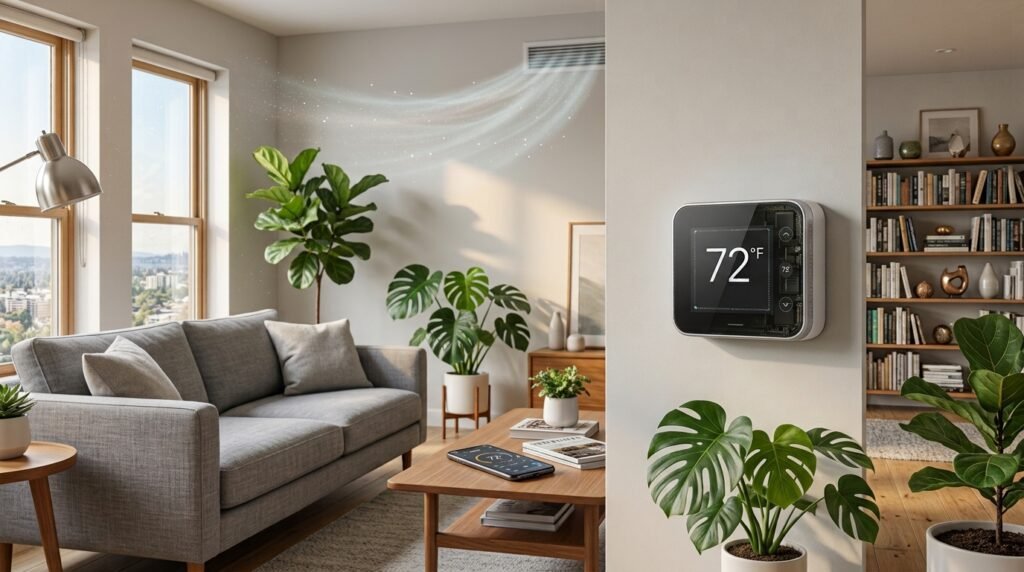
A smart thermostat can do much more than change the temperature in your home. It can help automate heating and cooling schedules, provide remote control, respond to occupancy, and give you better insight into how your HVAC system is being used.
“For homeowners looking to improve comfort and manage heating and cooling more efficiently, a smart thermostat can be a practical upgrade in 2026.”ENERGY STAR says that certified smart thermostats are designed around real-world performance and may include features such as scheduling, remote control, occupancy detection, and energy-use feedback.
But a smart thermostat is not automatically the right choice for every home. HVAC compatibility, wiring, installation requirements, Wi-Fi connectivity, privacy, and the type of heating and cooling equipment you have all matter.
This guide explains how smart thermostats work, what makes them useful, what they can realistically save, what to check before buying, and which accessories can make a smart climate-control setup even more useful.
Quick answer: A smart thermostat can be a worthwhile home upgrade if your HVAC system is compatible and you will actually use its scheduling, remote-control, automation, and energy-management features. The potential value depends on your climate, HVAC equipment, household routine, existing thermostat, and local energy costs.
What Is a Smart Thermostat?
A smart thermostat is a connected temperature-control device that allows you to manage your home’s heating and cooling using automated schedules, a smartphone app, sensors, or other smart-home features.
Unlike a basic thermostat, a smart model can connect to your home network and provide additional control and automation.
Depending on the model, features may include:
- Smartphone control
- Heating and cooling schedules
- Learning or adaptive schedules
- Occupancy detection
- Geofencing
- Room temperature sensors
- Energy-use reports
- Voice-assistant integration
- Smart-home integration
- Maintenance reminders
- Utility demand-response programs
ENERGY STAR-certified smart thermostats have specific requirements around scheduling, energy feedback, HVAC runtime information, and demonstrated energy-saving performance.
Why Consider a Smart Thermostat in 2026?
The biggest reason to consider a smart thermostat is not simply that it connects to Wi-Fi. The real advantage is that it can make temperature management more automatic.
A traditional thermostat generally requires you to remember when to adjust the temperature. A smart thermostat can automate many of those changes.
1. Automated Temperature Scheduling
Scheduling lets you set different temperature targets for different parts of the day.
For example:
| Time | Example Setting | Purpose |
|---|---|---|
| Morning | Comfortable | Prepare the home for the day |
| Work/School hours | Adjusted | Avoid unnecessary HVAC operation |
| Evening | Comfortable | Improve comfort when people are home |
| Overnight | Adjusted | Reduce unnecessary heating or cooling |
The exact settings should depend on your household, climate, HVAC equipment, and comfort preferences.
The goal is simple: avoid heating or cooling an empty home more than necessary.
2. Remote Control From Your Phone
Smart thermostats can let you change settings remotely through a mobile app.
That can be useful if:
- You forgot to change the temperature before leaving.
- Your schedule changes unexpectedly.
- You are returning home earlier or later than planned.
- You want to check the thermostat while traveling.
- You want to make temporary adjustments without changing the normal schedule.
ENERGY STAR specifically identifies remote control as a common smart-thermostat feature.
3. Automatic Adjustments Can Reduce Unnecessary HVAC Runtime
Heating and cooling equipment consumes energy while operating, so avoiding unnecessary runtime can matter.
Some smart thermostats can use occupancy detection, schedules, geofencing, or learning features to adjust temperature settings automatically.
However, savings are not guaranteed to be identical for every household.
Your actual results can depend on:
- Local climate
- HVAC efficiency
- Home insulation
- Household occupancy
- Temperature preferences
- Existing thermostat settings
- Energy prices
- Heating and cooling equipment
ENERGY STAR’s certification process uses real-world data from homes rather than relying only on laboratory estimates.
4. Potential Energy Savings
One of the biggest reasons homeowners consider smart thermostats is energy management.
“ENERGY STAR reports that certified smart thermostats have demonstrated heating and cooling savings based on field data from homes.” Its FAQ reports average savings of approximately 8% of heating and cooling bills, or about $50 per year, while also noting that results can vary according to climate, occupancy, comfort preferences, and HVAC equipment.
That means you should treat savings figures as potential averages, not a promise for your home.
A Simple Example
Suppose your household spends $1,500 per year on heating and cooling.
An 8% reduction would be:
$1,500 × 0.08 = $120
That is only an illustration. Your actual savings could be higher or lower.
The most important question is not:
“How much will a smart thermostat save everyone?”
Instead ask:
“How much of my heating and cooling use can I realistically manage through better scheduling and automation?”
5. Better Comfort Throughout the Home
Smart thermostats can also improve comfort, particularly when combined with compatible room sensors.
A single wall thermostat measures temperature at one location. A remote sensor can provide additional temperature information from another room.
This can be useful when:
- Bedrooms are warmer than living areas.
- Upstairs and downstairs temperatures differ.
- Certain rooms are occupied at different times.
- The thermostat location does not represent the temperature you care about most.
However, sensors do not magically solve every HVAC balancing problem. If your home has major temperature differences, insulation issues, duct problems, or inadequate HVAC capacity, those underlying issues may need separate attention.
6. Smart Thermostats Can Work With Other Smart-Home Devices
A smart thermostat can become part of a larger smart-home ecosystem.
Depending on the model, it may integrate with:
- Smart speakers
- Voice assistants
- Home automation platforms
- Temperature sensors
- Energy monitors
- Utility programs
- Other connected devices
This can make your HVAC system part of a broader smart-home energy strategy.
For example, your thermostat can handle temperature control while a separate energy monitor helps you understand electricity consumption.
For more information about monitoring household electricity use, see our Smart Energy Monitor Buying Guide.
7. Smart Thermostats and HVAC Zoning
A smart thermostat can also complement a zoned HVAC system, although these are different technologies.
A zoning system divides a home into separate temperature-control areas, while a smart thermostat primarily manages temperature and HVAC operation.
If you are considering zoning, see our guide to HVAC Zoning Systems to understand how zoning works and when it may make sense.
Smart Thermostat vs HVAC Zoning
| Feature | Smart Thermostat | HVAC Zoning |
|---|---|---|
| Controls temperature | Yes | Yes |
| Smartphone control | Often | Depends on system |
| Automated scheduling | Usually | Depends on controls |
| Separate home zones | Not necessarily | Yes |
| Room sensors | Some models | Often used |
| Installation complexity | Usually lower | Usually higher |
| Main purpose | Smart temperature management | Independent zone control |
These technologies can sometimes work together, but compatibility depends on the HVAC equipment and control system.
Smart Thermostat vs Traditional Thermostat
A smart thermostat isn’t necessarily better for every homeowner. The right choice depends on how much automation and connectivity you actually need.
| Feature | Traditional Thermostat | Smart Thermostat |
|---|---|---|
| Basic temperature control | Yes | Yes |
| Programmable schedule | Some models | Usually |
| Smartphone control | No | Usually |
| Remote adjustments | No | Usually |
| Learning features | No | Some models |
| Occupancy detection | No | Some models |
| Energy reports | Rare | Some models |
| Smart-home integration | No | Often |
| Room sensors | Rare | Some models |
| Upfront cost | Usually lower | Usually higher |
| Installation complexity | Usually lower | Varies |
A traditional thermostat can still be perfectly adequate if you prefer simple controls and do not need connected features.
How Much Does a Smart Thermostat Cost?
Smart thermostat prices vary considerably depending on features, brand, compatibility, and included sensors.
ENERGY STAR currently notes that smart thermostat prices can range roughly from $50 to $300, with some eligible products also qualifying for local discounts or rebates.
Your total cost may include:
- Thermostat
- Remote temperature sensors
- Installation
- C-wire adapter or power accessory, if required
- Additional HVAC controls
- Professional service
- Potential subscription features
Smart Thermostat Cost Considerations
| Cost Factor | What to Consider |
|---|---|
| Thermostat | Entry-level vs advanced model |
| Sensors | Optional but useful for some homes |
| Installation | DIY vs professional |
| Wiring | C-wire or compatible power solution |
| HVAC compatibility | Critical before purchase |
| Subscription | Check whether advanced features require one |
| Rebates | Check local utility or government programs |
For U.S. homeowners, the Department of Energy maintains information about energy-saving programs and rebates, although eligibility varies by location and program.
Do You Need a C-Wire for a Smart Thermostat?
Not necessarily.
The C-wire, or common wire, provides continuous power to many thermostats. Some smart thermostats can operate without a dedicated C-wire, while others require one or use an alternative power solution.
Google’s official Nest documentation explains that some Nest thermostats can operate without a C-wire, while others may require a C-wire or a compatible power accessory.
Before buying a thermostat:
- Check your existing thermostat wiring.
- Identify your HVAC system type.
- Use the manufacturer’s compatibility checker.
- Confirm whether a C-wire is required.
- Check whether a power adapter is supported.
- Contact an HVAC professional if you are unsure.
Do not assume that every thermostat works with every HVAC system.
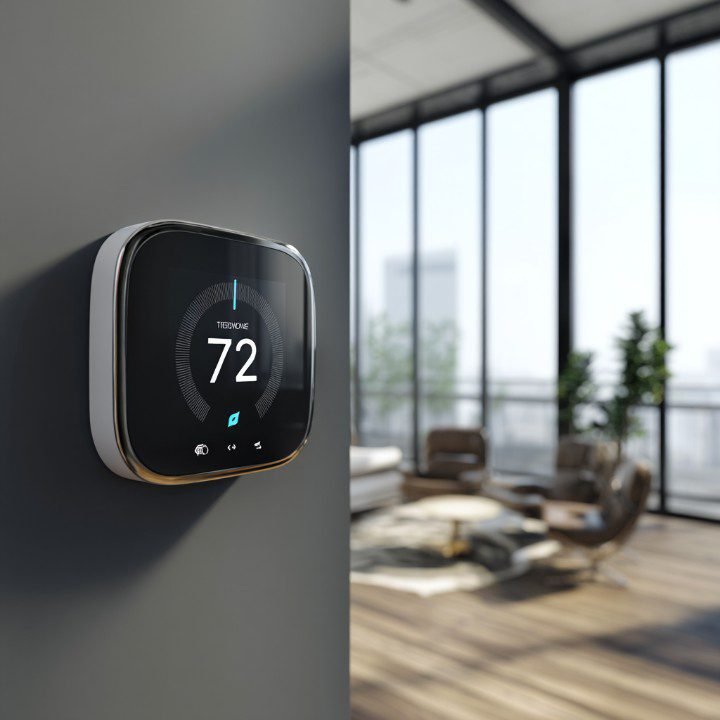
Smart Thermostat Compatibility Checklist
Use this checklist before purchasing:
| Question | Why It Matters |
|---|---|
| What HVAC system do you have? | Compatibility varies |
| Do you have a C-wire? | Some models require continuous power |
| Do you use a heat pump? | Heat-pump systems can have specific requirements |
| Do you have multiple heating/cooling stages? | The thermostat must support your system |
| Do you have zoning? | Control compatibility matters |
| Do you need humidifier/dehumidifier control? | Not every thermostat supports it |
| Is Wi-Fi available? | Many smart features depend on connectivity |
| Is your HVAC manufacturer-specific? | Some systems work best with their own controls |
| Do you want room sensors? | Check sensor availability |
| Do you need voice control? | Verify platform compatibility |
For example, Google’s current Nest documentation lists support for various heating, cooling, heat-pump, fan, humidifier, dehumidifier, and ventilation configurations on specific models—but compatibility is model-specific.
Smart Thermostat Features Worth Paying For
Not every premium feature is necessary.
Focus on features that match how you actually use your home.
Useful Features
Remote Control
Useful for changing settings when you are away.
Scheduling
Helpful for households with predictable daily routines.
Occupancy Detection
Can help adjust HVAC operation when the home is empty.
Room Sensors
Useful when different rooms have noticeably different temperatures.
Energy Reports
Helpful for understanding heating and cooling patterns.
Smart-Home Integration
Useful if you already use compatible smart-home platforms.
Geofencing
Can automate temperature changes based on whether household members are nearby, although availability and implementation vary by product. ENERGY STAR does not require geofencing for certification.
What Are the Downsides of Smart Thermostats?
Smart thermostats have advantages, but there are also limitations.
Higher Upfront Cost
A basic thermostat is usually cheaper.
Compatibility Problems
Not every smart thermostat works with every HVAC configuration.
Installation Can Be Complicated
Wiring, heat pumps, multi-stage systems, zoning, and accessory controls can make installation more complicated.
Internet Dependence
Some smart features require Wi-Fi or cloud connectivity, while basic temperature control may continue to work without an internet connection depending on the thermostat.
Privacy Considerations
Connected devices may collect information related to device usage and home patterns. Review the manufacturer’s privacy policy and account settings before purchasing.
Automation Isn’t Always Perfect
A smart thermostat may make an adjustment you don’t expect. Good scheduling and appropriate settings still matter.
Are Smart Thermostats Worth It for Every Home?
No single thermostat is ideal for every household.
A smart thermostat may be particularly useful if:
- You frequently forget to adjust the thermostat.
- Your schedule changes.
- You want remote control.
- You want automated temperature management.
- You want energy-use information.
- You already use smart-home devices.
- Your HVAC system is compatible.
- You want room-temperature sensors.
A traditional or programmable thermostat may be enough if:
- You rarely change temperature settings.
- You prefer simple controls.
- You do not want Wi-Fi-connected devices.
- Your HVAC system has compatibility limitations.
- The additional features do not solve a problem you actually have.
12 Smart Thermostat Accessories and Related Products to Consider
The thermostat itself is only one part of a smart climate-control setup. These product categories may be useful depending on your home and HVAC system.
Affiliate disclosure: Some links in this section may be affiliate links. If you purchase through an affiliate link, SmartAirHQ may earn a commission at no additional cost to you. We recommend products and categories based on relevance to the topic, not solely on commission potential.
The core product for this guide.
1. Smart Thermostats
A smart thermostat is the core product for this guide and can help homeowners manage heating and cooling more conveniently while providing features such as scheduling, remote control, and energy-use insights.
Look for: HVAC compatibility, scheduling options, remote control, energy reporting, smart-home compatibility, geofencing or automation features, and appropriate installation support.
Important: Always confirm compatibility with your HVAC system and wiring before purchasing. If professional installation is required, follow the manufacturer’s recommendations.
Check Price & Availability : View Smart Thermostats on Amazon.
2. Smart Thermostat With Room Sensors
Smart thermostats with room sensors can be useful when the temperature near the main thermostat does not accurately represent the temperature in bedrooms, offices, or other frequently used rooms. Sensors can provide additional temperature readings and, depending on the thermostat, may help prioritize comfort in selected areas.
Look for: Sensor compatibility, sensor battery life, multi-room support, temperature accuracy, and flexible scheduling options.
View Smart Thermostats With Room Sensors on Amazon
3. Remote Temperature Sensors
A separate remote temperature sensor can provide additional temperature readings from different areas of your home. This can be useful when the temperature near your main thermostat does not match the conditions in bedrooms, offices, upstairs areas, or other frequently used rooms.
Best for: Multi-level homes, bedrooms, home offices, or rooms with noticeable temperature differences.
Explore Remote Temperature Sensors on Amazon
4. Indoor Temperature and Humidity Monitors
Indoor temperature and humidity monitors can help you understand the conditions inside your home beyond the thermostat’s primary temperature reading. They can be especially useful for identifying rooms that are consistently warmer, cooler, or more humid than the rest of the home.
Look for: Temperature accuracy, humidity measurement, display quality, app connectivity, battery life, and historical data.
Explore Temperature & Humidity Monitors on Amazon
5. HVAC Air Filters
HVAC air filters are a simple but important part of routine heating and cooling maintenance. A smart thermostat cannot compensate for poor HVAC maintenance, so keeping the system’s filter in suitable condition can support normal airflow and system operation.
Replace or clean the filter according to your HVAC manufacturer’s recommendations and the type of filter you use. Homes with pets, dust, or higher indoor-air demands may need more frequent attention.
Look for: Correct filter size, HVAC system compatibility, manufacturer recommendations, and an appropriate filtration rating.
Shop HVAC Air Filters on Amazon
6. C-Wire Adapters or Power Accessories
If your smart thermostat requires continuous power but your HVAC system does not have a conventional C-wire, a compatible C-wire adapter or thermostat power accessory may provide an alternative to installing new wiring.
Important: Always verify compatibility with your exact thermostat model, HVAC system, and existing wiring configuration before purchasing. Some adapters are designed for specific systems and may not work with every thermostat.
If your thermostat cable already contains an unused wire, you may be able to use it as a C-wire instead of purchasing an adapter.
Amazon Check C-Wire Adapters on Amazon.
7. Thermostat Wire Labels
Thermostat wire labels can help you keep HVAC wiring organized when replacing or upgrading a thermostat. Clearly labeling each wire before disconnecting it can make it easier to identify the correct terminal during installation.
Important: Wire labels are only an organizational aid and do not replace proper electrical or HVAC safety procedures. Always turn off power to the HVAC system before working with thermostat wiring.
Amazon Check Thermostat Wire Labels on Amazon.
8. HVAC Thermostat Installation Accessories
Depending on your thermostat and wall setup, you may need installation accessories such as a mounting plate, wall plate, screws, drywall anchors, or other hardware. These accessories can help provide a secure installation and cover gaps or marks left by a previous thermostat.
Important: Choose accessories that are compatible with your specific thermostat and wall surface. Always follow the thermostat manufacturer’s installation instructions.
Price Check HVAC Thermostat Installation Accessories on Amazon.
9. Smart Home Hubs
If you use multiple smart-home devices, a compatible smart home hub or platform can help connect and manage devices from one place. A hub may also enable automation between your thermostat, lights, sensors, locks, and other compatible devices.
Look for: Compatibility with your existing smart-home ecosystem, supported communication standards, and compatibility with the specific thermostat or devices you plan to connect.
Explore Prices Smart Home Hubs on Amazon.
10. Smart Plugs for Compatible Heating Devices
Smart plugs can be useful for controlling certain standalone heating devices that are specifically designed to work with plug-in power. They may allow you to schedule operating times or control compatible devices remotely through a smart-home app.
Important: Never use a smart plug to control HVAC equipment, heaters, or other high-power appliances unless the device manufacturer specifically confirms that the setup is safe and supported. Always check the appliance’s power requirements and the smart plug’s rated capacity before use.
Shop and Explore Now : Smart Plugs for Compatible Heating Devices on Amazon.
11. Home Energy Monitors
Home energy monitors can complement a smart thermostat by helping you understand how much electricity your home uses beyond HVAC controls. Depending on the device, an energy monitor may provide information about whole-home or circuit-level electricity consumption, helping you identify energy-use patterns and potential opportunities to reduce waste.
Look for: Real-time energy monitoring, app-based tracking, historical usage data, and compatibility with your home’s electrical system.
For a more detailed look at energy-monitoring options, see our Smart Energy Monitor Buying Guide: 15 Best Home Power Trackers.
Explore Now : Home Energy Monitors on Amazon.
12. HVAC Maintenance Accessories
Depending on your HVAC system, routine maintenance may involve products such as replacement air filters, condensate accessories, cleaning tools, or other manufacturer-approved supplies. Keeping the right maintenance items available can help homeowners follow recommended maintenance schedules and keep their HVAC equipment operating properly.
Look for: Correct filter size, equipment compatibility, manufacturer-approved accessories, and products designed specifically for your HVAC system.
Important: Never use a maintenance product or accessory unless it is appropriate for your specific HVAC equipment. For electrical, refrigerant, or complex mechanical work, follow the manufacturer’s instructions and consider using a qualified HVAC professional.
Shop Now : HVAC Maintenance Accessories on Amazon.
How to Choose the Right Smart Thermostat
Choosing a smart thermostat is easier when you evaluate your HVAC system, wiring, required features, installation needs, and total cost before purchasing. Instead of choosing a model based only on the number of features, use the following process.
Step 1: Identify Your HVAC System
First, determine what type of heating and cooling equipment you have. Your system may include:
- Central air conditioning
- Furnace
- Heat pump
- Boiler
- Multi-stage heating or cooling
- Zoned HVAC
- Auxiliary or emergency heat
- Humidifier or dehumidifier controls
Check your existing thermostat, HVAC equipment documentation, or manufacturer’s information if you’re unsure about your system type.
Step 2: Check Compatibility
Before buying a smart thermostat, use the manufacturer’s compatibility checker whenever one is available.
Compatibility is especially important if you have a heat pump, multi-stage system, zoned HVAC, auxiliary heat, or additional equipment such as humidifiers and dehumidifiers.
A thermostat that looks suitable based on its features may still be incompatible with your specific HVAC configuration.
Step 3: Check Your Wiring
Remove the thermostat cover only if you can do so safely and identify the existing wiring. Determine whether your system has a C-wire (common wire) or whether the thermostat supports an alternative power solution.
Take a photo of the existing wiring before disconnecting anything, and follow the manufacturer’s installation instructions.
Step 4: Decide Which Features You Actually Need
Focus on features that match how you use your home rather than paying for functions you may never use.
Consider:
- Scheduling
- Remote control through a smartphone app
- Room or temperature sensors
- Energy-use reports
- Occupancy detection
- Geofencing and automation
- Smart-home integration
- Voice-control compatibility
Step 5: Calculate the Total Cost
The thermostat price is only part of the overall cost. Consider:
- Thermostat purchase price
- Professional installation, if needed
- C-wire adapters or other accessories
- Additional temperature sensors
- Replacement batteries, where applicable
- Optional subscription fees
- Other installation materials
Comparing the total cost can help you avoid choosing a thermostat that appears inexpensive but requires additional accessories or services.
Step 6: Check Rebates and Incentives
Local utility companies, energy providers, and government programs may offer rebates or discounts for qualifying smart thermostats and energy-efficiency upgrades.
Check the current eligibility requirements, participating products, purchase requirements, and rebate deadlines before buying. Availability and terms can vary by location and may change over time.
Quick Decision Checklist
Before purchasing, make sure you can answer yes to these questions:
- Is the thermostat compatible with my HVAC system?
- Do I have the required wiring or a supported power solution?
- Does it support the features I actually need?
- Are installation requirements clear?
- Have I included accessories and potential subscription costs?
- Have I checked available rebates or incentives?
Once you’ve confirmed these points, you can compare compatible smart thermostats based on features, price, installation requirements, and long-term value.
Smart Thermostat Buying Checklist
Before clicking Buy, use this checklist to make sure the thermostat matches your HVAC system, wiring, smart-home setup, and budget:
- Is it compatible with my HVAC system?
- Does it support my heating and cooling stages?
- Does it work with my heat pump, if applicable?
- Does my system require a C-wire?
- Is a compatible C-wire adapter or power accessory available if needed?
- Does it support my preferred smart-home platform?
- Do I need additional room or temperature sensors?
- Are advanced features included, or do they require a subscription?
- Does the manufacturer provide a compatibility checker?
- Can I install it myself, or is professional installation recommended?
- Are rebates or utility incentives available in my area?
- Does it provide the energy-management and reporting features I actually need?
- What is the total cost, including installation, accessories, sensors, and subscriptions?
Tip: Don’t choose a smart thermostat based only on its feature list. Confirm HVAC compatibility and installation requirements first, then compare features, total cost, energy-management capabilities, and available incentives.
How to Get the Most From a Smart Thermostat
Buying a smart thermostat is only the first step. To get the most value from it, configure it around your actual routine, use its available features appropriately, and keep your HVAC system properly maintained.
Use a Realistic Schedule
Set temperatures around your actual daily routine rather than creating a complicated schedule that you frequently override.
If your thermostat supports learning, automation, or geofencing, review its settings periodically to make sure they match your lifestyle and comfort preferences.
Use Sensors Strategically
If your thermostat supports room or temperature sensors, place them in rooms where temperature matters most.
Avoid placing sensors near direct sunlight, drafts, vents, exterior doors, or other locations that could produce misleading temperature readings. Follow the manufacturer’s placement recommendations for the best results.
Avoid Extreme Settings
Large temperature changes are not automatically more efficient. Use temperature settings that are appropriate for your HVAC system and comfortable for your household.
Heat pumps, in particular, may have different operating characteristics from conventional heating systems, so follow the thermostat and HVAC manufacturer’s recommendations.
Review Energy Reports
If your thermostat provides energy reports or usage history, review them periodically to understand heating and cooling patterns.
Look for recurring periods of high HVAC use and consider whether scheduling, comfort settings, insulation, or HVAC maintenance could help reduce unnecessary energy consumption.
Keep Your HVAC Maintained
A smart thermostat cannot compensate for problems such as dirty air filters, poor insulation, duct issues, refrigerant problems, or failing HVAC equipment.
Follow the manufacturer’s recommended maintenance schedule and replace filters or arrange professional servicing when appropriate.
Update Software When Appropriate
Connected thermostats may receive software and firmware updates that improve functionality, compatibility, performance, or security.
Keep your thermostat and associated mobile apps updated when recommended by the manufacturer, and review important update or privacy settings when necessary.
Monitor Your Overall Energy Use
A smart thermostat provides useful information about HVAC operation, but it may not show your home’s complete electricity consumption. A separate home energy monitor can provide a broader view of energy use and help you understand how HVAC usage fits into your overall household consumption.
Smart Thermostat vs Spending Money Elsewhere
A smart thermostat is only one possible home-efficiency upgrade. Before buying one, consider whether your home’s biggest comfort or energy problem is actually somewhere else.
For example, you may need to address:
- Poor insulation
- Air leaks around doors, windows, or other areas
- Uneven HVAC distribution
- Dirty or clogged air filters
- Aging or inefficient HVAC equipment
- Poorly designed or leaking ductwork
- Incorrect HVAC system sizing
- Excessive indoor humidity
- Limited energy monitoring
If one of these issues is the primary cause of your home’s comfort or energy problems, addressing it may be more appropriate than simply installing a smart thermostat.
A smart thermostat can help with scheduling, temperature management, automation, and energy monitoring, but it cannot correct underlying HVAC or building-envelope problems.
The bottom line: Think of a smart thermostat as one part of a broader home climate-control and energy-management strategy—not a standalone solution for every efficiency problem.
Frequently Asked Questions
Are smart thermostats worth it in 2026?
A smart thermostat can be useful for homeowners who will actually use features such as scheduling, remote control, occupancy detection, room sensors, automation, and energy reporting. Whether it is worth the cost depends on your HVAC system, household routine, climate, installation requirements, and the thermostat’s total purchase and operating cost.
Do smart thermostats really save energy?
ENERGY STAR-certified smart thermostats have demonstrated energy savings through a field-based certification process. ENERGY STAR currently reports average savings of approximately 8% of heating and cooling bills, although actual results vary depending on factors such as climate, occupancy, comfort preferences, and HVAC equipment.
Do smart thermostats work with every HVAC system?
No. Compatibility varies by thermostat and HVAC system. Heat pumps, multi-stage systems, zoned HVAC, auxiliary heat, and additional equipment such as humidifiers or dehumidifiers can have specific compatibility requirements. Always check the manufacturer’s compatibility information before purchasing.
Do I need a C-wire?
Not always. Some smart thermostats can operate without a C-wire, while others require continuous power through a C-wire or a compatible power accessory. Check the manufacturer’s compatibility information for your specific HVAC system before purchasing.
Can I install a smart thermostat myself?
Some homeowners may be able to install a compatible thermostat themselves, but installation difficulty varies by HVAC system and thermostat. If you are uncertain about wiring or have a complex system, follow the manufacturer’s installation instructions or consider professional installation.
Can smart thermostats control multiple rooms?
Some smart thermostat systems support additional room or temperature sensors that can provide temperature information from different areas of the home. However, independent temperature control for separate rooms generally requires compatible zoning equipment or a specialized HVAC system.
Do smart thermostats work without Wi-Fi?
Some smart thermostats can continue basic thermostat functions without an internet connection, but features such as remote smartphone control, cloud services, and certain automation functions may require connectivity. Check the manufacturer’s documentation for your specific model.
Are smart thermostats secure?
Connected-device security varies by manufacturer and model. Look for manufacturers that provide ongoing software support, account-security features, regular updates, and clear privacy information. Use a strong, unique account password and enable available security features such as multi-factor authentication.
How long does a smart thermostat last?
Lifespan varies by model, usage, installation, software support, and hardware reliability. Before purchasing, check the manufacturer’s warranty, software-support policy, and replacement or service options.
Can a smart thermostat reduce my electricity bill?
It can potentially reduce heating and cooling energy use by helping automate temperature settings and reduce unnecessary HVAC operation. However, actual electricity-bill savings depend on your home, HVAC equipment, climate, temperature settings, occupancy, and local energy rates. ENERGY STAR’s savings figures apply specifically to certified smart thermostats and should not be treated as a guaranteed result for every home.
Are room sensors worth buying?
Room sensors can be useful when temperatures vary significantly between rooms or floors. They may also help a compatible thermostat prioritize temperature readings from areas that matter most to your household. If your home already maintains relatively even temperatures, additional sensors may not be necessary.
Should I buy the most expensive smart thermostat?
Not necessarily. Choose a model whose HVAC compatibility, features, installation requirements, and total cost match your actual needs. Paying more for features you will not use may not provide meaningful additional value.
Do smart thermostats qualify for rebates?
Some utility companies and energy programs offer rebates or incentives for qualifying smart thermostats. Eligibility, participating models, purchase requirements, and rebate amounts vary by location and can change over time. Check your local utility or energy-efficiency program before purchasing.
Final Thoughts
A smart thermostat can be a useful smart-home upgrade for homeowners who want more control over heating and cooling.
Its value comes from combining everyday temperature control with features such as scheduling, remote access, occupancy detection, room sensors, energy reporting, and smart-home integration.
However, the right thermostat depends on your HVAC equipment, wiring, household routine, and the features you actually need. Compatibility should come before aesthetics, brand popularity, or the length of a feature list.
Before buying, check your HVAC system, wiring requirements, thermostat compatibility, installation needs, available rebates or incentives, and total ownership cost.
If those factors align with your needs, a smart thermostat can become a useful part of a broader strategy for improving comfort and managing home energy use.
Ready to compare your options? Start by confirming HVAC compatibility, then compare the features, installation requirements, total cost, and smart-home capabilities that matter most to your household.
SmartAirHQ Tip: A smart thermostat works best as part of a broader home-energy strategy that includes proper HVAC maintenance, sensible temperature scheduling, and a clear understanding of how your home uses energy.
Related SmartAirHQ Guides
Stay Updated With SmartAirHQ
Want more practical guides about smart-home technology, energy efficiency, climate control, and modern home products?
Subscribe to the SmartAirHQ newsletter for new guides, buying tips, product updates, and practical ways to make your home smarter and more efficient.